 MP3 Converter
AAC to MP3 & MP3 to AAC Converter
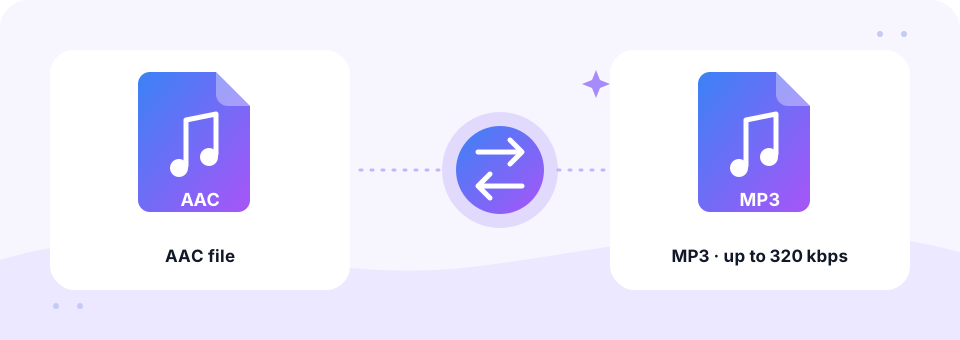
Our free AAC to MP3 converter turns .aac and .m4a audio into MP3 files that play on every car stereo, media player and app. Pick a bitrate up to 320 kbps, add one file or a whole folder, and the conversion runs privately in your browser. It also works the other way, from MP3 to AAC.
- 100% Private
- No Limits
- Free
- Any Device
Upload AAC files to convert to MP3.
Supported formats: AAC, M4A, ADTS and more, up to 500 MB per file
or drag and drop files here
Files are processed inside your browser and are never uploaded to a server.
Why convert AAC audio to MP3?
AAC (Advanced Audio Coding) was designed as the successor to MP3, and it sounds great at modest bitrates. That is why Apple uses it for iTunes Store music, YouTube uses it for much of its audio, and many voice recorders, radio streams and Android apps save to it. You will usually see it as an .m4a file, or as a raw .aac file from recorders and streams.
However, “newer” does not always mean “supported”. Plenty of car stereos, older MP3 players, website upload forms and audio editors still expect MP3. Converting AAC to MP3 gives you one file type that simply works everywhere. Meanwhile, if you want smaller files for an iPhone or Apple Music library, the MP3 to AAC tab does the reverse.
How to use the AAC to MP3
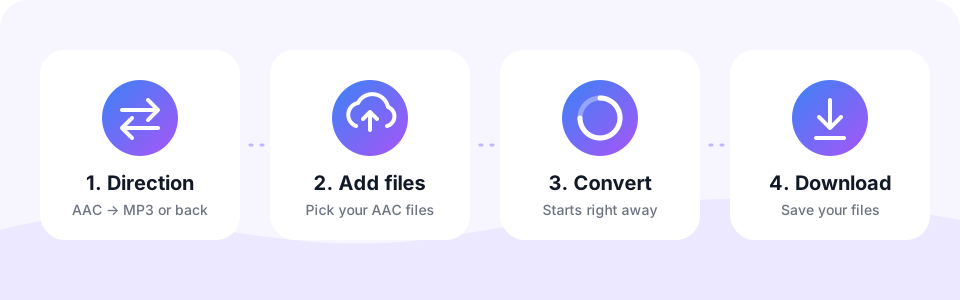
- Choose the directionLeave the AAC → MP3 tab selected. If you want to go the other way, tap MP3 → AAC instead.
- Set the MP3 quality192 kbps is the default and suits most AAC files. Pick 256 or 320 kbps for high-quality music, and set this before adding files, since each file keeps the settings it was added with.
- Add your AAC or M4A filesTap Choose AAC Files or drag files onto the box. Add as many as you like; they convert one after another.
- Save the MP3 filesPreview a file in the little player, then tap Download. With two or more finished, use Download all to grab them in one go.
Converting MP3 to AAC
AAC is the format Apple devices, YouTube and many streaming services use by default. It sounds a little better than MP3 at the same bitrate, which makes it handy when you want smaller files for an iPhone, iPad or Apple Music library.
Choose MP3 → AAC, add your MP3 files and pick a bitrate. Because both formats are lossy, choose a bitrate at least as high as the original MP3 (192 kbps is a safe choice) so the conversion adds as little loss as possible. Turn on Mono for speech, so the whole bitrate goes to one clear voice channel.
Which MP3 bitrate matches your AAC file?
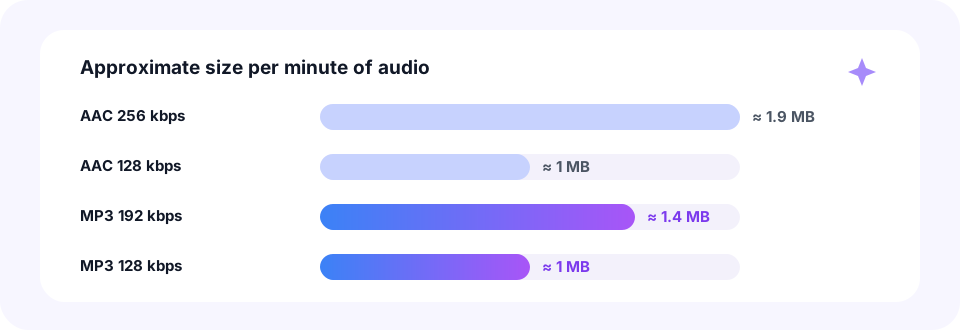
AAC is a little more efficient than MP3. In other words, an AAC file needs fewer kilobits per second to sound just as good. So when you convert AAC to MP3, choose an MP3 bitrate at or a step above the source to keep the sound close to the original.
- AAC at 96 to 128 kbps. Choose 192 kbps MP3. This covers most YouTube audio, voice recordings and podcasts.
- AAC at 256 kbps. Choose 256 or 320 kbps MP3. iTunes Store purchases (iTunes Plus) use this bitrate.
- Speech and voice memos. 128 kbps with Mono turned on keeps a single voice clear and the file small.
- Not sure about the source?. Pick 192 kbps. It is a safe middle ground for both music and speech.
AAC, M4A and .aac files explained
People often mix these names up, and that is understandable. AAC is the codec, which means the method used to compress the sound. M4A is a container, a kind of wrapper, that usually holds AAC audio along with tags such as the song title. A plain .aac file (also called ADTS) is AAC audio with no wrapper at all, typical for recorders, radio streams and some phone apps.
This page accepts all three. In addition, M4A files can also hold Apple Lossless audio, and those convert here as well. If most of your files end in .m4a, our M4A to MP3 page covers that format in more depth.
Does converting AAC to MP3 lose quality?
Strictly speaking, a little. Both AAC and MP3 are lossy formats, so the converter decodes your AAC to full audio first and then encodes a brand-new MP3. That second encoding removes a small amount of detail. In practice, though, choosing a bitrate at or above the source keeps the difference too small for most people to hear.
What no converter can do is add detail that the AAC file never had. A 128 kbps AAC will not sound like a studio master at 320 kbps; it will simply sound like itself, in MP3 form. For that reason, there is no benefit in going far above the source bitrate except for peace of mind.
Protected iTunes and Apple Music files
Some AAC files are locked with DRM (digital rights management). Songs downloaded through an Apple Music subscription and old iTunes purchases from before 2009, which often end in .m4p, fall into this group. Browsers cannot read protected audio, so these files show an error instead of converting.
By contrast, iTunes Plus purchases, your own CD rips and recordings you made yourself are not protected, so they convert normally. If a file refuses to convert, play it in another app first to check that it is not damaged or locked.
AAC to MP3 on iPhone, Android, Mac and Windows
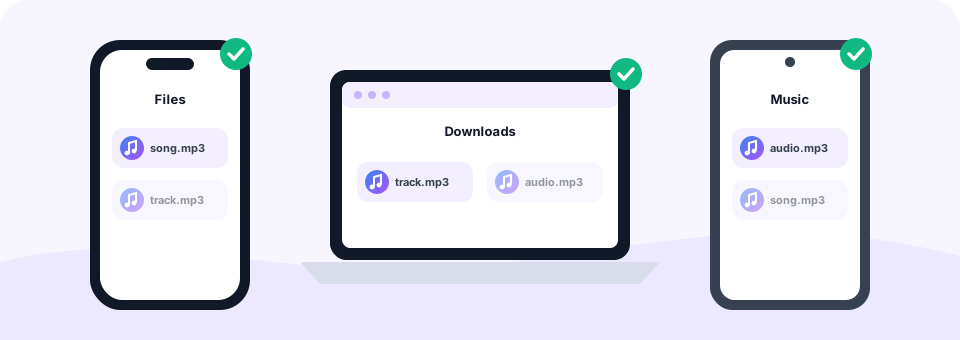
Because the converter runs in your browser, you do not need iTunes, VLC or any other software. On Windows or a Mac, open this page in Chrome, Edge, Firefox or Safari and add your files; each MP3 goes to your Downloads folder.
On an Android phone, tap Choose AAC Files in Chrome and select the file from Recordings, Music or Download. On an iPhone or iPad, use Safari and pick the audio from the Files app, for example a Voice Memo you saved there. After you tap Download, Safari puts the MP3 in Files, inside the Downloads folder.
Everyday uses for AAC to MP3
- Car stereos and USB sticks. Older head units often skip .m4a and .aac files but play MP3 without a problem.
- Audio editors and apps. Some editing tools, game engines and voice apps only import MP3.
- Upload forms. Podcast hosts, school portals and ticket systems frequently accept MP3 only.
- Ringtones and clips. Convert first, then trim the best part with our MP3 Cutter.
Is this AAC converter private and safe?
Yes. This AAC to MP3 converter processes your files on your own device using the browser’s Web Audio API, FFmpeg compiled to WebAssembly and the LAME MP3 encoder. Nothing is uploaded, so private recordings and personal music stay with you.
On top of that, MP3 Converter is free to use with no sign-up, no limits on the number of files and no watermark. There are no apps or browser extensions to install, and no misleading download buttons. Each file can be up to 500 MB.
Frequently asked questions
Is this AAC to MP3 converter free?
Yes. It is completely free, with no account, no watermark and no limit on how many files you convert.
What is the difference between AAC and M4A?
AAC is the audio codec. M4A is a file container that usually holds AAC audio plus tags. Both convert to MP3 the same way on this page.
Which bitrate should I use to convert AAC to MP3?
Use 192 kbps for AAC files up to 128 kbps, and 256 or 320 kbps for 256 kbps AAC music such as iTunes Plus purchases.
Can I batch convert AAC to MP3?
Yes. Select or drop as many files as you like. They convert one after another, and Download all saves the finished MP3s together.
Why does my M4P file not convert?
Files ending in .m4p and Apple Music downloads are protected with DRM. Browsers cannot read protected audio, so they cannot be converted here.
Are my AAC files uploaded?
No. Everything happens inside your browser on your own device, so your audio never reaches our server.
Can I convert AAC to MP3 on Android?
Yes. Open this page in Chrome, tap Choose AAC Files, pick the file from your storage and tap Download when it is ready. The MP3 is saved in your Downloads folder.
Will the MP3 keep the song title and cover art?
No. Only the sound is converted, and the MP3 keeps the original file name. You can add tags afterwards with a free editor such as Mp3tag.
Is AAC better than MP3?
At the same bitrate AAC usually sounds slightly better, especially below 128 kbps. Above 192 kbps most listeners hear no difference.
Will MP3 to AAC reduce quality?
Converting between two lossy formats always loses a little. Using the same or a higher bitrate than the MP3 keeps the difference very small.
Related tools
We build free, privacy-first audio tools that run in your browser. This guide is checked against how the tool actually works. About us
Last updated: October 2026