 MP3 Converter
MKV to MP3 & MP3 to MKV Converter
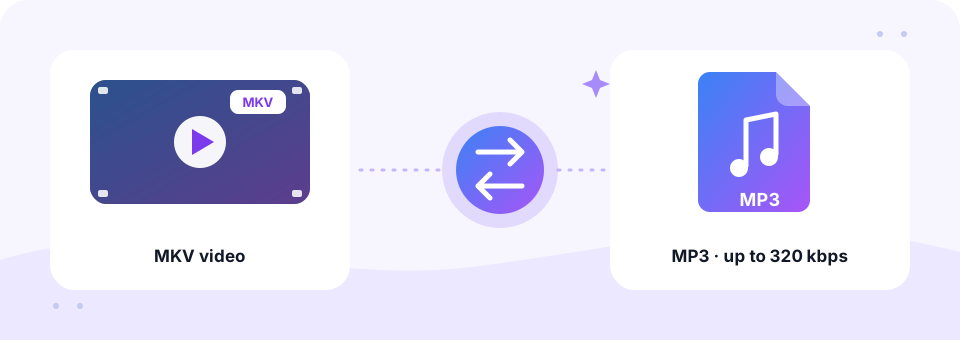
Our free MKV to MP3 converter pulls the soundtrack out of any Matroska video and saves it as an MP3 at up to 320 kbps, right in your browser. Need the opposite? Switch to MP3 to MKV and wrap an audio file in a simple MKV video.
- 100% Private
- No Limits
- Free
- Any Device
Upload MKV videos to convert to MP3.
Supported formats: MKV, MKA, WEBM and more, up to 500 MB per file
or drag and drop files here
Files are processed inside your browser and are never uploaded to a server.
Extract audio from MKV files without installing software
MKV, short for Matroska Video, is an open container format. Think of it as a box that holds video, several audio tracks, subtitles and chapter points in a single file. Movie rips, anime releases, screen recordings and OBS Studio captures often use it. However, most phones, car stereos and music apps cannot open an .mkv file, and very often you only want the sound anyway.
This online MKV to MP3 converter handles that in one step. It reads the audio track, skips the picture and subtitles, and encodes a standard MP3 with the LAME encoder. Inside an MKV you may find AAC, AC3 (Dolby Digital), E-AC3, DTS, FLAC, Opus or Vorbis audio. Your browser decodes the common ones itself, and for the rest the page loads a built-in FFmpeg decoder. As a result, you can convert MKV to MP3 for free, without VLC tricks or command-line tools.
How to use the MKV to MP3
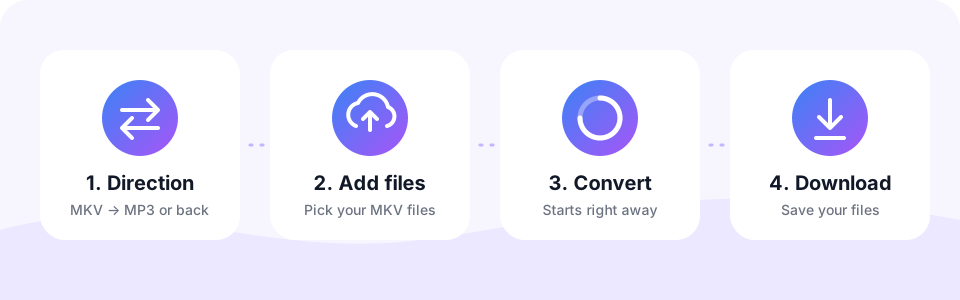
- Keep the MKV → MP3 tabThe converter opens in MKV → MP3 mode. Tap MP3 → MKV only when you want to go the other way.
- Choose the MP3 qualityPick 128, 192, 256 or 320 kbps in the MP3 Quality menu and switch on Mono for speech if you like. Set this first, because each file uses the settings that were active when you added it.
- Add your MKV filesTap Choose MKV Files or drag videos onto the box. Conversion starts straight away, and several files are processed one after another.
- Download the MP3Press play to check the result, then tap Download. Once two or more files are ready, Download all saves the whole batch.
Converting MP3 to MKV
MKV (Matroska) is a flexible video container loved by media servers and players such as Plex, Kodi and VLC. Switch to MP3 → MKV to wrap your audio in an MKV video with a plain dark background, for example to add it to a media library or upload it where a video file is required.
Your MP3 sound is copied into the MKV exactly as it is, without re-encoding, so there is no extra quality loss and the conversion is very fast.
What happens to video, subtitles and extra tracks
An MKV file carries much more than sound. Here is how the MKV to MP3 converter treats each part, so you know what to expect before you start.
- Video picture. Skipped completely. Only the audio goes into the MP3, which is why the file shrinks so much.
- Subtitles and chapters. Left out, because an MP3 file has no place to store them.
- Surround sound. 5.1 and 7.1 mixes are folded down to stereo, and the centre channel, where dialogue usually sits, is blended into left and right.
- Several audio tracks. One track is converted, usually the first or main mix. There is no track picker yet, so a second language or a separate OBS microphone track is not included.
MKV vs MP3 file size: how much space you save
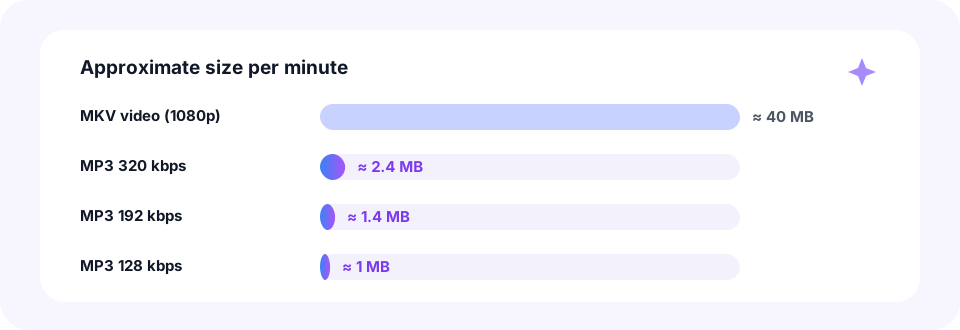
A single minute of 1080p MKV video often weighs around 40 MB, and almost all of that is picture. The same minute as a 320 kbps MP3 is about 2.4 MB, while 128 kbps brings it down to roughly 1 MB. So the full soundtrack of a two-hour film fits in about 115 MB at 128 kbps.
Which bitrate should you choose? For a concert, music video or film score, pick 256 or 320 kbps. For gameplay commentary, a webinar or a lecture recorded in OBS, 128 kbps is plenty, and Mono keeps a single voice centred. Keep in mind that the file size depends on the bitrate alone. If you later need something smaller for email, our MP3 Compressor goes down to 32 kbps.
Popular reasons to convert MKV to MP3
- OBS and stream recordings. Save your commentary or a podcast you streamed as audio you can edit or publish.
- Concerts and music videos. Keep the live performance on your phone and listen without the screen on.
- Lectures and webinars. Turn a long class recording into audio for the commute or the gym. An MKV to MP3 conversion of a one-hour class at 128 kbps is only about 58 MB.
- Language practice. Listen to dialogue from your own film files again and again while you learn.
- Ringtones and clips. Convert first, then trim the best 30 seconds with our MP3 Cutter.
Convert MKV to MP3 on iPhone, Android, Mac and Windows
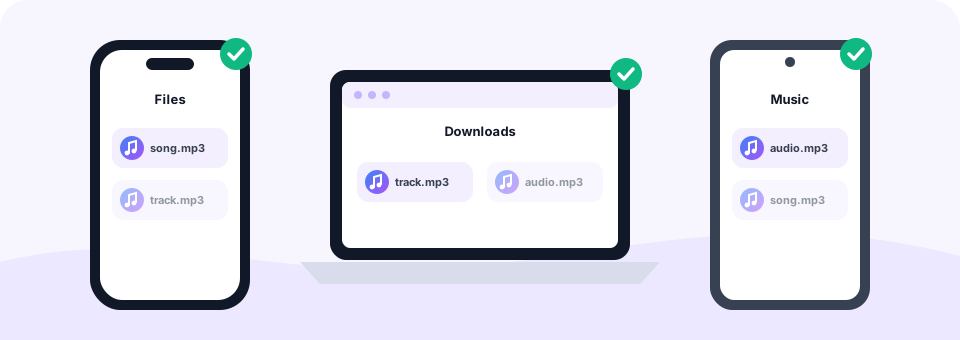
This MKV to MP3 converter runs in the browser, so the steps are the same on every device. On Windows and Mac, use Chrome, Edge, Firefox or Safari, and the MP3 lands in your Downloads folder. On Android, Chrome saves it to Downloads, where any music player can find it.
On an iPhone or iPad, open this page in Safari, pick the MKV from the Files app and convert as usual. When you tap Download, Safari stores the MP3 in Files › Downloads. Meanwhile, keep in mind that phones have less memory than computers, so a very large movie file converts more reliably on a laptop or desktop.
Is MKV to MP3 lossless? Quick answers
No, MKV to MP3 is not lossless. MP3 is a lossy format, so the encoder removes detail that most people cannot hear. At 256 or 320 kbps the result sounds the same as the original for nearly every listener. However, if the MKV holds lossless FLAC audio and you need a perfect copy for editing, keep the original file as your master.
Can you convert MKV to MP3 without software? Yes. Everything happens on this page, with no app, plug-in or extension to install. In addition, the same tool reads WEBM and MKA files. For other video types, such as AVI or WMV, use our Video to MP3 converter, and for browser recordings try WEBM to MP3.
Private by design: your videos stay on your device
Personal recordings, family videos and unreleased projects deserve privacy. That is why MP3 Converter decodes and encodes everything inside your own browser. Your MKV is never uploaded to a server, so nobody else can see, keep or share it.
- No account needed. You never type an email address or a password.
- No watermark. The MP3 contains only your audio, with nothing added at the start or end.
- Nothing to install. There is no download that could bundle adware or toolbars.
File size limit and first-run loading time
For MKV to MP3 jobs, each file can be up to 500 MB. When your browser cannot read the audio codec on its own, for example AC3 or DTS, the page downloads its FFmpeg decoder, which is about 32 MB. This happens only once, and your browser then caches it, so later files start much faster.
Because the whole file is processed in memory, very long or very large videos need a capable device. If a big MKV fails on a phone, try it on a computer instead.
Frequently asked questions
Is this MKV to MP3 converter free?
Yes. It is completely free, with no sign-up, no watermark and no limit on how many files you convert.
How do I convert MKV to MP3 at 320 kbps?
Choose 320 kbps in the MP3 Quality menu before you add your MKV files. Every file you add afterwards is converted at that bitrate.
Can I convert MKV to MP3 without VLC or FFmpeg?
Yes. You do not need to install anything. The converter runs in your browser and uses its own built-in decoder when needed.
Can I choose which audio track is converted?
Not yet. The MKV to MP3 tool converts one audio track, usually the first or main mix. For most movie files and recordings this is the track you want.
What happens to 5.1 surround sound?
It is mixed down to stereo. The centre and surround channels are blended into left and right, so dialogue stays clear on headphones and phones.
Is there a file size limit for MKV files?
Yes. Each MKV can be up to 500 MB. Very large files convert most reliably on a computer.
Why does the first MKV take longer to start?
For codecs the browser cannot read, the page loads an FFmpeg decoder of about 32 MB once. After that it is cached and starts quickly.
Can I convert several MKV files at once?
Yes. Select or drop as many files as you like. They are converted one after another, and Download all saves the finished MP3s.
Are my MKV videos uploaded anywhere?
No. The conversion happens inside your browser, and your files never leave your device.
Does MP3 to MKV change my audio?
No. The original MP3 audio is copied into the MKV file unchanged; only a simple still picture is added.
Can I play the MKV on my TV?
Most smart TVs, media players and apps like VLC, Plex and Kodi play MKV files with MP3 audio.
Related tools
We build free, privacy-first audio tools that run in your browser. This guide is checked against how the tool actually works. About us
Last updated: October 2026