 MP3 Converter
CAF to MP3 & MP3 to CAF Converter
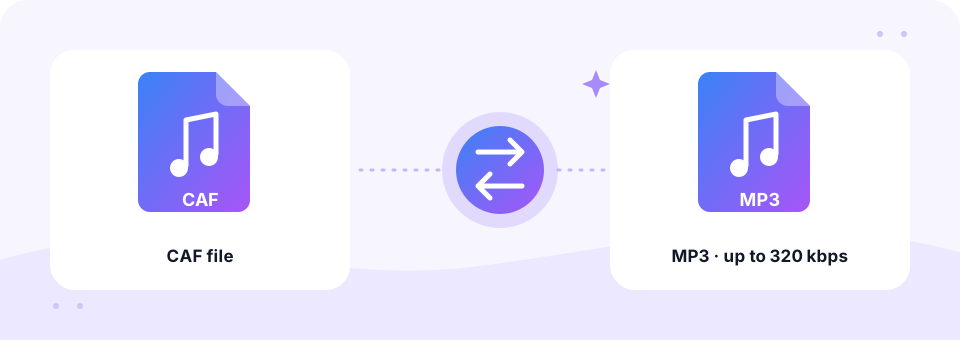
Our free CAF to MP3 converter turns Apple Core Audio Format (.caf) files into MP3s that play on Windows, Android, the web and every music player. It works in your browser, and the MP3 to CAF direction is one tap away when you need files for Xcode or GarageBand.
- 100% Private
- No Limits
- Free
- Any Device
Upload CAF files to convert to MP3.
Supported formats: CAF with ALAC, AAC, PCM or AMR audio and more, up to 500 MB per file
or drag and drop files here
Files are processed inside your browser and are never uploaded to a server.
Open Apple Core Audio files anywhere
CAF stands for Core Audio Format, a container Apple designed for macOS and iOS. It can hold many kinds of audio, such as uncompressed PCM, Apple Lossless (ALAC), AAC or AMR. Unlike WAV and AIFF, it has no 4 GB size limit, so it suits very long recordings. You will find CAF files in Apple Loops, Xcode projects, iPhone system sounds and the output of some recording apps.
Outside the Apple world, however, almost nothing opens a .caf file. Windows Media Player, Android music apps and most websites show an error. A CAF to MP3 conversion fixes that in seconds. The converter reads the audio inside the container, whatever codec it uses, and saves a standard MP3 at the quality you choose.
How to use the CAF to MP3
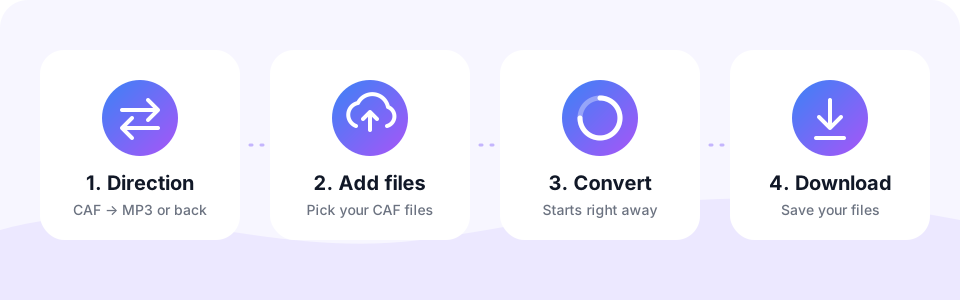
- Use the CAF → MP3 tabIt is selected when the page loads. Switch to MP3 → CAF only if you want to create CAF files.
- Pick a bitrateChoose 320 kbps for music and sound design, or 128 kbps with Mono for voice. Do this before adding files, because each file keeps the settings active when it was added.
- Add your CAF filesTap Choose CAF Files or drag one or many .caf files onto the box. The conversion starts automatically.
- Download the MP3Check the result in the preview player, then tap Download, or Download all when several files are done.
Converting MP3 to CAF
Developers and musicians working in Apple’s world often need CAF files. Xcode projects and iOS system sounds accept CAF, and GarageBand and Logic import it without fuss.
Choose MP3 → CAF and pick what goes inside the file: Apple Lossless (ALAC) keeps the sound exactly as in your MP3 at a moderate size, while uncompressed PCM gives maximum compatibility with audio tools at the cost of larger files.
What is inside your CAF file?
A CAF file is only a wrapper, so the best CAF to MP3 setting depends on the audio stored inside. On a Mac you can check it in Terminal with the command afinfo followed by the file name. Then use this guide:
- PCM (uncompressed). Studio-quality sound in a very large file. Convert at 256 or 320 kbps.
- Apple Lossless (ALAC). A perfect copy of the source. 320 kbps keeps the most detail.
- AAC. Already compressed. 192 kbps is a good match and keeps the file small.
- AMR. Phone-quality speech. 128 kbps with Mono is more than enough.
CAF vs MP3 size: from 10 MB to about 1 MB per minute
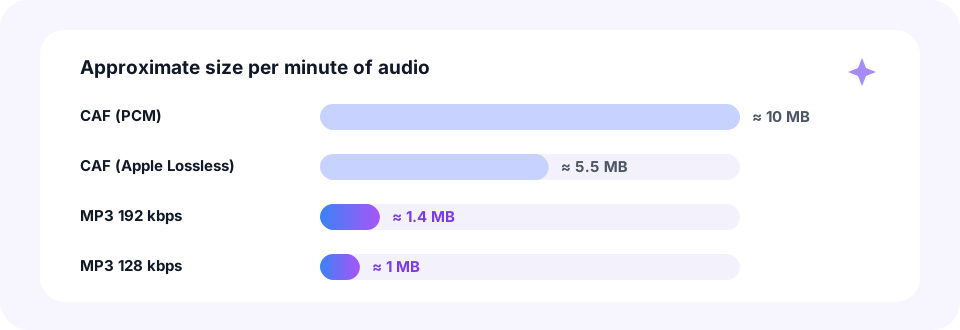
Uncompressed CAF at CD quality uses about 10 MB for every minute of stereo sound. With Apple Lossless inside, the same minute shrinks to roughly 5.5 MB. A 192 kbps MP3, meanwhile, needs only about 1.4 MB, and 128 kbps about 1 MB. So a CAF to MP3 conversion of a PCM file can make it seven to ten times smaller.
That makes a big difference when you email a demo or upload a sound to a website. For the smallest possible files, run the MP3 through our MP3 Compressor afterwards. On the other hand, if you need a lossless copy for editing on Windows, keep the original CAF as your master.
Typical uses for CAF to MP3
- Share a GarageBand or Logic idea. Send a quick demo or bounced loop to bandmates who use Windows or Android.
- Reuse app and game sounds. Bring the sound effects from your own Xcode project into a web or Android version.
- Archive old recordings. Keep recordings saved as CAF in a format that will still open in many years.
- Preview sounds quickly. Listen to a folder of .caf effects on a PC without installing Apple software.
Convert CAF to MP3 on iPhone, Android, Mac and Windows
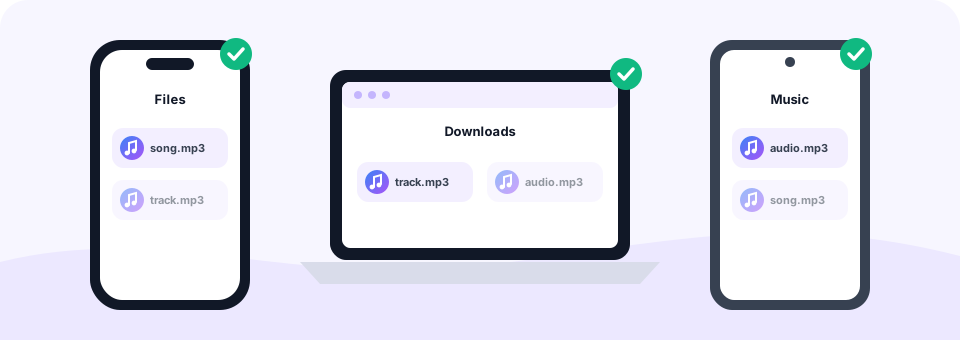
This CAF to MP3 converter runs in any modern browser. On a Mac, drag the .caf file from Finder onto the box, and the MP3 goes to your Downloads folder. On Windows, the steps are the same in Chrome, Edge or Firefox, so you no longer need iTunes or other Apple software just to hear a CAF file.
On an iPhone or iPad, open this page in Safari and choose the CAF file from the Files app. After you tap Download, the MP3 is saved in Files › Downloads. On Android, Chrome saves it to the Downloads folder, ready for any music player or messaging app.
Can Windows and Android play CAF files?
Not out of the box. CAF is an Apple format, and Windows and Android do not include support for it. Some third-party players can open it, but the MP3 route is simpler, because then every device can play the file without extra apps.
Is CAF to MP3 lossless? No, MP3 is always lossy. Yet at 320 kbps the difference is very hard to hear, even with a lossless ALAC or PCM source. If your project can also export WAV, our WAV to MP3 converter works the same way. For Apple Lossless music in .m4a files, use our ALAC to MP3 converter.
Loops, markers and other CAF extras
Besides audio, a CAF file can store extra data that a CAF to MP3 conversion leaves behind, such as markers, loop regions and other details used by Apple apps. An MP3 file only stores the sound, so this information is not carried over. The audio itself, however, is converted in full, from the first sample to the last.
In every CAF to MP3 job, multichannel files are mixed down to stereo, and the MP3 is created at the standard 44.1 kHz sample rate.
Safe and private CAF conversion
Unreleased songs, client sound effects and private voice notes should stay private. MP3 Converter runs each CAF to MP3 conversion inside your own browser, so nothing is uploaded to a server. In addition, there is no sign-up, no software to install and no watermark in your MP3.
Frequently asked questions
Is this CAF to MP3 converter free?
Yes. It is free to use, with no account, no watermark and no limit on the number of files.
What is a .caf file?
CAF (Core Audio Format) is an Apple audio container used on macOS and iOS. It can hold PCM, Apple Lossless, AAC or AMR audio.
Can Windows play CAF files?
Not without extra software. Convert the file to MP3 here, and Windows Media Player or any other player can open it.
Which MP3 bitrate should I use for CAF files?
Use 320 kbps for PCM or Apple Lossless audio, 192 kbps for AAC, and 128 kbps with Mono for voice recordings.
Is CAF the same as M4A?
No. Both can hold AAC or Apple Lossless audio, but CAF is a different container that mainly Apple software reads.
Will loops and markers be kept?
No. MP3 stores only audio, so loop regions, markers and similar CAF data are not carried over.
Can I convert many CAF files at once?
Yes. Select or drop a whole folder of CAF files. They are converted one by one, and Download all saves the finished MP3s.
Is there a size limit for CAF files?
Each file can be up to 500 MB, which is about 50 minutes of uncompressed CD-quality stereo audio.
Are my CAF files uploaded?
No. The conversion happens inside your browser, and your files stay on your device.
Should I choose ALAC or PCM for my CAF file?
ALAC is lossless and about half the size of PCM. Choose PCM only if a tool specifically needs uncompressed audio.
Can I use the CAF file in my iOS app?
Yes. CAF is a native Apple format, and both options work with Apple’s audio frameworks.
Related tools
We build free, privacy-first audio tools that run in your browser. This guide is checked against how the tool actually works. About us
Last updated: October 2026