 MP3 Converter
MP4 to MP3 Converter
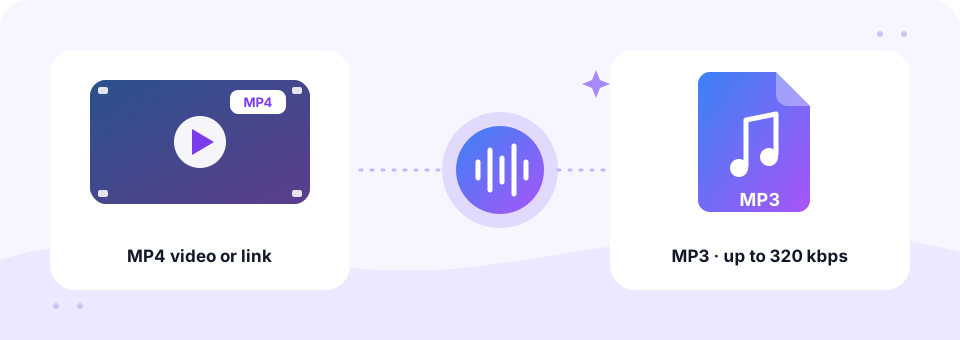
Our free MP4 to MP3 converter lets you change any MP4 video into MP3 audio online in a few seconds. Upload a file from your phone or computer, or paste a link to an MP4 that is online, then pick a quality up to 320 kbps and download a clean audio file that plays everywhere.
- 100% Private
- No Limits
- Free
- Any Device
Upload an MP4 video to convert to MP3.
Supported formats: MP4, M4V, MOV and more, up to 500 MB per file
or drag and drop files here
Files are processed inside your browser and are never uploaded to a server.
A free online video to audio converter for MP4 files
MP4 is the default video format for phones, screen recorders, Zoom and Teams recordings and most editing apps. Very often, however, you only need what you can hear: the talk from a webinar, the soundtrack of a holiday clip or the narration of a tutorial. An MP3 is far smaller than the video, so it fits in an email, plays in any music app and keeps playing with your phone screen off. In short, turning a video into an audio file saves space and makes the sound easy to take anywhere.
This page gives you two ways in. With Upload, the conversion happens entirely inside your browser, so private videos never leave your device. With Paste Link, our server fetches an MP4 that is already online, for example a direct .mp4 address or a video on Internet Archive, and hands you the MP3. Either way, you can convert MP4 to MP3 free, with no account and no watermark.
How to use the MP4 to MP3 Converter
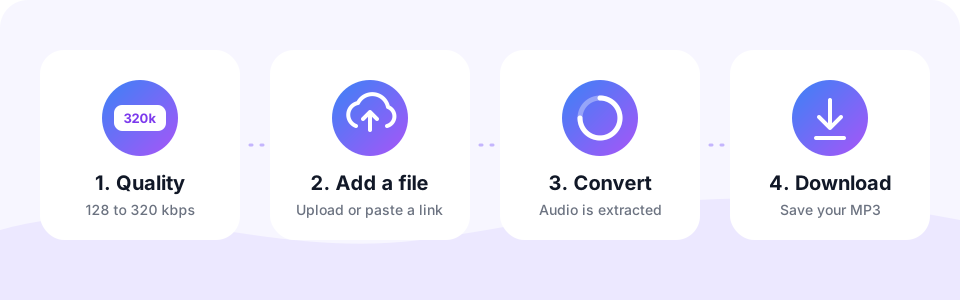
- Choose Upload or Paste LinkUpload is selected by default and works with videos stored on your device. Tap Paste Link instead when the MP4 lives online.
- Set the MP3 qualityFor uploads, pick 128 to 320 kbps and turn on Mono for speech before you add the file, because the settings lock in at that moment. The Paste Link tab offers 64 to 320 kbps, with 192 kbps preselected.
- Add the MP4 or paste the linkTap Choose MP4 Files or drag several videos onto the box, and conversion starts by itself. For a link, paste the address and tap Convert to MP3.
- Download your MP3Play the result on the page, then tap Download. Converted several files? Use Download all to save them in one go.
MP4 vs MP3: file size and the best bitrate
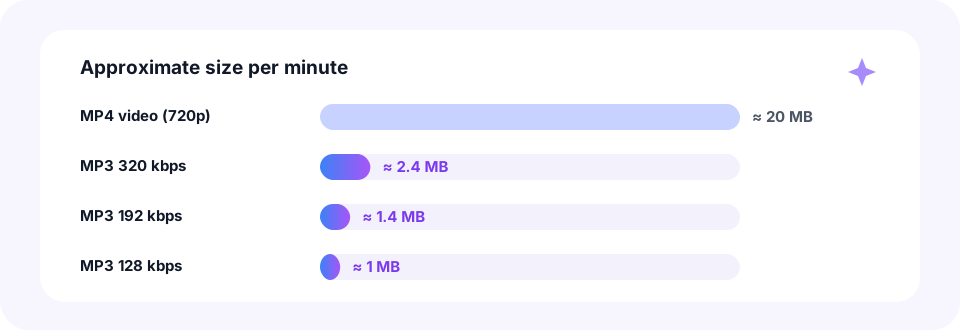
A minute of 720p MP4 video takes about 20 MB, mostly because of the picture. The MP3 keeps only the sound, so the same minute shrinks to roughly 1 MB at 128 kbps and 2.4 MB at 320 kbps. In other words, an hour-long recording drops from over a gigabyte to about 58 MB at 128 kbps.
Most MP4 files store their sound as AAC at about 128 to 256 kbps. So 192 kbps keeps nearly everything in everyday videos, while going far above the source only makes the file bigger. Use this quick guide:
- Music videos and concerts. 256 or 320 kbps in stereo keeps instruments and vocals crisp.
- Lectures, webinars and meetings. 128 kbps with Mono turned on gives clear speech in a small file.
- Phone clips and vlogs. 192 kbps is a safe middle ground for speech mixed with background music.
- Long talks from a link. The Paste Link tab also offers 64 and 96 kbps when size matters more than detail.
Upload or Paste Link: which option fits?
- Upload, the most private choice. Phone recordings, screen captures and meeting exports are read and encoded on your own device. Each file can be up to 500 MB.
- Paste Link, for videos already online. Skip downloading a huge MP4 first. Direct .mp4 links and free video sites such as Internet Archive or Vimeo (where downloads are enabled) work. Live streams and videos longer than about three hours are not supported.
- Batch conversion. Select several MP4 files at once. They convert one after another, so your phone or laptop stays responsive.
- YouTube and TikTok links. These have their own pages. Use the YouTube to MP3 converter for YouTube, while TikTok support is coming soon.
Convert MP4 to MP3 on iPhone, Android, Mac and Windows
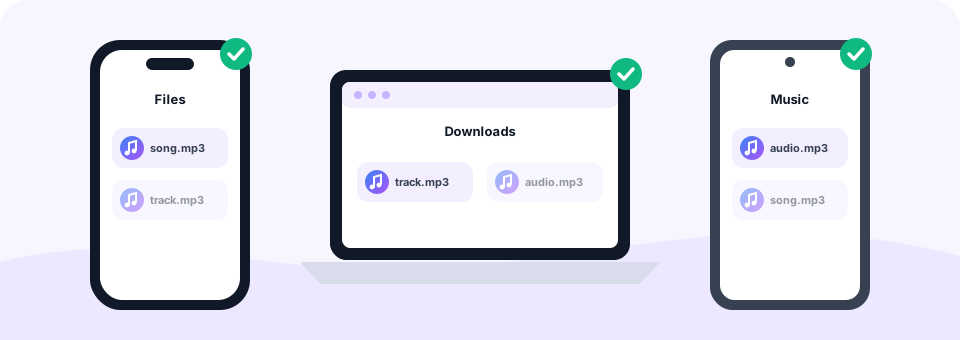
Because the converter runs in the browser, there is no app to install on any device. On an iPhone or iPad, open this page in Safari and tap Choose MP4 Files. iOS then lets you pick from Photo Library or Choose File, so videos in Photos and in the Files app both work. After you tap Download, the MP3 appears in Files, inside the Downloads folder.
On Android, Chrome opens your gallery or file manager, and finished files land in Downloads. Meanwhile, on a Mac or Windows PC, you can simply drag MP4 files from Finder or File Explorer onto the box. Safari, Chrome, Edge and Firefox all work. For very large videos, a computer is usually faster, since it has more memory than a phone.
Is this MP4 to MP3 converter safe and private?
Your videos are personal, so privacy matters here. When you upload, MP3 Converter reads the MP4 inside your browser with Web Audio, FFmpeg compiled to WebAssembly and the LAME MP3 encoder. As a result, the file is never sent to a server at all.
- No upload to a server. Uploaded videos stay on your device from start to finish.
- Links are cleaned up. Paste Link files are processed on our server and deleted within 30 minutes.
- Nothing to install. There is no app, extension or download manager that could carry adware.
- No account and no watermark. You never share an email address, and the MP3 contains only your audio.
Does MP4 to MP3 lose quality? Quick answers
MP3 is a lossy format, so the conversion is not lossless. However, the sound inside most MP4 files is already compressed AAC. Converting it at 192 kbps or higher therefore keeps any difference very hard to hear. Your original video is never changed; you simply get a new MP3 file next to it.
People also ask whether the MP3 keeps the picture. It does not, because MP3 is audio only. If a video has 5.1 surround sound, the tool mixes all channels down to stereo, so dialogue from the centre speaker is kept. And if a file has no sound track at all, such as a silent screen recording, you see a clear message instead of an empty MP3.
Popular reasons to turn a video into MP3
- Meeting and class recordings. Turn a Zoom or Teams MP4 into an MP3 you can replay on a walk or a commute.
- Song ideas and rehearsals. Save a band practice filmed on a phone as an MP3 to share with the group.
- Ringtones and short clips. Convert first, then keep the best 30 seconds with our MP3 Cutter.
- Other video formats. Got MOV, MKV or AVI files too? The video to MP3 converter handles them all.
Why use an online MP4 to MP3 converter?
Desktop programs such as VLC or Audacity can save the sound of a video, but you have to install them and dig through export menus first. An online converter, by contrast, opens in a browser tab and is ready straight away. That makes it the quickest way to change MP4 to MP3 on a work laptop, a school computer or a phone with little free space.
Not every free convert website works the same way, though. Many upload your whole video to their servers, cap the file size or ask you to sign up before you can download. This one reads uploaded MP4 files on your own device, accepts files up to 500 MB and lets you download without an account. In addition, it handles several videos in one go, so turning a folder of clips into MP3 files takes only a few taps.
Converting linked videos responsibly
Only convert videos you made yourself, videos in the public domain or under a Creative Commons licence, or content you have permission to use. Many films, music videos and shows are protected by copyright, and some websites forbid downloads in their terms. Copy-protected (DRM) videos from streaming services cannot be read by this tool at all.
Frequently asked questions
How do I convert MP4 to MP3 for free?
Open this page, pick a quality, tap Choose MP4 Files and select your video. The MP3 is ready in seconds and costs nothing, with no sign-up and no watermark.
Can I convert an MP4 link to MP3?
Yes. Switch to the Paste Link tab, paste a direct .mp4 address or the page that hosts the video, choose a bitrate and tap Convert to MP3. YouTube links belong in our YouTube to MP3 tool instead.
Can I convert MP4 to MP3 at 320 kbps?
Yes. Choose 320 kbps before you add the file. It is the best MP3 quality, although 192 kbps already matches the sound in most MP4 videos.
How do I convert MP4 to MP3 on iPhone?
Open this page in Safari, tap Choose MP4 Files and pick the video from Photo Library or Files. When it finishes, tap Download and find the MP3 in the Files app under Downloads.
Are my uploaded videos sent to your server?
No. Uploaded files are converted inside your browser and never leave your device. Only the Paste Link option uses our server, and those files are deleted within 30 minutes.
Can I convert several MP4 files at once?
Yes. Select or drag in several videos together. They convert one by one, and a Download all button appears when two or more are ready.
Is there a file size limit?
Each uploaded file can be up to 500 MB. Linked videos can be up to about three hours long, and live streams are not supported.
Why did my MP4 fail to convert?
Usually the video has no sound track, is damaged, or is copy protected (DRM). Try playing it in another app first to check that it has sound.
Can I change other videos to MP3 here?
Yes, for most common formats. The uploader is tuned for MP4, M4V and MOV, and it can usually open MKV, WEBM and AVI as well. For the widest format support, use our Video to MP3 converter.
Is an online video to audio converter as good as desktop software?
For extracting audio, yes. This page uses FFmpeg and the LAME encoder, the same open-source tools many desktop apps rely on, and it runs on your own device with nothing to install.
Can I paste a TikTok link here?
Not yet. TikTok to MP3 is coming soon. Meanwhile, if you saved a TikTok video to your device, you can upload that file here.
Related tools
We build free, privacy-first audio tools that run in your browser. This guide is checked against how the tool actually works. About us
Last updated: October 2026