 MP3 Converter
YouTube to MP4 Converter & Video Downloader
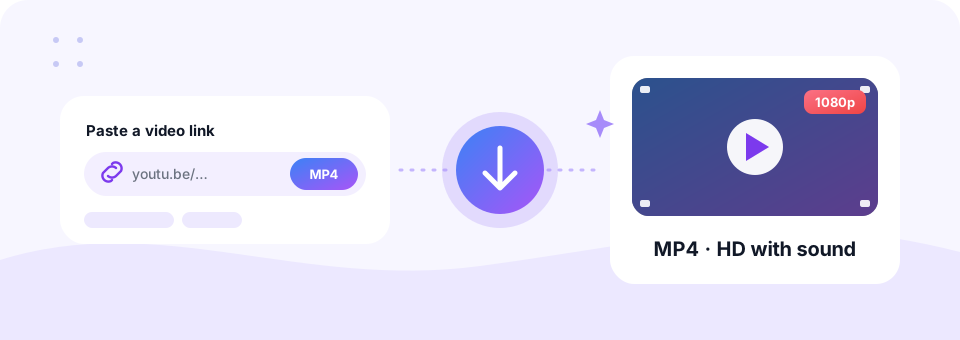
Our free YouTube to MP4 converter turns any YouTube link into an MP4 video with sound. Choose HD quality up to 1080p, then save the file on your iPhone, Android phone, Mac or Windows PC without an app, an account or a watermark.
- Free
- No Sign-up
- MP3 up to 320 kbps
- MP4 up to 1080p
Paste a YouTube link to save it as MP4.
Videos and Shorts · 240p to 1080p Full HD · MP4 with sound · no watermark
Only download videos you own or have permission to use. Files are deleted from our server after 30 minutes. Copyright policy
A free online YouTube video downloader that keeps it simple
An internet connection is not always there when you need it. You might be on a flight, in a classroom with weak Wi-Fi, or in a meeting room where your own video has to play without buffering. In each case, an MP4 copy of the YouTube video solves the problem, because it plays offline in any video player.
This downloader works only with YouTube links and only creates MP4 files, so every option on the page is about video. It picks the H.264 format whenever YouTube offers it, since H.264 plays on practically every phone, TV, laptop and editing app. Then it joins the picture and sound into one tidy file, ready to download in a few taps.
How to use the YouTube to MP4 Downloader
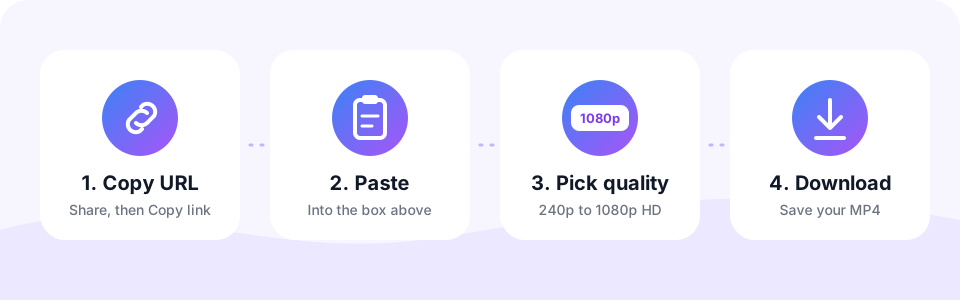
- Copy the YouTube URLTap Share under the video and choose Copy link, or copy the address from your browser bar. Shorts links and youtu.be links work too.
- Paste the linkPaste the URL into the box at the top of this page.
- Choose a resolutionPick 720p HD for a good balance, 1080p Full HD for large screens, or 240p to 360p to save data.
- Convert and downloadTap Convert to MP4 and watch the circle fill up. When it reaches 100%, tap the round Download button to save the MP4.
YouTube to MP4 in HD: from 240p to 1080p
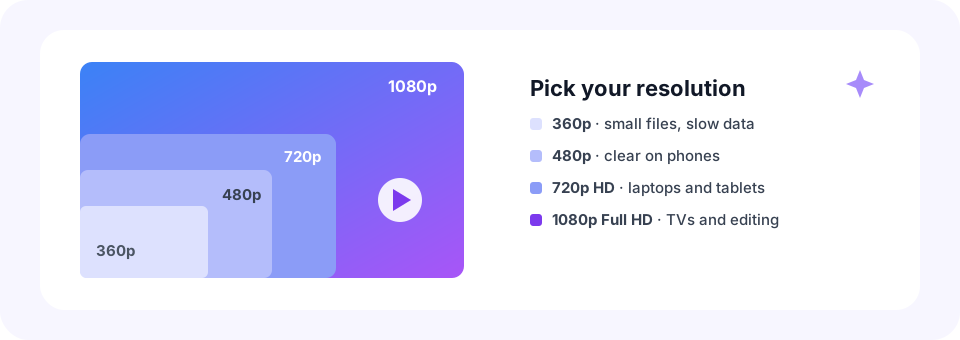
Resolution decides how sharp the video looks and how much space it takes. A 1080p file looks crisp on a TV, while a 360p copy of the same video can be ten times smaller. Use this guide to choose before you download.
- 240p and 360p. Tiny files for slow connections, phones with little storage, or talks where the picture matters less.
- 480p. Clear enough for faces and on-screen text on a phone or tablet.
- 720p HD. Sharp on laptops and most monitors while keeping files reasonable.
- 1080p Full HD. Best for TVs, projectors and video editing. Files are roughly twice the size of 720p.
Why a 1080p option may be missing
A download can never be sharper than the original upload. So, if a creator uploaded in 720p, choosing 1080p gives you the best version that exists, which is 720p. Older videos and some Shorts may only be available in lower resolutions.
Download YouTube videos on iPhone, Mac, Android and Windows
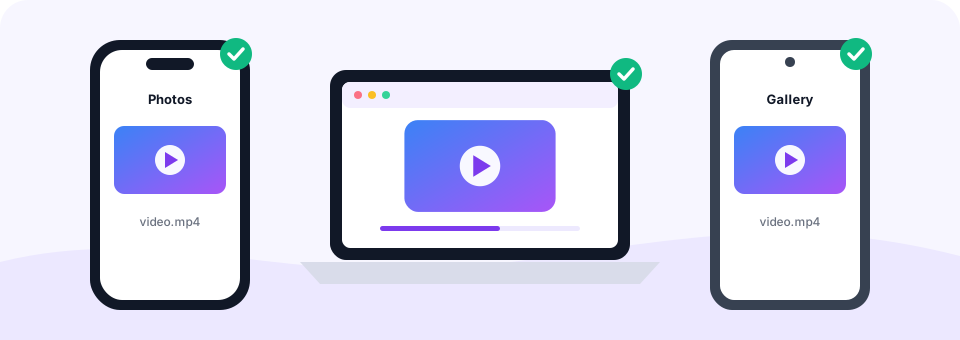
Because this YT video downloader runs online in your browser, there is nothing to install on any device. On Windows or a Mac, copy the link from the address bar, paste it here and download. The MP4 lands in your Downloads folder and opens in QuickTime, VLC or the Windows Media Player.
On an iPhone or iPad, open this page in Safari and convert as usual. Safari saves the MP4 to the Files app, inside Downloads. To move it to your Photos, open the file, tap Share and choose Save Video. On Android, Chrome saves the MP4 to Downloads, and it then appears in your Gallery or Photos app.
Save YouTube Shorts as MP4
Shorts work just like regular videos. Copy the link from the Share button of a Short, paste it above and convert. You get a vertical MP4 that keeps the original frame, so it looks right when you play it back on your phone. Note that a Short is usually available only in the resolution its creator uploaded.
What makes a good YouTube video downloader?
Plenty of sites promise to be the best YouTube video downloader, yet many hide the real button between ads or push you to install an app. Here is what we think matters, and how this tool measures up.
- Free, with no watermark. Your MP4 is a clean copy of the video, with no logo stamped on the picture and no time limit.
- Real HD quality. Choose up to 1080p Full HD, with picture and sound joined in one file.
- Works on any device. Phone, tablet or computer, with no app or browser extension to install.
- Plays in any MP4 player. H.264 video plays on iPhone, Android, Mac, Windows, smart TVs and video editors.
Is this YouTube downloader safe?
Yes. Many download sites carry pop-up ads, fake download buttons or installers bundled with unwanted software. This one has none of that: one Convert button, one Download button, no sign-up and no extension. The video is prepared on our server and deleted automatically within 30 minutes.
Download responsibly
Save videos you made yourself, videos that are clearly licensed for re-use, such as Creative Commons, or videos you have permission to keep. YouTube’s terms do not allow other downloads, and copyright law may apply where you live. MP3 Converter is an independent tool and is not affiliated with, endorsed by or sponsored by YouTube or Google.
Need audio only, or a video from another site?
If you only want the sound, our YouTube to MP3 converter saves it as audio at up to 320 kbps. Already downloaded the MP4? Then you can pull the soundtrack out with our MP4 to MP3 converter. And for videos hosted on other websites, try the Online Video Downloader.
Frequently asked questions
Is this YouTube to MP4 converter free?
Yes. You can download YouTube videos to MP4 for free, with no sign-up, no app and no watermark on the video.
Can I download YouTube videos in 1080p?
Yes. Choose 1080p Full HD before you tap Convert. If the video was uploaded in a lower resolution, you get the best quality available.
Does the MP4 include sound?
Yes. YouTube stores picture and sound separately at higher qualities, and this tool joins them into one MP4 with audio.
How do I download a YouTube video on iPhone?
Open this page in Safari, paste the video link, choose a resolution and tap Convert to MP4. Then tap Download. The video is saved in the Files app, and you can move it to Photos with Share, then Save Video.
Does it work on a Mac?
Yes. It runs in Safari, Chrome or Firefox on macOS, with nothing to install. The MP4 is saved to your Downloads folder and plays in QuickTime.
Can I download YouTube Shorts as MP4?
Yes. Paste the Shorts link exactly as you copied it, and you will get a vertical MP4 with sound.
Is it safe to use?
Yes. There are no pop-ups, no software to install and no account. Files are deleted from our server within 30 minutes.
What does YT to MP4 mean?
“YT” is a common short form of YouTube. YT to MP4, YT video downloader and YouTube to MP4 all mean saving a YouTube video as an MP4 file, which is what this tool does.
Can I download YouTube videos in 4K?
The highest option is 1080p Full HD. It keeps download times short and files small enough for phones.
Can I download private or members-only videos?
No. Only public videos can be downloaded.
Related tools
We build free, privacy-first audio tools that run in your browser. This guide is checked against how the tool actually works. About us
Last updated: October 2026