 MP3 Converter
YouTube to MP3 Converter
Our free YouTube to MP3 converter lets you paste a link and download any video as MP3 audio in a few taps. It works online on iPhone, Android and computer, with quality up to 320 kbps, mono for speech and an option to keep only the part you need.
- Free
- No Sign-up
- MP3 up to 320 kbps
- MP4 up to 1080p
Paste a YouTube link to convert it to MP3.
Videos, Shorts and YouTube Music links · 64 to 320 kbps · mono or stereo · cut any part
Only download videos you own or have permission to use. Files are deleted from our server after 30 minutes. Copyright policy
A free online YouTube to MP3 converter with real options
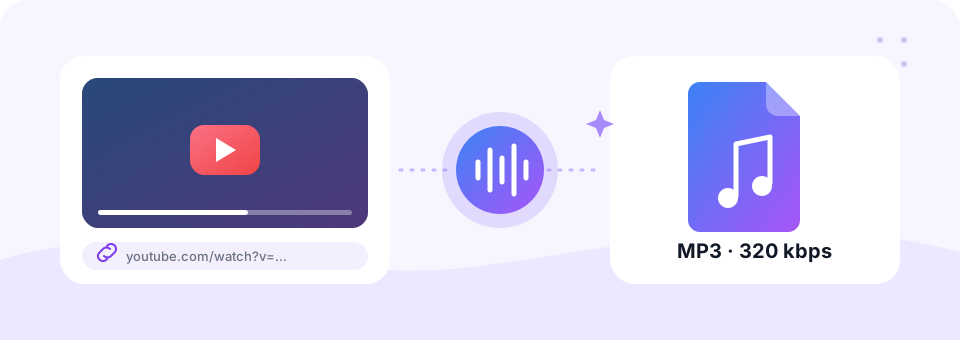
A YouTube to MP3 converter takes the sound from a video and saves it as an MP3 audio file that plays almost anywhere. People use it to hear lectures on the bus, keep a workout mix on an old MP3 player, or save a podcast episode for a flight without Wi-Fi. However, most YT to MP3 sites stop at one button and one quality. As a result, you often get a bigger file than you need, or a two-hour livestream when you only wanted ten minutes of it.
This tool focuses on audio alone, so it can offer the settings that actually matter for sound. You pick from seven bitrates, all the way up to 320 kbps, switch speech to mono, and cut a section by typing a start and end time. Best of all, it stays free: no account, no app to install and no watermark on your file.
How to use the YouTube to MP3 Converter
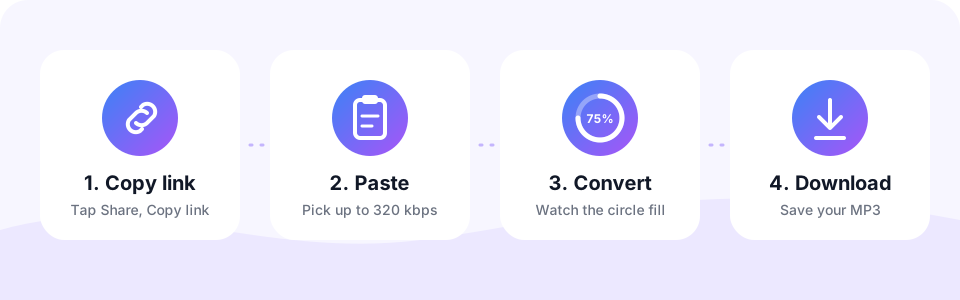
- Copy the YouTube linkTap Share under the video and choose Copy link, or copy the address from your browser bar. Regular videos, youtu.be links, YouTube Shorts and YouTube Music tracks all work.
- Paste it and choose the qualityPaste the link into the box above. 192 kbps suits most videos, 320 kbps is best for music, and 64 to 96 kbps keeps long talks small.
- Add extras if you want themTurn on Mono for speech. Turn on Cut a part and enter times such as 1:20 to 4:05 to keep only that section.
- Convert and download the MP3Tap Convert to MP3 and watch the circle fill up. When it reaches 100%, tap the round Download button to save the file.
YouTube to MP3 at 320 kbps: which quality should you pick?
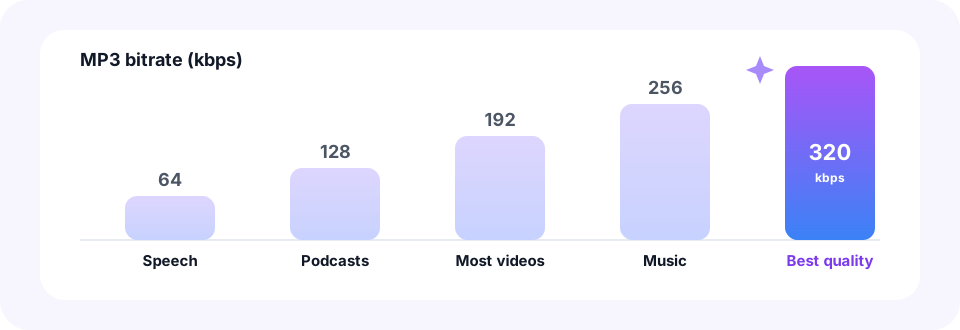
Bitrate decides how much detail your MP3 keeps and how large the file becomes. Use this quick guide to match the setting to what you are saving.
- Music and live sessions. 256 or 320 kbps in stereo keeps every instrument clear. Pick 320 kbps for songs you plan to keep.
- Podcasts, interviews and lectures. 96 or 128 kbps in mono sounds just as clear and takes far less space than 320 kbps.
- Language lessons and audiobooks. 64 kbps mono makes very long recordings small enough to carry dozens on your phone.
- Ringtones and short clips. Use Cut a part to keep 20 to 30 seconds, then fine-tune it with our MP3 Cutter if needed.
Does a 320 kbps MP3 sound better than YouTube?
YouTube usually streams audio at about 128 to 160 kbps in the Opus or AAC format. Converting at 192 kbps therefore keeps everything the original stream holds. Choosing 320 kbps adds a safety margin for music, which is why many listeners prefer it for their favourite songs. Still, no converter can add detail that YouTube never sent, so there is no need to go that high for speech. If you plan to edit the sound in a music or video app, our YouTube to WAV converter gives you an uncompressed file instead.
Save YouTube audio on iPhone, Android or computer
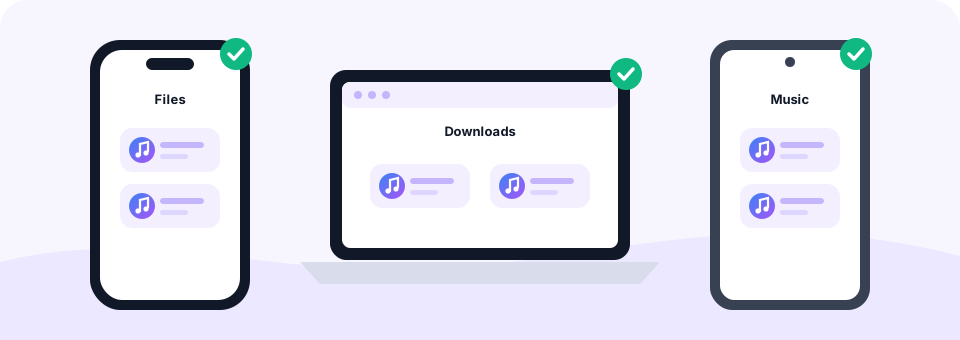
Whether you call it YouTube to MP3 or simply YT to MP3, the steps are the same on every device, because the converter runs online in your browser. On a computer, copy the link from the address bar and paste it here. On Android, tap Share under the video, choose Copy link, then paste it into this page in Chrome. The finished MP3 lands in your Downloads folder.
On an iPhone or iPad, open this page in Safari and convert as usual. When you tap Download, Safari saves the MP3 to the Files app, inside the Downloads folder. From there, you can play it, share it or open it in a music app such as VLC. Since there is nothing to install, the tool works the same in Safari, Chrome, Edge and Firefox.
YouTube Shorts, YouTube Music and playlists
The converter handles more than standard videos. Paste a YouTube Shorts link to grab the song or voice-over from a short clip, which is handy when a trending sound gets stuck in your head. YouTube Music links (music.youtube.com) work too, so you can turn a YT Music track into an MP3 for offline listening. And when you want the picture as well as the sound, switch to our YouTube to MP4 downloader.
Playlists work a little differently. To keep the service quick for everyone, the tool converts one video at a time. So, to save a YouTube playlist as MP3 files, open the playlist, copy the link of each video you want and convert them one by one. If you paste the link of a video that is playing inside a playlist, you get that single video as an MP3.
Load your MP3 player, car stereo or phone
MP3 is the one audio format that nearly every device understands. That makes this YouTube to MP3 converter an easy way to fill an older MP3 player, a car stereo that reads USB sticks, a smartwatch or a child’s audio player. Simply convert the videos, copy the MP3 files into the device’s music folder, and they play like any other track. Short on space? Run large files through our MP3 Compressor to fit more songs on the device.
Is this YouTube to MP3 converter safe?
Safety is a fair question, because many download sites are packed with pop-up ads, fake download buttons and installers that bundle unwanted software. We built this converter to avoid all of that.
- Nothing to install. Everything happens on this page, so there is no app or browser extension that could carry adware.
- No account or email. You never share personal details to convert a video.
- No fake buttons. There is one Convert button and one Download button, and both do exactly what they say.
- Files are deleted automatically. Your MP3 is prepared on our server and removed within 30 minutes. Our privacy policy explains the details.
How to convert YouTube to MP3 legally
Converting a video is legal in many situations, but it depends on who owns the content and on the laws where you live. YouTube’s terms only allow downloads where YouTube itself offers a download option, and much of its music is protected by copyright. MP3 Converter is an independent tool and is not affiliated with, endorsed by or sponsored by YouTube or Google. Generally, these uses are safe:
- Your own uploads. Videos you made and published yourself, such as a recorded talk or a band rehearsal.
- Creative Commons videos. In YouTube search, open Filters and choose Creative Commons, then follow the licence terms, such as giving credit.
- Public-domain content. Old speeches, classical recordings and other works that are free of copyright.
- Content with permission. Videos whose creator clearly allows downloads, for example free beats or royalty-free music.
Frequently asked questions
Is this YouTube to MP3 converter really free?
Yes. You can convert and download YouTube videos to MP3 for free, with no sign-up, no software and no watermark on your files.
Can I download YouTube to MP3 at 320 kbps?
Yes. Choose 320 kbps before you tap Convert. It is the highest MP3 quality and a great choice for music, although 192 kbps already keeps everything YouTube streams.
Is it safe to use a YouTube to MP3 converter?
This one is. There is nothing to install, no account to create and no pop-up ads, and converted files are deleted from our server within 30 minutes. In general, avoid any converter that asks you to install software or allow notifications.
How do I convert YouTube to MP3 on iPhone?
Open this page in Safari, paste the video link and tap Convert to MP3. Then tap Download, and Safari saves the MP3 to the Files app in your Downloads folder.
Can I convert a YouTube playlist to MP3?
Not in one step. Convert the videos one at a time by pasting each video link. A link to a video inside a playlist converts just that video.
Does it work with YouTube Shorts and YouTube Music?
Yes. Paste a Shorts link, a youtu.be short link or a music.youtube.com link exactly as you copied it.
Can I convert only part of a YouTube video to MP3?
Yes. Turn on Cut a part, enter a start time such as 2:10 and an end time such as 5:45, then convert. Only that section becomes your MP3, which saves time and data.
Is YT to MP3 the same as YouTube to MP3?
Yes. “YT” is simply short for YouTube, so YT to MP3, YT MP3 converter and YouTube to MP3 all describe the same thing: turning a YouTube link into an MP3 audio file, which is exactly what this page does.
Is it legal to convert YouTube videos to MP3?
It depends on the video and your country. Converting your own uploads, Creative Commons or public-domain videos, or content you have permission to save is generally fine. Downloading copyrighted music without permission may break the law and YouTube’s terms.
Why do I see “temporarily blocking downloads”?
YouTube sometimes limits requests for a short while. Wait a minute or two and try again.
Do I need YouTube to MP4 instead?
If you want the picture as well as the sound, use our YouTube to MP4 tool. This page always produces audio-only MP3 files.
Related tools
We build free, privacy-first audio tools that run in your browser. This guide is checked against how the tool actually works. About us
Last updated: October 2026