 MP3 Converter
AC3 to MP3 & MP3 to AC3 Converter
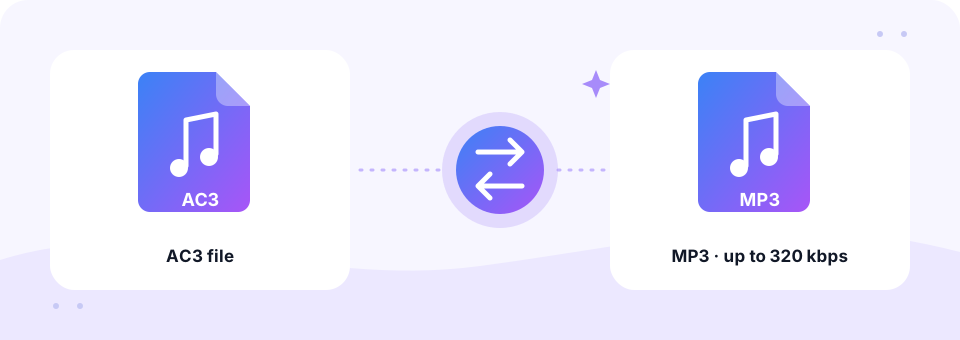
Our free AC3 to MP3 converter turns Dolby Digital sound from movies, DVDs and TV recordings into stereo MP3 files for headphones, phones and car stereos. It runs in your browser, and you can switch to MP3 to AC3 whenever a DVD project needs Dolby Digital audio.
- 100% Private
- No Limits
- Free
- Any Device
Upload AC3 files to convert to MP3.
Supported formats: AC3, E-AC3 (Dolby Digital Plus), MKV/MP4/VOB with AC3 audio and more, up to 500 MB per file
or drag and drop files here
Files are processed inside your browser and are never uploaded to a server.
From Dolby Digital surround to everyday stereo
AC3 is the file format behind Dolby Digital, the surround sound used on DVDs, Blu-ray discs, digital TV and many movie files. A typical AC3 track carries 5.1 channels: front left and right, a centre speaker, two surround speakers and a low-frequency (subwoofer) channel. On DVDs it usually runs at 384 or 448 kbps.
That is ideal for a home cinema, yet most phones, music apps and car stereos cannot play AC3 at all. An AC3 to MP3 conversion gives you a normal stereo file instead. Rather than keeping only the front speakers, the converter blends the centre and surround channels into left and right. As a result, dialogue, which mostly lives in the centre channel, stays clear and easy to follow.
How to use the AC3 to MP3
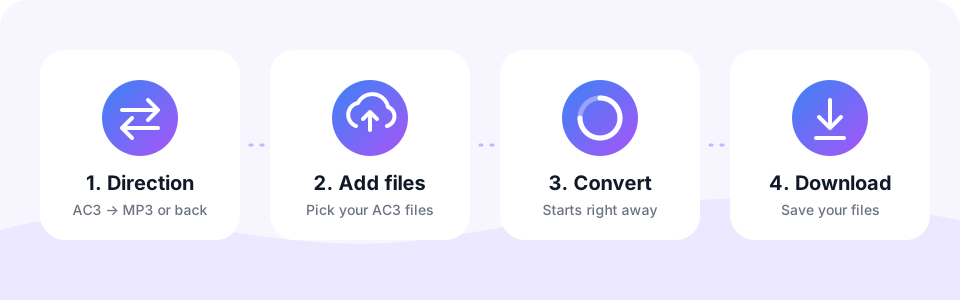
- Stay on AC3 → MP3The page opens in this direction. Use the MP3 → AC3 tab only to create Dolby Digital files.
- Check the bitrateThe quality starts at 256 kbps, a good match for movie soundtracks. Pick 320 kbps for concerts. Choose before adding files, since each file keeps the setting active when it was added.
- Add AC3 or video filesTap Choose AC3 Files or drag .ac3, .eac3 or movie files onto the box. Conversion starts automatically, and surround sound is mixed down to stereo.
- Download the stereo MP3Preview the result, then tap Download. When several files are done, Download all saves them together.
Converting MP3 to AC3
The DVD-Video standard does not allow MP3 sound, so DVD authoring programs usually need AC3 (Dolby Digital) audio. AC3 is also the native format of many home-theatre receivers and some video editing workflows.
Switch to MP3 → AC3 and choose a bitrate. 192 to 256 kbps is typical for stereo, while 384 or 448 kbps gives extra headroom. The result is stereo Dolby Digital, ready for your DVD project or editor.
Where AC3 audio usually comes from
- DVD and Blu-ray rips. Movie files from your own discs often keep the original Dolby Digital track, either as .ac3 or inside an MKV.
- TV recordings. Digital TV broadcasts and recorder boxes frequently store sound as AC3.
- Streaming-style files. E-AC3, also called Dolby Digital Plus, is common in newer movie and series files.
- Video editing exports. Some editors and DVD tools export the soundtrack as a separate .ac3 file.
How 5.1 surround becomes stereo MP3
For every AC3 to MP3 file, the converter uses standard down-mix rules. The centre channel is added to both the left and right sides at a lower level, and each surround channel is blended into its own side. So voices stay centred, and effects still move from left to right.
The separate low-frequency (LFE) channel is not added, which is normal for a stereo down-mix. Most bass is also present in the main channels, so music and effects still sound full on headphones. Meanwhile, 7.1 mixes and E-AC3 files are handled the same way.
AC3 vs MP3: bitrate and size guide
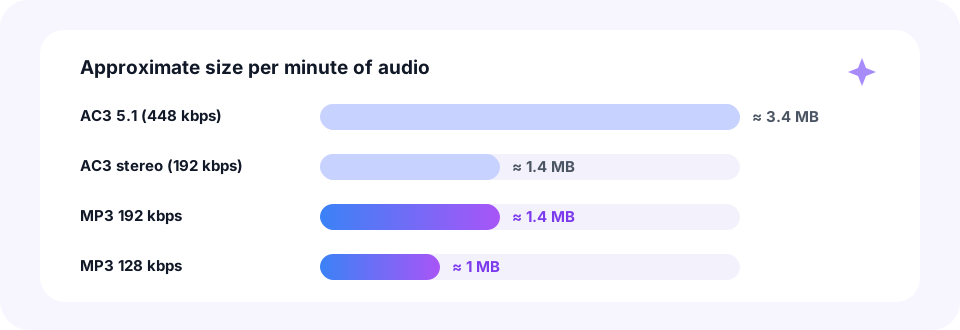
A 5.1 AC3 track at 448 kbps uses about 3.4 MB per minute, while a stereo AC3 track at 192 kbps needs about 1.4 MB. An MP3 at 192 kbps is the same size as that stereo version, and 128 kbps comes in at roughly 1 MB per minute. In short, the MP3 is usually smaller than a surround AC3 file because it carries two channels instead of six at a lower bitrate.
For AC3 to MP3 conversions of films and TV shows, the default 256 kbps keeps dialogue and effects crisp. For a concert film or a music soundtrack, choose 320 kbps. And for a talk show or documentary you only listen to, 128 kbps is perfectly fine.
Convert AC3 to MP3 on iPhone, Android, Mac and Windows
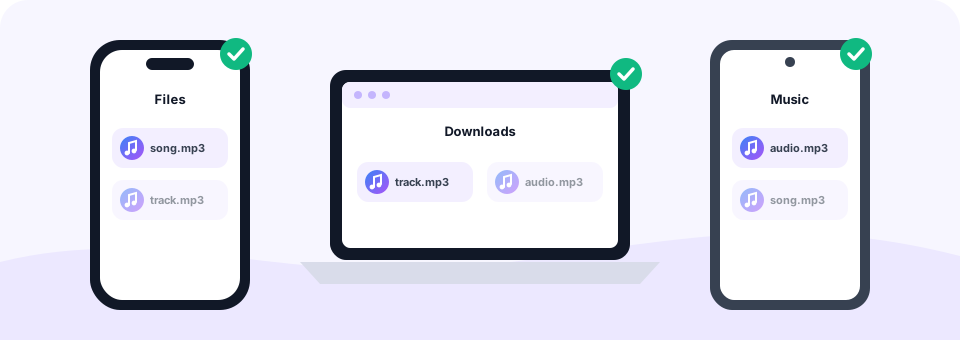
Since the AC3 to MP3 tool runs in your browser, it works on any system without codec packs. On Windows and Mac, the stereo MP3 lands in your Downloads folder. On Android, Chrome saves it to Downloads, ready for your music player. On an iPhone or iPad, open the page in Safari, choose the file in the Files app, and the MP3 appears in Files › Downloads.
Movie files can be large, though. Each file may be up to 500 MB, and big files need plenty of memory, so a laptop or desktop is the best choice for a full film. Phones handle AC3 to MP3 jobs for short clips and separate .ac3 tracks very well.
Popular reasons to convert AC3
- Listen to a film on the go. Enjoy the dialogue or soundtrack of your own movies during a commute or a run.
- Language learning. Replay scenes from a film in the language you are studying, without the screen.
- Edit the sound. After an AC3 to MP3 conversion, most audio editors open the file without special Dolby plug-ins.
- Save a concert recording. Keep the audio of a recorded TV concert as a regular music file.
Is AC3 to MP3 lossless? Common questions
No. Both AC3 and MP3 are lossy formats, and the surround channels are combined into two. However, at 256 or 320 kbps the stereo result sounds clean and natural, and most listeners hear no loss at all on phones or headphones.
Do you need a separate AC3 file? Not always. You can add a video that contains AC3 sound, and the converter extracts the audio for you. For a full movie file, our MKV to MP3 and MP4 to MP3 pages work the same way. Afterwards, trim a favourite scene or song with the MP3 Cutter.
Private, safe and fair use
Every AC3 to MP3 conversion on MP3 Converter runs inside your own browser. Your movie files are never uploaded, there is no account to create, and nothing is installed on your computer. The MP3 contains only your audio, with no watermark.
Please convert only files you own or have the right to use. Unprotected tracks from your own discs and recordings work well. Copy-protected commercial DVDs and Blu-rays, on the other hand, cannot be read by this AC3 to MP3 tool.
Frequently asked questions
Is this AC3 to MP3 converter free?
Yes. It is free, with no sign-up, no watermark and no limit on how many files you convert.
Will I lose the surround sound?
The MP3 is stereo, because most players use two speakers. The centre and surround channels are blended into left and right, so dialogue and effects are kept.
Can I convert E-AC3 (Dolby Digital Plus) to MP3?
Yes. E-AC3 files and videos with E-AC3 sound are supported and mixed down to stereo.
What bitrate is best for AC3 to MP3?
256 kbps, the default, works well for films and TV. Choose 320 kbps for concerts and music.
Can I extract AC3 audio from a DVD or MKV file?
Yes, from unprotected files such as your own VOB or MKV files. Copy-protected discs cannot be read.
Why can my phone not play AC3 files?
Dolby Digital is designed for home cinema equipment, and many phones and music apps do not include an AC3 decoder. Converting to MP3 solves this.
Why does the first file take a little longer?
Many browsers cannot decode AC3 themselves, so the page loads its FFmpeg decoder of about 32 MB once. After that it is cached.
Is there a file size limit?
Yes. Each file can be up to 500 MB. Very large movies convert most reliably on a computer.
Are my files uploaded to a server?
No. The conversion runs entirely in your browser, so your files stay on your device.
Why do DVDs need AC3 instead of MP3?
The DVD-Video specification only allows certain audio formats, such as AC3 and LPCM. MP3 is not one of them, so authoring tools ask for AC3.
Will MP3 to AC3 create 5.1 surround?
No. Your MP3 is stereo, so the AC3 file is stereo too. Creating real surround needs separate source tracks for each speaker.
Related tools
We build free, privacy-first audio tools that run in your browser. This guide is checked against how the tool actually works. About us
Last updated: October 2026