 MP3 Converter
TikTok to MP3 Converter
Our TikTok to MP3 converter is coming soon: you will paste a TikTok link and save just the sound as an MP3 file. We are still testing it, so the box above is not active yet. Meanwhile, if the video is already on your device, you can turn it into an MP3 today with our MP4 to MP3 tool.
- Coming Soon
- Free
- MP3 up to 320 kbps
- Any Device
Convert TikTok videos to MP3. Coming soon
TikTok video links · MP3 up to 320 kbps · no watermark audio
We are still testing this tool. Meanwhile, if you saved a video file on your device, convert it with MP4 to MP3.
A TikTok sound downloader for MP3 files (launching soon)
A lot of today’s catchy audio starts on TikTok: remixes, voice-overs, comedy bits, cooking narrations and original songs from new artists. Inside the app, you can add a sound to your Favorites, yet you cannot easily take it elsewhere as a normal audio file. That is the gap this tool will fill.
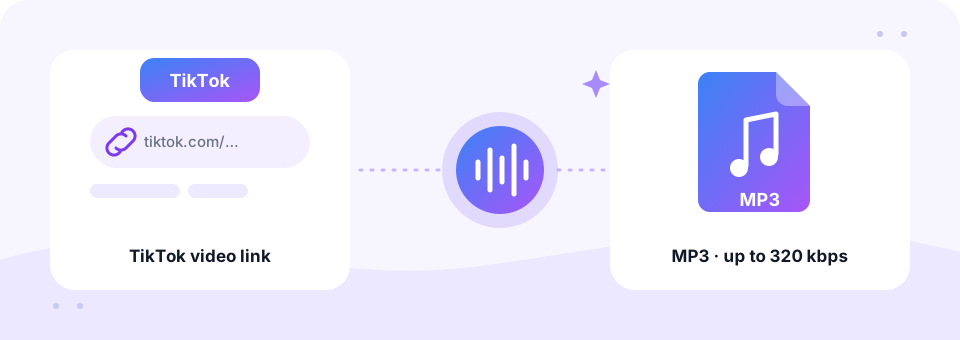
Once it launches, this TikTok audio downloader will let you paste a video link, choose an MP3 quality up to 320 kbps and download the audio. As a result, you can listen offline, reuse your own sounds in an editor or keep a backup of the voice-overs you recorded. Until then, we would rather tell you plainly that it is not ready than show a button that does not work.
How to use the TikTok to MP3
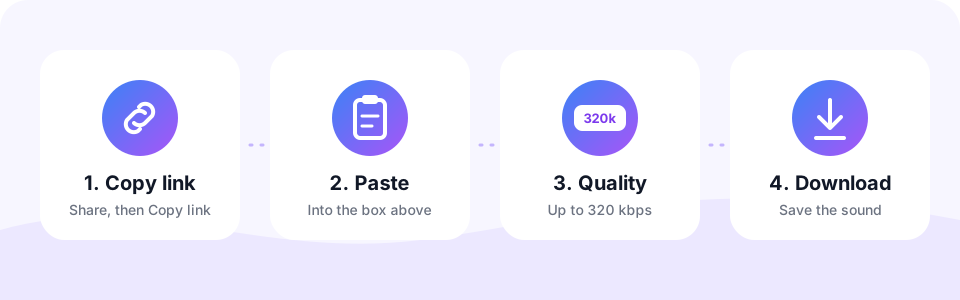
- Copy the TikTok linkIn the TikTok app, tap Share on the video and choose Copy link. On a computer, copy the address from the browser bar instead.
- Paste it into the boxOnce the tool is live, you will paste the link above. Right now, the box is shown as a preview only.
- Choose the MP3 qualityYou will be able to pick a bitrate up to 320 kbps, so short sounds stay crisp.
- Download the soundThen save the MP3 to your phone or computer, ready for any music or editing app.
What the TikTok to MP3 converter will do
- Save your own sounds. Keep a copy of the original audio and voice-overs you posted.
- Edit outside TikTok. Bring a sound into CapCut, Audacity or another editor as an MP3.
- Listen offline. Play saved audio in a music app, in the car or on a smartwatch.
- Fill an MP3 player. Copy your TikTok MP3 files to an MP3 player, a car stereo or a kids’ audio player, since MP3 plays almost everywhere.
- Trim the hook. Pair it with our MP3 Cutter to keep just the chorus or a ringtone-length clip.
Convert a saved TikTok video to MP3 today
You do not have to wait if the video is already on your device. TikTok shows a Save video option in the Share menu when the creator allows downloads, and you can always save your own posts. The result is a video file in your Photos app or gallery.
After that, open the MP4 to MP3 tool, tap Choose MP4 Files and pick the saved clip. It converts inside your browser, so the file stays private. For screen recordings and other formats, the video to MP3 converter works just as well.
Which MP3 quality suits a TikTok sound?
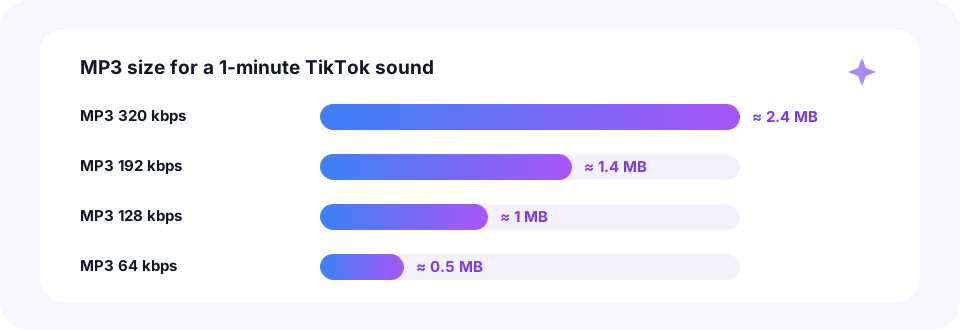
TikTok sounds are usually short, often under a minute, so file size is rarely a problem. A one-minute clip at 320 kbps takes about 2.4 MB, and at 128 kbps about 1 MB. However, the audio inside a TikTok video is already compressed, so a higher bitrate cannot add detail the original never had.
- Music and remixes. 256 or 320 kbps keeps beats and vocals clear.
- Voice-overs and comedy bits. 128 kbps is plenty for speech.
- Ringtones. 192 kbps is a good balance for a 30-second clip.
TikTok to MP3 on iPhone, Android, Mac and Windows
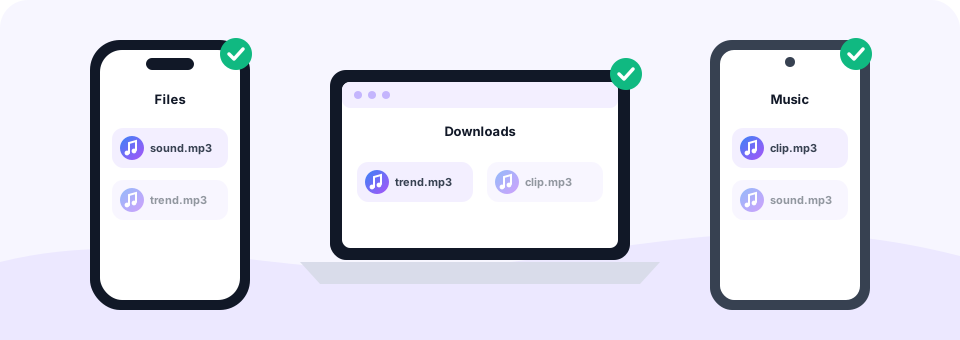
Like every tool on this site, TikTok to MP3 will run in the browser, so you will not need an extra app. On an iPhone, you will copy the link in TikTok, paste it here in Safari and find the MP3 in the Files app under Downloads. On Android, Chrome will save the file to your Downloads folder.
On a Mac or Windows PC, the steps will be the same: copy the address from tiktok.com and paste it into the box. In the meantime, the upload tools on this site already work on all of these devices today.
Will it be safe? How we handle your files
Link tools on MP3 Converter fetch the video on our server, convert the audio and delete the file within 30 minutes. We plan for TikTok to MP3 to follow the same rule, with no account, no app and no pop-up ads. By contrast, when you upload a saved video to one of our file converters, nothing leaves your device at all, because the conversion runs in your browser.
Questions people ask about TikTok audio
Can you download a TikTok sound without the video? Once this tool launches, yes: it is built to return only the audio as an MP3. Until then, saving the video and converting it is the simplest route.
Some people type Tik Tok, others just TT, yet they all want the same thing: a quick way to convert TikTok to MP3. That is exactly what this page is for, and the link-based TikTok MP3 downloader will appear here first.
Another common question is whether a TikTok sound can be reused in your own videos elsewhere. That depends on who owns it. Your original sounds are yours, but popular songs belong to artists and labels, so check the licence before you reuse them on YouTube or Instagram.
Respect creators and their sounds
Please only download audio you created yourself or have permission to use. Most trending sounds belong to their creators or to record labels, and TikTok’s terms limit how content may be reused. MP3 Converter is not affiliated with, endorsed by or sponsored by TikTok or ByteDance.
Frequently asked questions
When will TikTok to MP3 be available?
We are testing it now and will launch it on this page as soon as it works reliably. There is no fixed date yet, so bookmark the page and check back.
Does the TikTok to MP3 converter work today?
Not yet. The box on this page is a preview, and it cannot convert links until the tool launches.
Can I convert a TikTok video I already downloaded?
Yes, today. Open our MP4 to MP3 converter, choose the saved video and download the MP3. It runs in your browser and keeps the file on your device.
What MP3 quality will it offer?
The plan is MP3 up to 320 kbps. For short TikTok sounds, 128 to 192 kbps already sounds clear.
Will it work on iPhone and Android?
Yes. Like all our tools, it will run in the browser on phones, tablets and computers, with no app to install.
Will I need an account?
No. None of our tools ask you to sign up, and TikTok to MP3 will be free as well.
Will a TikTok MP3 download include the watermark?
No. An MP3 file is audio only, so there is no picture and no on-screen watermark, just the sound itself.
Will a TikTok MP3 play on any MP3 player?
Yes. MP3 is the most widely supported audio format, so the files will play on phones, computers, car stereos and classic MP3 players.
Can I paste a TikTok link into the MP4 to MP3 tool?
No. Its Paste Link tab does not accept TikTok links yet and points you back to this page. Save the video to your device first and use the Upload tab instead.
Is it legal to download TikTok sounds?
It depends on who owns the sound and on the law where you live. Saving your own sounds is fine, while downloading copyrighted music without permission may break the law and TikTok’s terms.
Related tools
We build free, privacy-first audio tools that run in your browser. This guide is checked against how the tool actually works. About us
Last updated: October 2026