 MP3 Converter
Online Voice Recorder to MP3
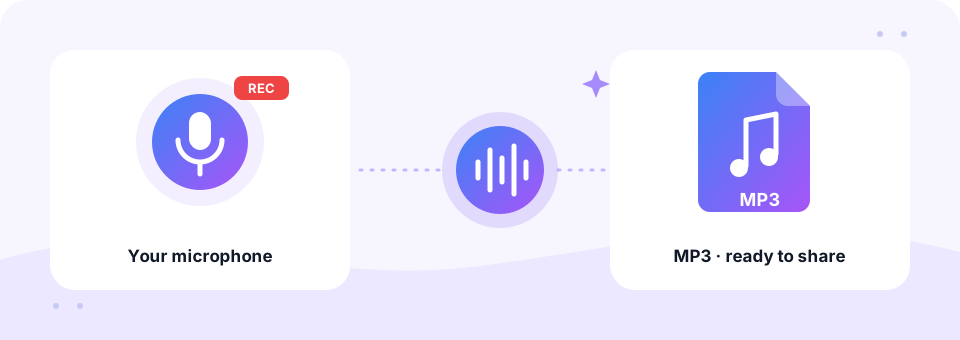
Our free voice to MP3 recorder captures your voice with any microphone and saves it as an MP3 in one click. There is no app to install and no account to create, and the recording never leaves your device.
- 100% Private
- No Limits
- Free
- Any Device
Record your voice and save it as an MP3.
Uses your microphone. The recording never leaves your device.
Files are processed inside your browser and are never uploaded to a server.
Record your voice and save it as MP3, right in the browser
Sometimes you just need a quick recording: a voice message, a podcast intro, a song idea, pronunciation practice or a spoken note for a colleague. This online voice recorder does that without any download. Press Start Recording, allow the microphone and talk, while a timer shows how long you have been going.
When you press Stop & Convert, the LAME encoder on this page turns the audio into an MP3 within seconds. It is set to 128 kbps mono by default, which suits speech perfectly. You can listen back before you download, and each file is named with the date and time, so recordings never overwrite each other.
How to use the Voice Recorder to MP3
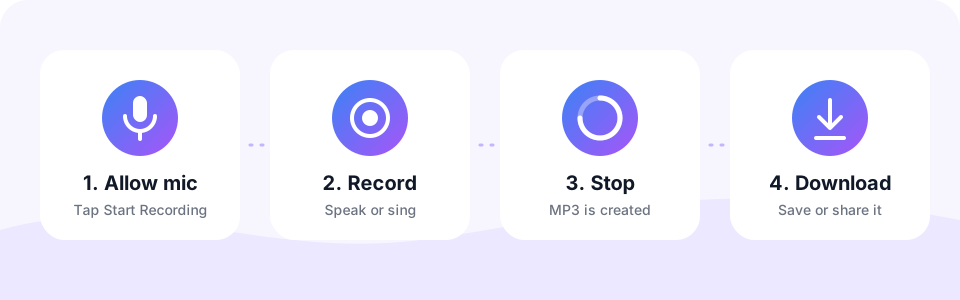
- Press Start RecordingThe Record tab is open by default. Your browser asks for microphone access the first time, so tap Allow.
- Speak, sing or playA red dot and a timer show that recording is live. Keep the mic close and the room quiet for clear sound.
- Press Stop & ConvertThe recording turns into an MP3 automatically. To change the quality, pick a bitrate or switch off Mono before you press Stop.
- Listen and downloadPlay the MP3 on the page, then tap Download to save it or share it right away.
MP3 bitrate and file size for voice recordings
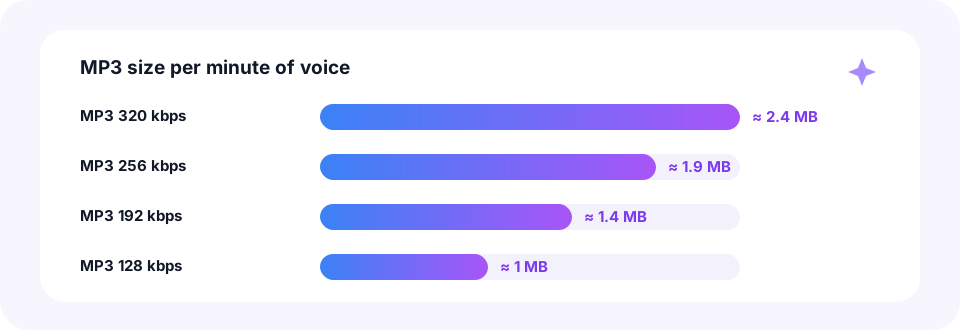
MP3 size depends on bitrate and length, not on what you say. At the default 128 kbps, every minute takes about 1 MB, so a 10-minute talk is roughly 10 MB. At 320 kbps, the highest setting, the same minute needs about 2.4 MB, which is more than speech ever needs.
Mono does not shrink the file at the same bitrate. Instead, it spends all those bits on a single channel, which keeps a voice clean. For even smaller files, record at 128 kbps and then run the MP3 through our MP3 Compressor, which offers lower bitrates made for speech.
Tips for a clearer recording
- Pick a quiet room. Soft furniture and curtains reduce echo far better than any software filter.
- Stay close to the mic. About a hand’s width away from a headset or laptop mic works well.
- Let the browser help. The recorder asks your browser for echo cancellation and noise suppression, which tames fan hum and room echo.
- Do a test first. Record five seconds, play it back, and adjust your distance or volume before the real take.
Record voice to MP3 on iPhone, Android, Mac and Windows
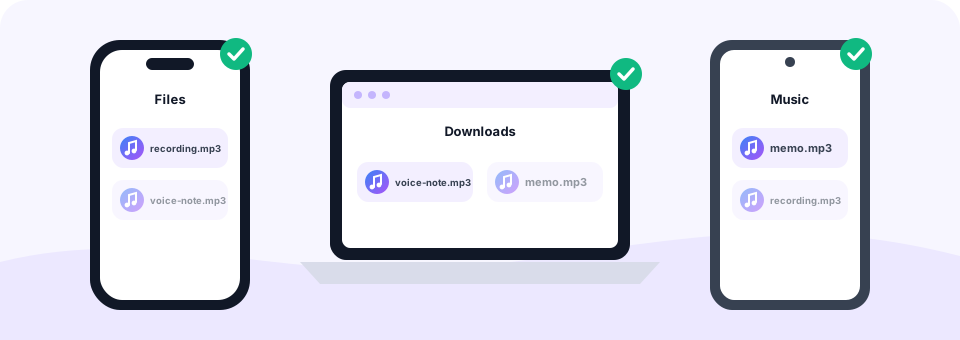
On an iPhone or iPad, open this page in Safari, tap Start Recording and allow the microphone. When you download, the MP3 goes to the Files app in the Downloads folder, ready to share in Messages, WhatsApp or Mail. On Android, Chrome asks for mic access in the same way, and the file lands in Downloads.
On a Mac or Windows PC, you can use the built-in microphone, a USB mic or a headset. If the browser picks the wrong one, change the input in your system sound settings or in the browser’s site settings, then reload the page. Chrome, Edge, Firefox and Safari all support recording.
Is this online voice recorder private?
Yes. The microphone stream goes straight from your device into this page, where MP3 Converter encodes it locally. Nothing is uploaded, so no server ever hears or stores your voice. In addition, the microphone is released as soon as you press Stop.
- No sign-up. Record and download without an email address or password.
- No app. Everything runs in the browser you already have.
- You stay in control. You can revoke microphone permission at any time in your browser settings.
What people record with a voice to MP3 tool
- Voice messages. Record a note and attach the MP3 to an email or chat.
- Podcast intros and voice-overs. Capture a quick take, then cut it to length with our MP3 Cutter.
- Song ideas. Hum a melody or sing a verse before you forget it.
- Language practice. Record yourself reading aloud and compare it with a native speaker.
- Spoken homework. Many teachers accept oral tasks as an MP3 file.
Already recorded? Convert voice notes to MP3
Switch to the Upload tab to convert recordings you already have. For example, iPhone Voice Memos are M4A files, which our M4A to MP3 converter also handles, and WhatsApp voice notes are OPUS files. Drop them here and they become MP3s with the same quality settings.
Need to stitch several takes together? Record each part, download the MP3s and merge them with the Audio Joiner. This is often easier than trying to get a long recording perfect in one go.
Common questions about recording voice online
How long can you record? There is no fixed limit. However, the audio is held in memory until you stop, so for sessions over an hour a computer is more reliable than a phone.
Can you record system audio or a call? No. The recorder only uses your microphone. To save the sound of a video file, use one of our video converters instead.
Frequently asked questions
Is this voice recorder free?
Yes. Record and download as many MP3s as you like, with no sign-up and no watermark.
Is there a time limit for recording?
There is no fixed limit. For very long sessions (over an hour), a computer is more reliable than a phone because it has more free memory.
Why does my browser ask for microphone access?
Browsers always ask before a website can use the microphone. The audio is only used on this page to create your MP3 and is never sent anywhere.
Does it work on iPhone?
Yes. Use Safari on a recent version of iOS. Tap Start Recording, allow the microphone and tap Stop & Convert when you finish. The MP3 is saved to the Files app.
What MP3 quality does the recorder use?
128 kbps mono by default, which is ideal for speech. You can choose 192, 256 or 320 kbps, or switch to stereo, before pressing Stop.
Can I trim the start and end of my recording?
Yes. Download the MP3, then open the MP3 Cutter to remove silence or mistakes at the start and end.
Why is my recording silent or very quiet?
The browser may be using the wrong microphone, or the mic is muted in your system settings. Check the input device, allow access for this site and try a short test.
Is my voice uploaded to a server?
No. The recording and the MP3 conversion both happen inside your browser, so your audio never leaves your device.
Can I record on a computer without an app?
Yes. Open this page in Chrome, Edge, Firefox or Safari on Windows or Mac and use the built-in microphone or a USB mic.
Related tools
We build free, privacy-first audio tools that run in your browser. This guide is checked against how the tool actually works. About us
Last updated: October 2026