 MP3 Converter
M4B to MP3 & MP3 to M4B Converter
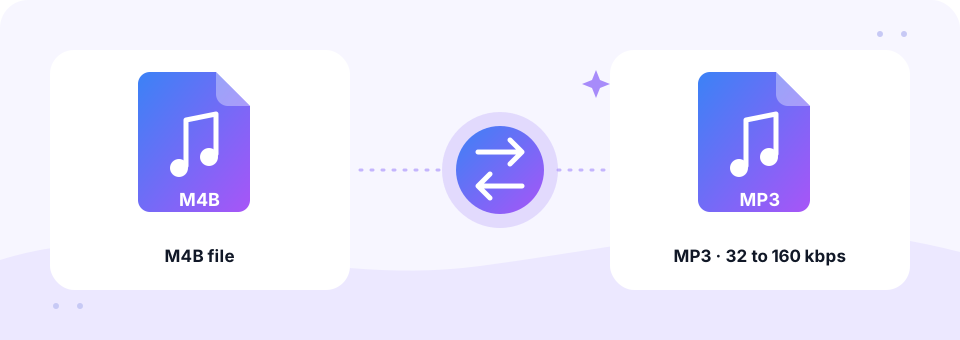
Our free M4B to MP3 converter turns DRM-free audiobooks into compact MP3 files for MP3 players, car stereos and every audiobook app. It runs in your browser with speech-friendly settings, and you can switch to MP3 to M4B when you want a single book file for Apple Books.
- 100% Private
- No Limits
- Free
- Any Device
Upload M4B audiobooks to convert to MP3.
Supported formats: M4B, M4A audiobooks (DRM-free) and more, up to 500 MB per file
or drag and drop files here
Files are processed inside your browser and are never uploaded to a server.
Listen to your audiobooks on any device
M4B is the audiobook version of the MPEG-4 audio format. Inside, it usually holds AAC audio, just like an .m4a song. In addition, it can store chapter markers and let players remember where you stopped listening. Apple Books uses it, and many audiobook publishers and free libraries offer it too.
Outside Apple apps, however, support is patchy. Many MP3 players, older car stereos, kids’ audio players and some Android apps will not open an .m4b file at all. An M4B to MP3 conversion makes the book play almost everywhere. Because audiobooks are mostly speech, the converter starts at 64 kbps with Mono switched on, which sounds clear and keeps a long book small.
How to use the M4B to MP3
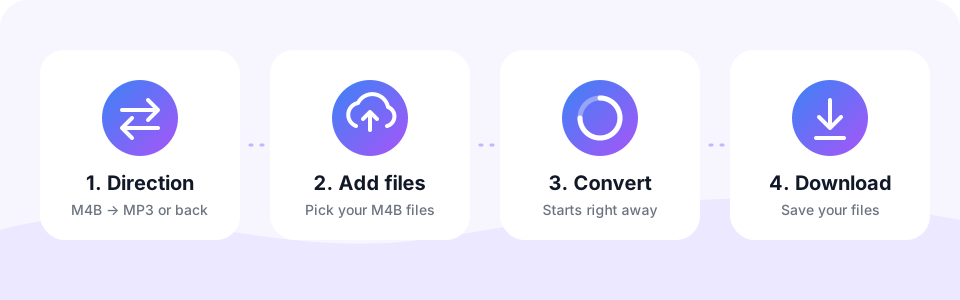
- Keep the M4B → MP3 tabThe page opens in this direction. Use MP3 → M4B only to build an audiobook file from MP3s.
- Check the speech settingsThe MP3 Quality menu starts at 64 kbps with Mono on. Choose 96 kbps for books with music, or 32 kbps for the smallest files. Pick before adding the book, because each file keeps the settings active when it was added.
- Add the audiobookTap Choose M4B Files and select the book, or every part if it is split into several files. Conversion starts automatically.
- Download the MP3Listen to a few seconds in the preview, then tap Download. For multi-part books, Download all saves every finished part.
Converting MP3 to M4B
M4B is the audiobook format. Apple Books and many audiobook apps treat M4B files as books, remember where you stopped and let you change playback speed without losing your place. If your audiobook or lecture series is a pile of MP3s, converting to M4B makes it much nicer to listen to.
Tip: first join the chapter MP3s into one file with our Audio Joiner, then switch to MP3 → M4B here. The default 64 kbps mono setting keeps narration clear while a ten-hour book stays under about 300 MB.
Recommended MP3 settings for audiobooks
Narration needs far less data than music. These settings cover almost every M4B to MP3 conversion:
- 64 kbps mono (default). About 29 MB per hour. Clear, natural narration and a compact file.
- 96 kbps mono. A slightly richer voice, good for full-cast or dramatised books with music.
- 32 kbps mono. About 14 MB per hour. Best for very long books on devices with little storage.
- 128 or 160 kbps. Only worth it when the book is mostly music, such as a radio play with a score.
M4B vs MP3 size per hour
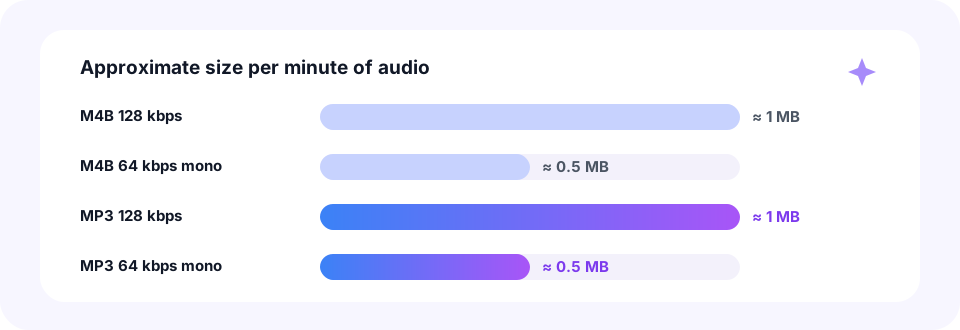
At the same bitrate, M4B and MP3 files take the same space. A 128 kbps book needs about 1 MB per minute in either format, and 64 kbps mono needs about 0.5 MB. So an M4B to MP3 conversion at a matching bitrate does not make your audiobook bigger.
M4B audiobooks are often encoded at 64 to 128 kbps. If your book is 128 kbps stereo, converting at 64 kbps mono halves the size, and for narration you will hardly hear a difference. For example, a five-hour book drops from about 288 MB to about 144 MB after an M4B to MP3 conversion.
Chapters, bookmarks and cover art
- Chapter markers. MP3 has no common standard for chapters, so they are not carried over. The audio itself is kept in full.
- Split into chapters. Need separate chapter files? Cut the MP3 into parts with our MP3 Cutter.
- Your listening position. Bookmarks belong to the player app, not the file, so start again from where you left off.
- Title and cover. The file name is kept, but tags and cover art are not copied.
Convert M4B to MP3 on iPhone, Android, Mac and Windows
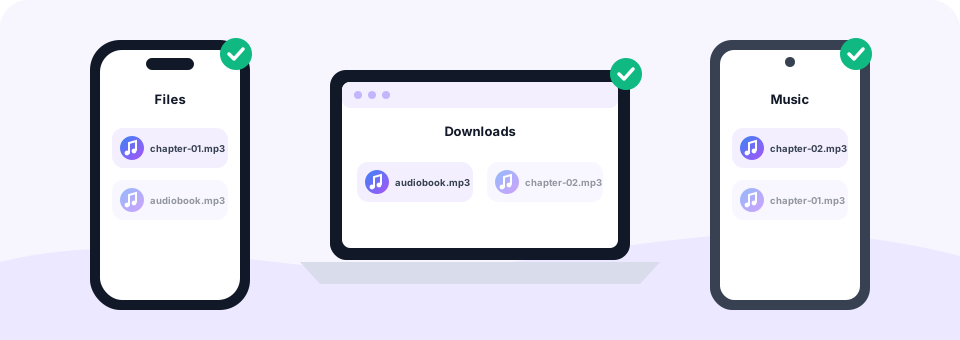
This M4B to MP3 converter runs in your browser, so you do not need iTunes, Apple Books or any other software. On Windows and Mac, the MP3 is saved to your Downloads folder, ready to copy to an MP3 player or a USB stick for the car. On Android, Chrome saves it to Downloads, where audiobook apps such as Smart AudioBook Player can find it.
On an iPhone or iPad, open this page in Safari, pick the M4B file from the Files app and tap Download when it is ready. The MP3 then appears in Files › Downloads. Long audiobooks need a lot of memory, though, so a computer is the most reliable choice for books longer than a few hours.
Which audiobooks can be converted?
Only DRM-free files. Audiobooks bought with copy protection, such as Audible .aa and .aax files or protected Apple Books titles, cannot go through an M4B to MP3 conversion here. If you try, the converter shows an error saying the file may be protected.
Plenty of audiobooks are DRM-free, however. Public-domain recordings from LibriVox, books you recorded yourself, and titles from publishers that sell without DRM all convert normally. Have a plain .m4a book or lecture instead? Use the M4A to MP3 converter, and for spoken shows see Podcast to MP3.
Is M4B to MP3 lossless? Quality questions
No. M4B usually holds AAC, and MP3 is lossy too, so each conversion changes the sound very slightly. With speech, though, 64 kbps mono MP3 sounds clean and natural, and most listeners notice nothing.
Why does the M4B to MP3 tool stop at 160 kbps, with no 256 or 320 kbps options? Audiobook narration simply does not need them. This page offers 32 to 160 kbps, which matches how audiobooks are usually encoded and keeps your files small.
Long audiobooks: file size and memory limits
For M4B to MP3, each file can be up to 500 MB, which covers most single-file audiobooks. Because the whole book is decoded on your own device, very long books take a while and use a lot of memory. If a conversion fails on a phone, try a computer, or convert the book’s parts one at a time if your copy is split.
Private audiobook conversion
Your library is your business. MP3 Converter converts audiobooks inside your browser, so your M4B files are never uploaded to a server. There is no sign-up, no app to install and no watermark or added sound in your MP3.
Frequently asked questions
Is this M4B to MP3 converter free?
Yes. It is free to use, with no sign-up, no watermark and no limit on the number of books.
Can I convert Audible audiobooks to MP3?
No. Audible .aa and .aax files are copy-protected and cannot be converted. DRM-free M4B files, such as LibriVox books or your own recordings, work fine.
Are chapter markers kept when converting M4B to MP3?
No. MP3 has no common chapter standard, so markers are removed. The full audio is kept, and you can split it into chapters with an MP3 cutter.
What bitrate is best for M4B to MP3?
64 kbps mono, the default, is ideal for narration. Choose 96 kbps for books with music, or 32 kbps for the smallest files.
How big will the MP3 audiobook be?
At 64 kbps mono, about 29 MB per hour of listening, so a 10-hour book is roughly 290 MB.
Can I convert a multi-part audiobook?
Yes. Select all the parts at once. They convert one after another, and Download all saves every MP3.
Why did my long audiobook fail to convert?
Very long books need a lot of memory because the audio is decoded on your device. Try a computer instead of a phone, or convert the book in parts.
Is there a file size limit for M4B files?
Each file can be up to 500 MB. That covers most single-file audiobooks.
Are my audiobooks uploaded?
No. The conversion runs entirely in your browser, and your files never leave your device.
How do I turn several MP3 chapters into one M4B?
Join the chapters into a single MP3 with our Audio Joiner, then convert that file with MP3 → M4B.
Will my M4B have chapter markers?
No. The converter creates one continuous M4B. Apps still remember your position, but chapters are not added.
Related tools
We build free, privacy-first audio tools that run in your browser. This guide is checked against how the tool actually works. About us
Last updated: October 2026