 MP3 Converter
ALAC to MP3 & MP3 to ALAC Converter
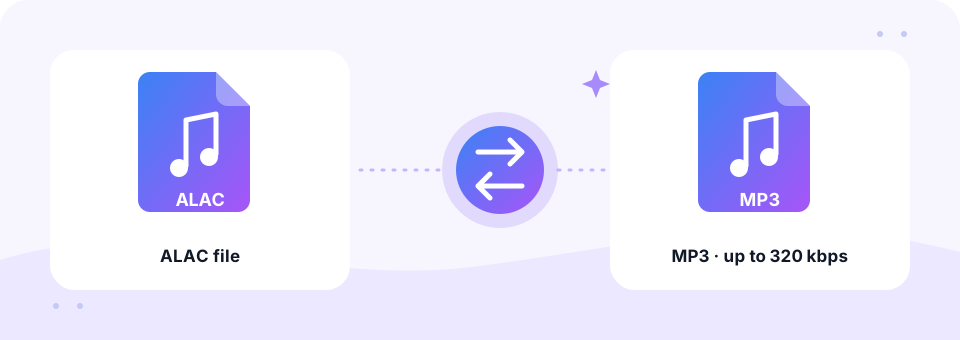
Our free ALAC to MP3 converter makes compact 320 kbps copies of your Apple Lossless music for Android phones, Windows PCs, USB sticks and car stereos. Everything runs in your browser, and the MP3 to ALAC direction is there when you want your library in one format.
- 100% Private
- No Limits
- Free
- Any Device
Upload Apple Lossless (ALAC) files to convert to MP3.
Supported formats: ALAC in .m4a or .caf and more, up to 500 MB per file
or drag and drop files here
Files are processed inside your browser and are never uploaded to a server.
Portable MP3 copies of your Apple Lossless library
ALAC, the Apple Lossless Audio Codec, keeps every detail of the original recording while taking roughly half the space of a WAV file. Apple released it in 2004 and made it open source in 2011. Many people choose it when they rip CDs in iTunes or the Music app. The files usually end in .m4a, so they look just like ordinary AAC songs, although they are several times larger.
Lossless files are wonderful at home, yet they fill a phone quickly, and some players outside the Apple world cannot open them. An ALAC to MP3 conversion gives you a smaller copy that plays almost anywhere. Because the source is lossless, the converter starts at 320 kbps, the highest MP3 quality. Meanwhile, your Apple Lossless originals stay untouched as your master archive.
How to use the ALAC to MP3
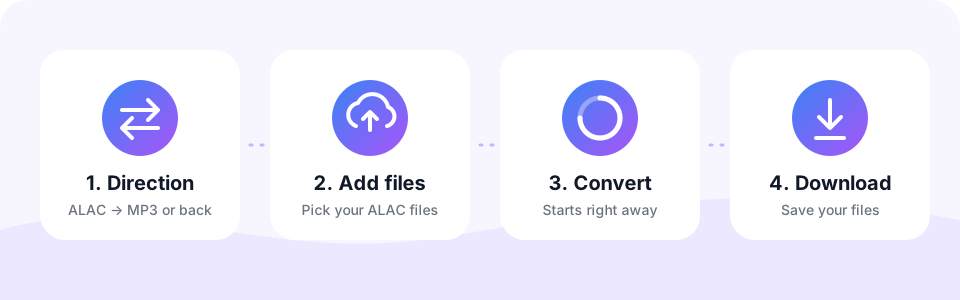
- Keep ALAC → MP3 selectedThis is the default direction. The MP3 → ALAC tab only matters when you want to create Apple Lossless files.
- Leave 320 kbps or pick lessThe MP3 Quality menu starts at 320 kbps, ideal for a lossless source. Choose 192 kbps to save space. Set it before adding files, because each file keeps the quality active when it was added.
- Add an album or playlistTap Choose ALAC Files or drag a whole album folder’s songs onto the box. Tracks convert automatically, one after another.
- Download all your MP3sPreview any track, tap Download for single files, or use Download all to save the whole album with the original file names.
Converting MP3 to ALAC
Some people keep their whole Apple Music or iTunes library in Apple Lossless and like every file to match. Others edit audio and want to avoid adding another round of MP3 compression each time they save. In both cases, MP3 → ALAC is handy.
The converter saves your MP3 sound into an Apple Lossless .m4a file, losing nothing further. Remember that ALAC cannot restore detail the MP3 already removed: the file is larger, but it sounds the same as the MP3.
Is my .m4a file ALAC or AAC?
Apple Lossless and AAC both use the .m4a extension, so here are three quick ways to tell them apart. Either way, this ALAC to MP3 converter handles both types.
- In the Music app. Select a song, choose Get Info and open the File tab. Kind shows “Apple Lossless audio file” or “AAC audio file”.
- On Windows. Right-click the file, choose Properties and open Details. A bit rate of several hundred kbps, often 700 or more, means lossless.
- By file size. A four-minute ALAC song is usually more than 20 MB, while the same song in AAC is under 10 MB.
ALAC vs MP3 size: what you save
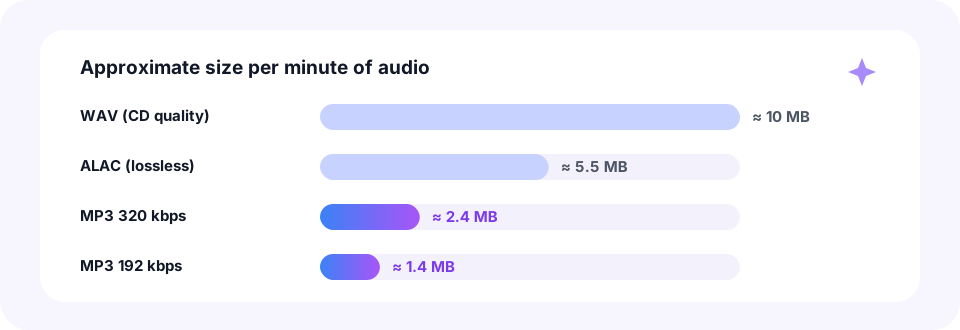
CD-quality WAV uses about 10 MB per minute, and Apple Lossless brings that down to roughly 5.5 MB. An MP3 at 320 kbps needs only about 2.4 MB per minute, and 192 kbps about 1.4 MB. So a 45-minute album shrinks from around 250 MB in ALAC to about 108 MB at 320 kbps, or 65 MB at 192 kbps.
Put differently, an ALAC to MP3 conversion at 320 kbps fits more than twice as much music on the same phone, and 192 kbps nearly four times as much. For most listening on earbuds, in the car or at the gym, that trade is easy to make.
Why people convert Apple Lossless to MP3
- Android phones. An ALAC to MP3 batch frees up storage and gives you files that every Android music app plays.
- Car stereos and USB sticks. Many car systems read MP3 from a USB stick but ignore lossless .m4a files.
- Older MP3 players. Classic players and kids’ audio players often support MP3 only.
- Sharing a recording. Send your own band recording or a home-made rip to a friend in a format that always opens.
Convert ALAC to MP3 on iPhone, Android, Mac and Windows
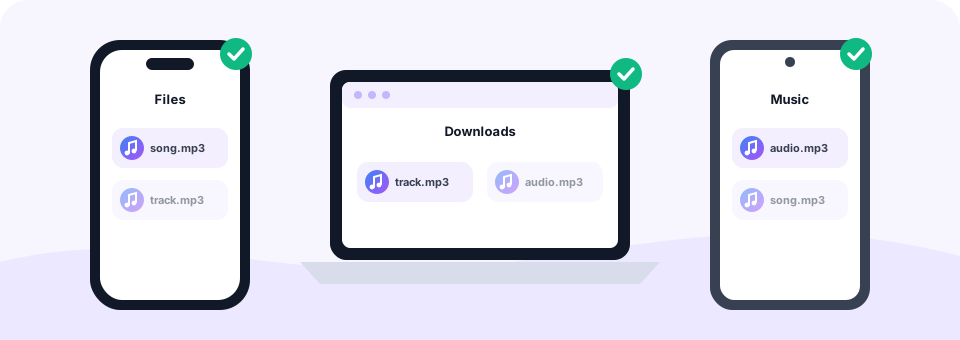
On a Mac, your ripped music is normally in the Music folder under Music › Media › Music, sorted by artist and album. Drag the songs onto the converter in Safari, Chrome or Firefox, and the MP3s land in Downloads. On Windows, iTunes keeps its library in the Music › iTunes › iTunes Media folder, and the steps in Chrome or Edge are the same.
On an iPhone or iPad, use Safari and choose ALAC files from the Files app; the MP3s are saved in Files › Downloads. On Android, Chrome saves them to the Downloads folder. However, a whole lossless album is a lot of data for a phone, so a computer is the faster option for big batches.
Hi-res ALAC, tags and protected songs
- Hi-res 24-bit files. They convert from ALAC to MP3 without problems. The MP3 is created at the standard 44.1 kHz sample rate, which covers the full range of human hearing.
- Song titles and artwork. The file name is kept, but tags and album art are not copied. A free tag editor can add them back.
- Apple Music downloads. Songs downloaded from an Apple Music subscription are copy-protected and cannot be converted. Your own CD rips work normally.
- ALAC inside .caf. Apple Lossless can also sit in a CAF container. Those files work here too, or use our CAF to MP3 page.
Will a 320 kbps MP3 sound as good as ALAC?
For most people, on most equipment, yes. MP3 is lossy, so ALAC to MP3 is not a lossless conversion. Still, at 320 kbps the difference is very hard to hear in blind tests, especially on phones, Bluetooth headphones and car speakers.
That said, keep your ALAC files after any ALAC to MP3 job. They are your master copy, so you can create any other format later without stacking losses. If part of your collection is in FLAC, our FLAC to MP3 converter works the same way, and plain AAC songs go through M4A to MP3.
Your music library stays private
MP3 Converter runs every ALAC to MP3 conversion inside your browser, so your music library is never uploaded to a server. You do not need an account, you install nothing, and the MP3 files carry no watermark. As a result, even a full album collection stays entirely on your own device.
Frequently asked questions
Is this ALAC to MP3 converter free?
Yes. It is free, with no sign-up, no watermark and no limit on the number of songs.
What is the best bitrate for ALAC to MP3?
320 kbps keeps the most detail from a lossless source. 256 or 192 kbps saves more space and still sounds very good.
Can I convert a whole album at once?
Yes. Select or drop all the songs together. They convert one after another, and Download all saves every MP3.
Should I delete my ALAC files after converting?
We recommend keeping them. Lossless files are your master copy and let you create any format later without extra quality loss.
Can I convert hi-res 24-bit ALAC?
Yes. The MP3 is created at the standard 44.1 kHz sample rate.
Will album art and tags be copied?
No. The audio and file name are kept, but tags and artwork are not copied. A free tag editor can add them back.
Can I convert songs downloaded from Apple Music?
No. Apple Music subscription downloads are copy-protected. Lossless rips of your own CDs convert without problems.
Does it work with ALAC on Windows?
Yes. Open the page in Chrome, Edge or Firefox on Windows and add your .m4a files. No iTunes is needed.
Is it safe for my music library?
Yes. Files are converted in your browser and are never uploaded.
Does MP3 to ALAC improve audio quality?
No. ALAC preserves exactly what is in the MP3. It is useful for consistency and editing, not for better sound.
Will the ALAC file play in Apple Music?
Yes. The file is a standard .m4a with Apple Lossless audio, which Apple Music, iTunes and iPhone play natively.
Related tools
We build free, privacy-first audio tools that run in your browser. This guide is checked against how the tool actually works. About us
Last updated: October 2026