 MP3 Converter
Video to MP3 Converter
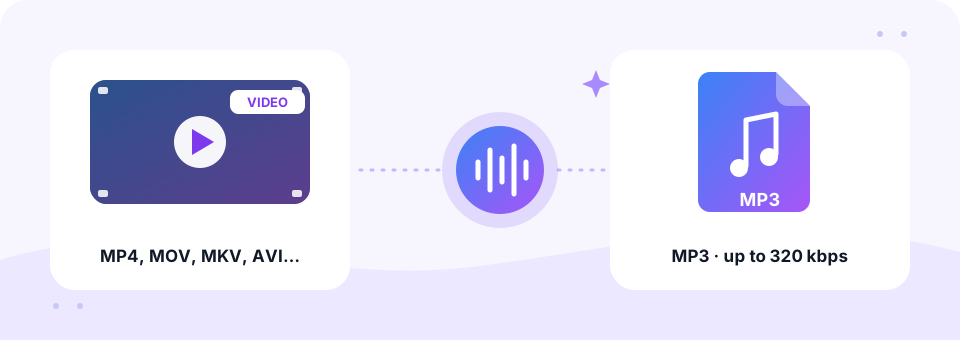
Our free video to MP3 converter extracts the sound from almost any video file and saves it as an MP3 at up to 320 kbps. Drop in MP4, MOV, MKV, WEBM, AVI or WMV files, even several at once, and download the audio without installing anything.
- 100% Private
- No Limits
- Free
- Any Device
Upload a video file to extract the audio as MP3.
Supported formats: MP4, MOV, MKV, WEBM, AVI, WMV, FLV, 3GP, M4V and more, up to 500 MB per file
or drag and drop files here
Files are processed inside your browser and are never uploaded to a server.
Convert a specific video format to MP3
Prefer a page for your exact format? These converters work the same way and add tips for each type of file.
Extract audio from any video, right in your browser
Videos come from many places: a phone camera, OBS, a Zoom call, a GoPro or an old camcorder. Each one may use a different container and codec. So instead of hunting for a separate tool for every format, you can drop all of them here and get the same result: a plain MP3 that every device understands.
The converter first tries your browser’s own decoder, which is very fast. If the browser cannot read the file, it loads FFmpeg compiled to WebAssembly and extracts the sound locally instead. Finally, the LAME encoder writes the MP3. Your video never leaves your device, and the original file stays untouched.
How to use the Video to MP3 Converter
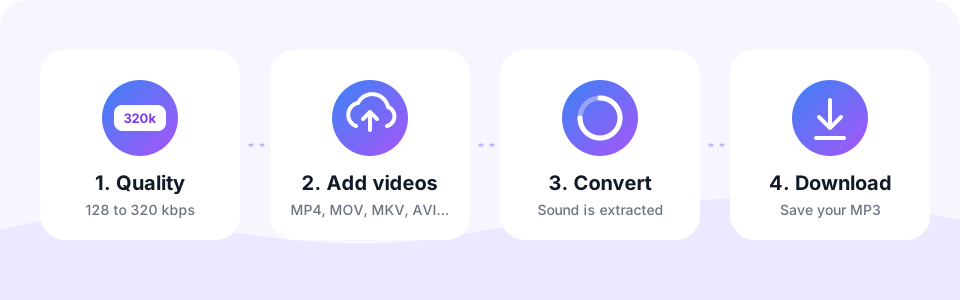
- Pick the MP3 qualityChoose 128, 192, 256 or 320 kbps, and switch on Mono for talks. Set these first, because each file uses the settings active when you add it.
- Add your videosTap Choose Videos or drag files onto the box. You can mix MP4, MOV, MKV and other formats in one batch.
- Wait for the audio to be extractedEach file shows its own progress bar. Rarer formats load the FFmpeg decoder the first time, which takes a few extra seconds.
- Download the MP3 filesPreview each track on the page, then tap Download, or use Download all for the whole batch.
Supported video formats
Thanks to the two decoders, the tool reads a wide range of files. If a video has a sound track, it can usually pull it out:
- MP4, M4V and MOV. Phones, GoPro cameras, QuickTime and most editing apps.
- MKV and WEBM. OBS recordings, screen captures and web video. See also our MKV to MP3 page.
- AVI, WMV and FLV. Older cameras, Windows Movie Maker projects and archived web clips.
- 3GP, MPEG and TS. Early mobile phones, DVD-era files and camcorder or TV recordings.
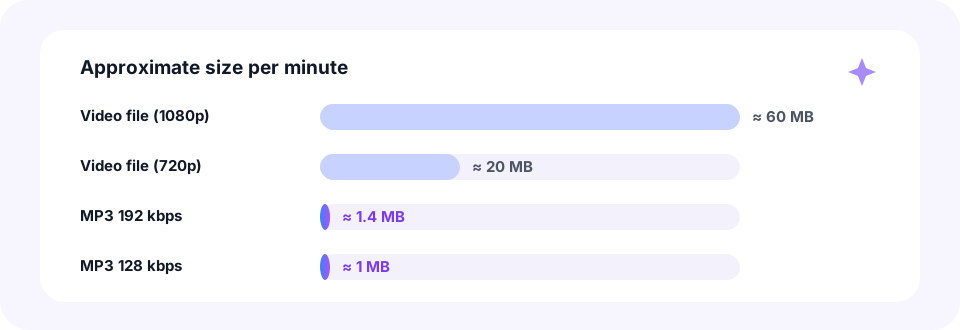
Video vs MP3 file size: how much space you save
Most of a video file is picture data. One minute of 1080p video often takes around 60 MB, and 720p about 20 MB. The MP3 keeps only the sound, so the same minute needs roughly 1.4 MB at 192 kbps and 1 MB at 128 kbps.
As a result, a one-hour 1080p lecture of several gigabytes becomes an MP3 of under 90 MB at 192 kbps. That is small enough to send through most file-sharing apps or keep on a phone with little free space.
Which bitrate should you choose for video audio?
- 320 kbps. Concert footage, music videos and anything with rich sound you want to keep.
- 192 kbps. The default, and a safe pick for vlogs, films and mixed content.
- 128 kbps with Mono. Lectures, meetings and interviews. Mono puts every bit into one clear voice channel.
- Even smaller files. Run the finished MP3 through our MP3 Compressor, which goes down to 32 kbps for speech.
Video to MP3 on iPhone, Android, Mac and Windows
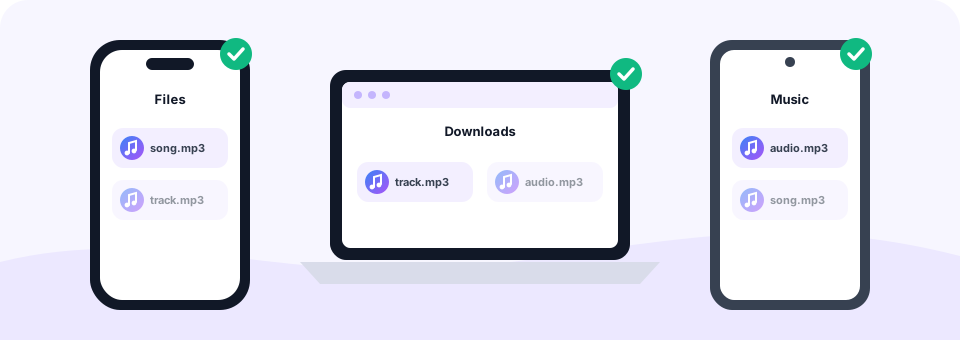
On an iPhone, open this page in Safari and tap Choose Videos. You can pick clips straight from Photo Library or from the Files app, and the MP3 saves to Files in the Downloads folder. On Android, Chrome offers your gallery and file manager, and the result goes to Downloads.
Desktop users can drag videos from Finder on a Mac or File Explorer on Windows straight onto the box. Every modern browser works, including Safari, Chrome, Edge and Firefox. Since long 4K videos use a lot of memory while they are read, a computer handles them more smoothly than a phone.
Private by design: is it safe to extract audio online?
Many online converters upload your video to a remote server, which is slow for large files and risky for private footage. MP3 Converter works differently. The whole job runs inside your browser tab, so your video is never uploaded, stored or seen by anyone else.
- No upload. Files stay on your device from start to finish.
- No sign-up or watermark. You get just your audio, free, every time.
- Nothing to install. No desktop software or browser extension is needed.
- Original untouched. The tool creates a new MP3 and never edits your video.
Common questions before you convert a video
Is video to MP3 lossless? No, because MP3 is a compressed format. However, the sound in most videos is already compressed AAC or Opus, so 192 kbps or more keeps the difference hard to hear. If you need an uncompressed file for editing, keep the original video as well.
What about surround sound? If a film has a 5.1 track, the converter mixes every channel down to stereo, so dialogue from the centre speaker is not lost. And if you only need one scene, convert the full video first and then trim it with our MP3 Cutter.
Why a video might not convert
- No sound track. Silent screen recordings and some GIF-style clips have no audio, so there is nothing to extract.
- Copy protection. Movies and shows from streaming services use DRM, which no honest browser tool can read.
- Over 500 MB. Trim or split very large videos first, or export a shorter version.
- Damaged file. A recording that stopped mid-way may be unreadable. Try opening it in VLC to check.
Use extracted audio responsibly
Extracting audio from your own videos is always fine. For films, music videos or clips made by others, make sure you have permission, or that the content is in the public domain or under a Creative Commons licence, before you share the MP3.
Frequently asked questions
Which video formats can I convert to MP3?
MP4, MOV, MKV, WEBM, AVI, WMV, FLV, 3GP, M4V, MPEG, TS and most other common formats. If a video has a sound track, the tool can usually extract it.
Is this video to MP3 converter free?
Yes. It is completely free, with no sign-up, no watermark and no cap on how many videos you convert.
Can I extract audio from video at 320 kbps?
Yes. Pick 320 kbps before adding your videos. It is the highest MP3 quality and works well for music and concerts.
Are my videos uploaded to a server?
No. The audio is extracted inside your browser, so your videos never leave your device.
Can I convert several videos at once?
Yes. Select or drag in a batch, even with mixed formats. They convert one after another, and Download all saves every MP3 together.
How do I extract audio from a video on iPhone?
Open this page in Safari, tap Choose Videos and pick a clip from Photo Library or Files. When it is done, tap Download and the MP3 is saved to Files in the Downloads folder.
Why did my video fail to convert?
The video may have no sound track, be damaged, or be copy protected (DRM) like films from streaming services. Files over 500 MB are also rejected.
Can I extract audio from a YouTube link?
This page converts video files on your device. For YouTube links, use our YouTube to MP3 converter, which also lets you cut a section.
Does converting change my original video?
No. Your video stays exactly as it was. The tool creates a separate MP3 file.
Related tools
We build free, privacy-first audio tools that run in your browser. This guide is checked against how the tool actually works. About us
Last updated: October 2026