 MP3 Converter
MP3 Compressor – Reduce Audio File Size
Our free MP3 compressor makes songs, podcasts and voice recordings smaller so they fit into email, chat apps and upload forms. Pick a lower bitrate in the MP3 compressor, switch speech to mono and see exactly how many percent you saved. Everything runs in your browser, so your files never leave your device.
- 100% Private
- No Limits
- Free
- Any Device
Upload MP3 or audio files to compress.
Supported formats: MP3, WAV, M4A, FLAC, OGG and more, up to 500 MB per file
or drag and drop files here
Files are processed inside your browser and are never uploaded to a server.
Compress MP3 files online without losing what matters
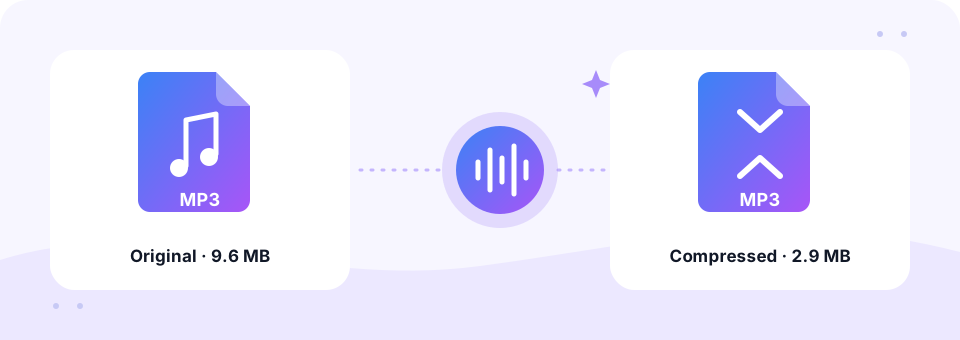
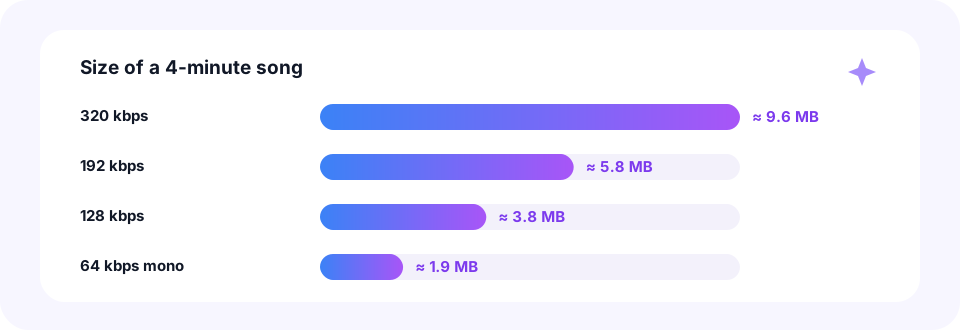
An MP3 file is big for two reasons: it is long, or it was saved at a high bitrate. A four-minute song at 320 kbps takes about 9.6 MB, and an hour-long lecture at the same rate passes 140 MB. That is too large for most email attachments and slow to send over mobile data. However, most of those bits are not needed for casual listening, and for speech they are almost pure waste.
This MP3 compressor re-encodes your file at a lower bitrate that you choose, from 32 to 160 kbps, and can mix stereo down to mono. After each file, it shows the old size, the new size and how much smaller the MP3 became. In addition, you can drop in several files at once, then grab them all with Download all. It also accepts WAV, M4A, FLAC and OGG, so it doubles as a way to turn a huge recording into a small MP3.
How to use the MP3 Compressor
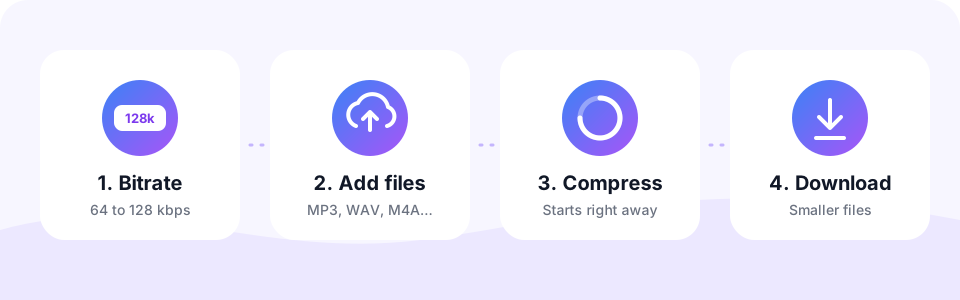
- Pick the bitrate firstBelow the box, choose the MP3 Quality. The default 96 kbps is a good balance; 64 kbps suits speech and 32 kbps gives the smallest files.
- Turn on Mono for speechSwitch on Mono for podcasts, lectures and voice notes. The whole bitrate then goes to one channel, so speech stays clear even at 64 or 96 kbps.
- Add your filesTap Choose Files to Compress or drag files onto the box. MP3, WAV, M4A, FLAC, OGG and video files work, up to 500 MB each, and they compress one after another.
- Check the saving and downloadEach finished file shows its new size and how many percent smaller it is. Listen on the page, then tap Download, or Download all for several files.
MP3 bitrate guide: how small can you go?
Bitrate is the amount of data used for each second of sound, so it controls file size directly. Halve the bitrate and the file becomes about half as big. The chart shows a four-minute song at different settings.
- 32 kbps mono. The smallest option. Fine for long voice memos and dictation where only the words matter.
- 64 kbps mono. Clear speech for podcasts, audiobooks, lectures and voice notes, at about a fifth of a 320 kbps file.
- 96 kbps. A good middle ground for background music, language courses and casual listening on a phone speaker.
- 128 kbps. Music still sounds full on headphones, while the file is less than half the size of 320 kbps.
- 160 kbps. The highest option here, for music you care about but still want to slim down a little.
Reduce MP3 size for email, WhatsApp and uploads
Most people use an MP3 compressor to get under a limit. For example, Gmail and Outlook accept attachments of about 20 to 25 MB, and many school portals, job forms and website builders stop at 10 MB or less. A one-hour recording at 64 kbps mono comes to roughly 29 MB, while 32 kbps mono brings it near 15 MB.
Here is a quick way to plan it before you open the MP3 compressor. One minute of MP3 at 64 kbps takes about 0.5 MB, and at 128 kbps about 1 MB. So multiply the length in minutes and compare it with your limit. If the file is still too big, trim silence and unused parts with our MP3 Cutter first, since a shorter file is always smaller.
Does compressing an MP3 lower the quality?
Yes, a little. MP3 is a lossy format, so a lower bitrate removes sound details that the encoder thinks you will not notice. Speech handles this very well, because the voice sits in a narrow range. Music, by contrast, starts to sound thinner and slightly “swishy” below about 96 kbps, mostly in cymbals and reverb.
Two tips help. First, compress from the best copy you have, such as the original WAV or a 320 kbps MP3, rather than an already small file. Second, never pick a bitrate higher than the original. A 64 kbps file saved at 128 kbps simply gets bigger without sounding any better, so the MP3 compressor only shows a saving when the new file is really smaller.
Compress MP3 on iPhone, Android, Mac and Windows
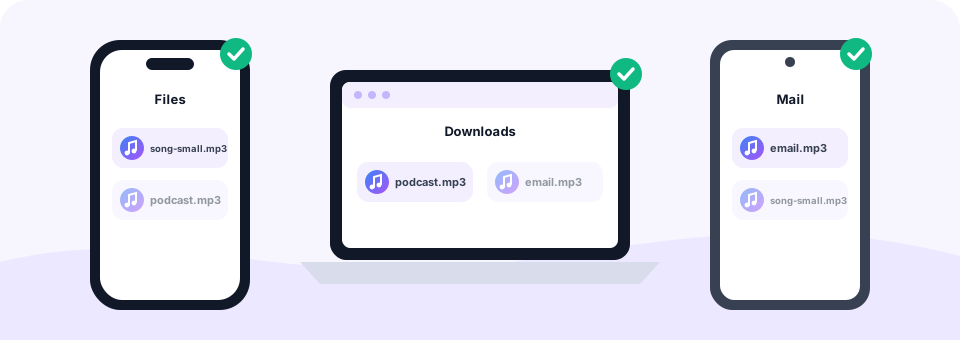
The MP3 compressor runs in any modern browser, so there is no app to install on any device. On Windows or a Mac, drag several files from Downloads or Music onto the box, then save them all with Download all. On Android, tap Choose Files to Compress, pick recordings from the Recordings or Downloads folder in Chrome, and the smaller copies appear in Downloads.
On an iPhone or iPad, open the page in Safari and choose files from the Files app. The compressed MP3 is saved to Files, in the Downloads folder, ready to attach to Mail or send in a chat. Since nothing is uploaded, it also works on slow mobile data once the page has loaded.
Private compression that stays on your device
Most online MP3 compressor sites upload your audio, shrink it on a server and send it back. That is slow for large files and risky for private recordings. Here, the compression happens in your browser instead, using the Web Audio API, FFmpeg compiled to WebAssembly and the LAME MP3 encoder. As a result, your files are never sent anywhere.
In addition, there is no sign-up, no watermark and no daily limit. The MP3 Converter tools are free, and the only rule is a 500 MB maximum per file.
Common questions before you compress audio
- Is there a lossless MP3 compressor?. No. MP3 is always lossy, and zipping an MP3 barely saves space. Lowering the bitrate is the only real way to shrink it.
- Which is better, mono or a lower bitrate?. For speech, try mono first. It saves half the size and you will not hear a difference on one voice.
- Can I compress a WAV or M4A file?. Yes. Any supported audio or video file becomes a small MP3. For a dedicated page, see our WAV to MP3 converter.
- What about a whole podcast episode?. Long talks shrink the most. Our Podcast to MP3 page explains the settings podcast hosts expect.
Frequently asked questions
Is this MP3 compressor free?
Yes. You can compress as many MP3 and audio files as you like for free, with no sign-up and no watermark.
How much can I reduce an MP3 file size?
Going from 320 kbps to 64 kbps makes a file about 80 percent smaller. The exact saving depends on the original bitrate, and the tool shows it for every file.
Will compressing make my MP3 sound worse?
Lower bitrates remove some detail. Speech stays clear even at 64 kbps mono, while music starts to sound thinner below about 96 kbps.
Why did my compressed file get bigger?
The original already had a lower bitrate than the one you chose. Pick a lower bitrate than the original to make it smaller.
Can I compress several MP3 files at once?
Yes. Select or drop many files into the MP3 compressor together. They are compressed one after another, and Download all saves the finished files.
How do I make an MP3 small enough for email?
Most email services accept about 20 to 25 MB. Choose 64 kbps with Mono for speech, or 96 to 128 kbps for music, which brings most recordings well under that limit.
Are my files uploaded when I compress them?
No. The MP3 compressor reads, compresses and saves the files inside your browser, so they never leave your device.
Does it work on iPhone and Android?
Yes. Open the MP3 compressor in Safari, Chrome or another browser, choose your files and download the smaller MP3 files. There is no app to install.
Related tools
We build free, privacy-first audio tools that run in your browser. This guide is checked against how the tool actually works. About us
Last updated: October 2026