 MP3 Converter
M4A to MP3 Converter
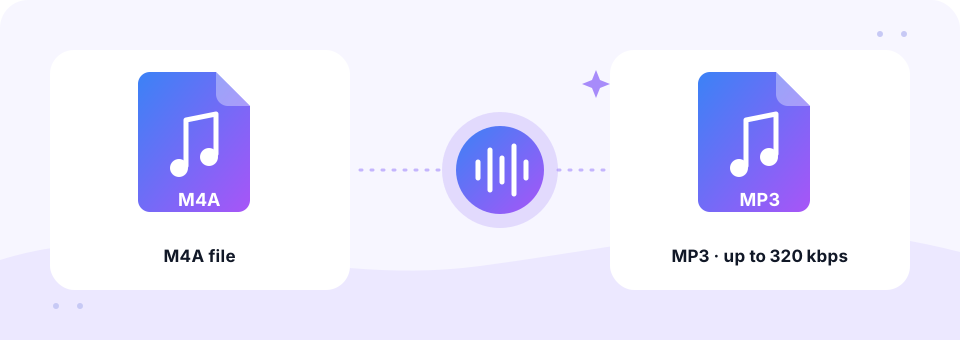
Our free M4A to MP3 converter turns iPhone voice memos, iTunes tracks and other M4A files into MP3s that open on any device. Pick a quality up to 320 kbps, convert a whole batch at once and download the results, all inside your browser.
- 100% Private
- No Limits
- Free
- Any Device
Upload M4A files to convert to MP3.
Supported formats: M4A, AAC, M4B, ALAC and more, up to 500 MB per file
or drag and drop files here
Files are processed inside your browser and are never uploaded to a server.
What is an M4A file, and why convert it?
M4A is audio stored in an MPEG-4 container. Apple uses it for Voice Memos, GarageBand exports and music bought from the iTunes Store. Inside, the sound is usually AAC, or sometimes Apple Lossless (ALAC). The format sounds good and stays small.
Still, some websites, older car stereos, MP3 players and upload forms refuse M4A files. Converting M4A to MP3 removes that problem in seconds. Because the work happens in your browser, private recordings such as meeting notes or lectures stay on your device.
How to use the M4A to MP3 Converter
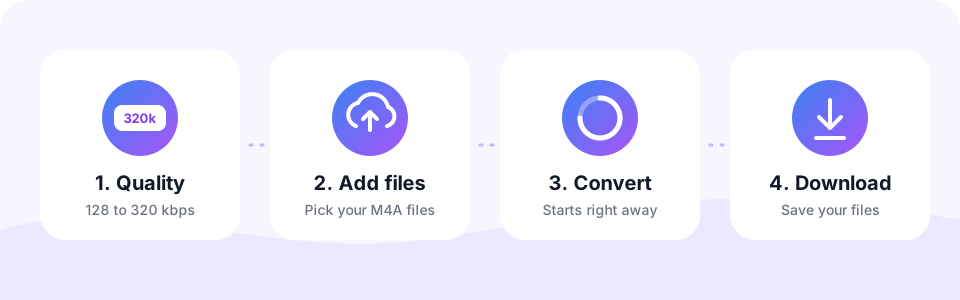
- Choose the quality first128 kbps with Mono is ideal for voice memos, while 192 to 256 kbps suits music. The settings apply to the files you add next.
- Select your M4A filesTap Choose M4A Files or drag them in. On iPhone, save the memo to Files first, then pick it here.
- Watch it convertA progress bar shows each file as it is read and encoded to MP3.
- Download and sharePreview the MP3, tap Download, then send it by email or WhatsApp or upload it wherever MP3 is required.
How to convert iPhone Voice Memos to MP3
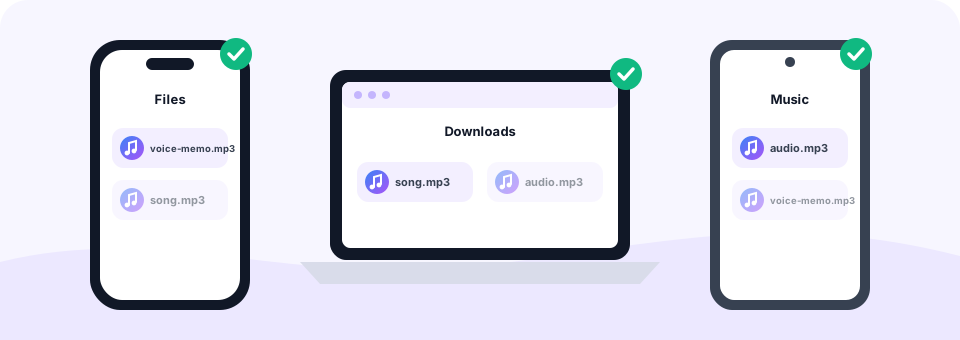
Voice Memos saves every recording as an M4A file. To convert one, open the Voice Memos app, tap the memo, tap the More button (three dots), choose Share and then Save to Files. Next, open this page in Safari, tap Choose M4A Files and pick the memo. The MP3 appears in the Files app under Downloads.
On a Mac, drag the memo from the Voice Memos app to your desktop, then drop the M4A file onto the box on this page. The MP3 lands in your Downloads folder a few seconds later.
M4A vs MP3: size and quality compared
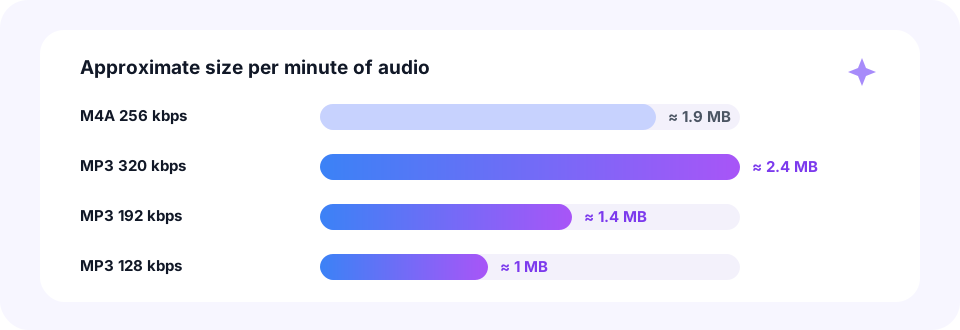
AAC inside M4A is a little more efficient than MP3, so a 256 kbps M4A from the iTunes Store takes about 1.9 MB per minute. Converting it to MP3 at 320 kbps makes the file slightly larger, at around 2.4 MB, but keeps the sound as close to the original as MP3 allows.
For voice memos the picture is different. They hold speech only, so 128 kbps with Mono is clear and needs about 1 MB per minute. If you have raw .aac files rather than M4A, our AAC to MP3 converter handles them too.
Best MP3 settings for each kind of M4A
- Voice Memos and lectures. 128 kbps with Mono switched on.
- iTunes Store purchases. 256 or 320 kbps in stereo to keep the music crisp.
- Apple Lossless (ALAC) files. 320 kbps, the best MP3 quality, since the source is lossless. See also our ALAC to MP3 page.
- M4B audiobooks. Use our M4B to MP3 tool, which offers low bitrates made for long books.
M4A to MP3 on iPhone, Android, Mac and Windows
This converter runs online in any modern browser, so there is nothing to install. iPhone users open it in Safari and pick files from the Files app, and finished MP3s go to Files, inside Downloads. On Android, many recorder apps, including Samsung Voice Recorder, save M4A files, and Chrome stores the MP3s in Downloads.
On Windows, the Sound Recorder app saves M4A by default, so this is a quick way to make those recordings play in older software. Mac users, meanwhile, can drag files straight from Finder onto the box.
Private and safe: your memos stay on your device
Voice memos often hold personal notes, interviews or meetings. For that reason, MP3 Converter never uploads them. Your browser decodes the M4A, and the LAME encoder writes the MP3 locally, so nothing is sent to a server or stored anywhere else.
- No account needed. Convert without an email address or password.
- No watermark. The MP3 holds only your audio.
- No app to install. Everything runs on this page in Safari, Chrome, Edge or Firefox.
Is M4A better than MP3?
At the same bitrate, AAC in an M4A usually sounds a little better than MP3. However, at 192 kbps and above, both sound excellent, and MP3 plays on far more devices, from car stereos to smart speakers. So the answer depends on where the file has to play.
Converting M4A to MP3 is not lossless, since both formats are lossy. To keep the loss tiny, choose a bitrate at or above the source. Converting the other way is rarely needed, because Apple devices play MP3 without any trouble.
A note on protected iTunes and Apple Music files
Songs bought from iTunes before 2009 may use the M4P format with copy protection (DRM), and Apple Music downloads are protected too. No honest browser tool can convert those files. However, music bought from the iTunes Store since then, and your own recordings, convert normally.
Frequently asked questions
How do I convert an iPhone voice memo to MP3?
In Voice Memos, tap the memo, tap the More button, choose Share and then Save to Files. Open this page in Safari, tap Choose M4A Files, pick the memo and tap Download when it is ready.
Is this M4A to MP3 converter free?
Yes. It is free with no sign-up, no watermark and no cap on the number of files.
Can I convert M4A to MP3 at 320 kbps?
Yes. Choose 320 kbps before adding files. It is the best choice for music and for Apple Lossless sources.
Does converting M4A to MP3 lose quality?
A little, because MP3 is lossy. At 192 kbps or higher, most people cannot hear a difference from a typical AAC source.
Can I convert Apple Lossless (ALAC) M4A?
Yes. Lossless M4A files convert just like normal ones. Choose 320 kbps to keep as much quality as possible.
Can I convert M4B audiobooks?
Yes, as long as they are not copy protected. Our M4B to MP3 page is the better choice, since it offers bitrates as low as 32 kbps for long books.
Can I convert many M4A files at once?
Yes. Select several files together. They convert one by one, and Download all saves them in one go.
Are my files uploaded anywhere?
No. Conversion happens inside your browser, so your M4A files never leave your device.
Why won’t my M4A file convert?
It is most likely copy protected, such as an old M4P iTunes purchase or an Apple Music download, or the file is damaged.
Related tools
We build free, privacy-first audio tools that run in your browser. This guide is checked against how the tool actually works. About us
Last updated: October 2026