 MP3 Converter
Audio Joiner – Merge MP3 Files into One
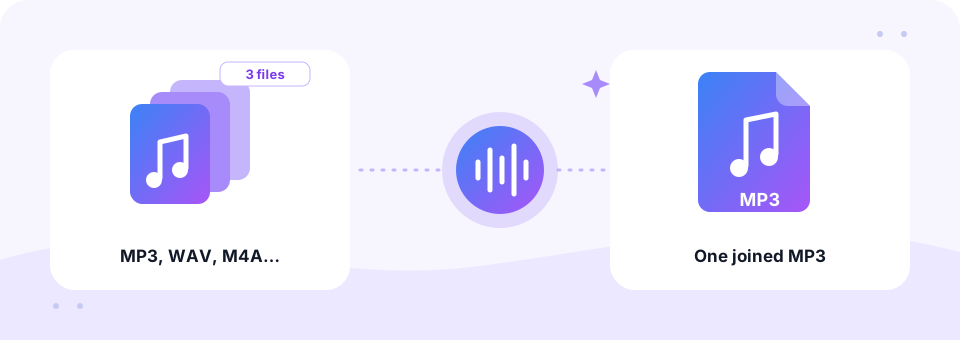
Our free audio joiner merges two or more songs, recordings or voice notes into a single MP3, right in your browser. Put the tracks in order, add a short gap if you like, choose the quality and download one file. You can even mix formats, and nothing is uploaded.
- 100% Private
- No Limits
- Free
- Any Device
Add two or more files to join into one MP3.
Mix MP3, WAV, M4A, FLAC, OGG, MP4, MOV and more, up to 500 MB per file
or drag and drop files here
Files are processed inside your browser and are never uploaded to a server.
Merge MP3 and other audio files without software
Sometimes one long file is simply easier than ten short ones. For example, a lecture recorded in three parts, a set of WhatsApp voice notes from the same trip, or a workout mix you want to play straight through on a phone or in the car. Joining them by hand in an audio editor means importing tracks, lining them up and exporting. However, an online audio joiner does the same in a few taps.
This tool lets you merge MP3 files with WAV, M4A, FLAC, OGG and even the sound of an MP4 or MOV video. Each file is read in your browser and shown in a numbered list with its length. Then you set the order, pick a gap and press Join. The button even shows the total length before you start, so you know exactly what you will get: one MP3 called joined-audio.mp3.
How to use the Audio Joiner
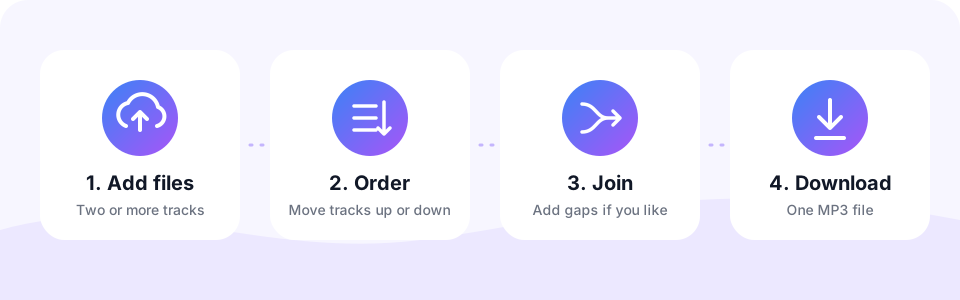
- Add two or more filesTap Choose Files or drag files onto the box. MP3, WAV, M4A, FLAC, OGG, MP4, MOV and more work, up to 500 MB per file. Use Add more files to bring in extra tracks at any time.
- Put the tracks in orderEach file gets a number. Use the up and down arrows next to a track to move it, and the cross to remove one you do not need.
- Choose a gap and qualitySet Gap between files to No gap for a seamless join, or 0.5 to 3 seconds for a pause. Then pick the MP3 quality and turn on Mono if you like.
- Join and download one MP3Press Join, wait for the encoding to reach 100%, then listen to the result on the page and tap Download to save joined-audio.mp3.
Ways to use an audio joiner
Using an audio joiner sounds like a niche task, yet it comes up all the time. Here are the jobs people use it for most often.
- Lectures and meetings in parts. Phones often split long recordings. Join the pieces back into one file that is easy to share and replay.
- Voice note collections. Keep a series of messages, a bedtime story or a family interview together as one MP3.
- Practice and workout tracks. Line up backing tracks or exercises with a 2-second gap, so you have a breath between each one.
- Podcast intro and outro. Attach your intro music before the main recording and an outro after it, then publish one episode file.
- Party mixes and medleys. Join songs with No gap to play straight through on a speaker or car stereo that has no playlist support.
Gaps between tracks: no pause or a short break?
The Gap between files setting adds silence between every pair of tracks. You can choose No gap, 0.5 second, 1 second, 2 seconds or 3 seconds. For music and recordings that were split in the middle of a sentence, No gap joins them seamlessly. For separate songs or lessons, on the other hand, a 1 or 2-second pause makes each start easy to hear.
Note that the audio joiner places tracks back to back and does not crossfade or overlap them. If a track starts or ends too abruptly, trim it and add a fade in or fade out with our MP3 Cutter first, then join the cleaned-up files here.
How big is a merged MP3 file?
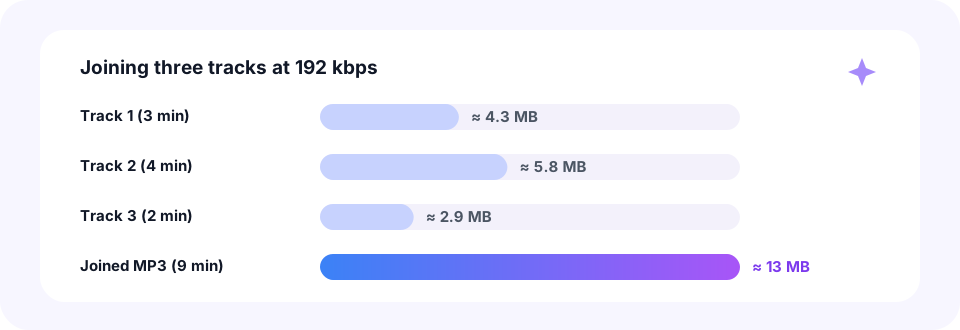
The size of the joined file depends on its total length and the bitrate you pick, not on the size of the originals. At the default 192 kbps, a 9-minute file made from three tracks comes to about 13 MB, roughly the three files added together.
You can choose 128, 192, 256 or 320 kbps. Use 192 or 320 kbps for music, and 128 kbps with Mono for speech to keep long joins small. Also, when you mix mono and stereo files, the mono parts play on both sides so the result sounds even. Need something smaller still? Our MP3 Compressor can bring the finished file down to 64 or even 32 kbps.
Merge MP3 files on iPhone, Android, Mac and Windows
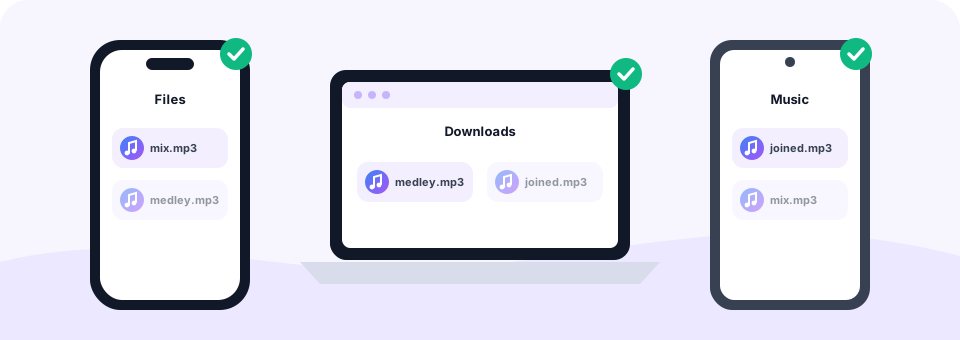
The audio joiner runs in your browser, so you can merge MP3 files on any device without an app. On Windows or a Mac, select several files in File Explorer or Finder and drag them onto the box together. The joined MP3 is saved to your Downloads folder.
On Android, tap Choose Files and pick tracks from Music, Recordings or Downloads; Chrome saves the result in Downloads. On an iPhone or iPad, open the page in Safari, choose files from the Files app and tap Download when the join is done. The MP3 appears in Files, inside Downloads. For very long joins, a computer is more comfortable, since all the audio sits in memory while it is encoded.
Is it safe to join audio files online?
Many online joiners upload every track to a server before they merge them. That takes time and means a stranger’s computer holds your recordings. Here, by contrast, the audio joiner decodes and joins the files inside your browser with the Web Audio API, FFmpeg compiled to WebAssembly and the LAME MP3 encoder. As a result, nothing is uploaded at all.
There is also no account, no watermark and no cost. Like every tool on MP3 Converter, the audio joiner is free, and the only limit is 500 MB per file.
Join voice memos, video sound and mixed formats
Because the audio joiner reads almost any format, you do not need to convert files first. A WhatsApp voice note in OGG or OPUS, an iPhone memo in M4A and a WAV from a recorder can all sit in the same list. Even a video works: the audio joiner takes its sound track and drops the picture.
So if you record your voice in the browser first, use Voice to MP3 and then join the takes here. Likewise, if you only need the sound of one video, Video to MP3 is the quicker route.
Frequently asked questions
Is this audio joiner free?
Yes. You can merge MP3 and other audio files for free, with no sign-up, no watermark and no software to install.
How do I merge MP3 files into one?
Add two or more files, put them in order with the up and down arrows, choose a gap and quality, then press Join and download the single MP3.
Can I join files of different formats?
Yes. You can mix MP3, WAV, M4A, FLAC, OGG and even video files such as MP4 or MOV. The result is always one MP3.
Can I add a pause between tracks?
Yes. Choose a gap of 0.5, 1, 2 or 3 seconds, or No gap for a seamless join.
Does the audio joiner crossfade tracks?
No. Tracks are placed back to back, with or without a gap. To soften the edges, add a fade in or fade out to each track with the MP3 Cutter before joining.
How many files can I join?
There is no fixed number, but the total length matters because all the audio is held in memory. Several hours of audio works best on a computer.
Can I join a mono and a stereo file?
Yes. Mono parts are played on both sides, so the joined stereo file sounds even. Turn on Mono if you want a one-channel result instead.
Are my files uploaded to a server?
No. Every file is read and joined inside your browser, so your audio never leaves your device.
Will joining reduce the sound quality?
The joined file is encoded once as MP3. Choose 192 or 320 kbps for music and the result sounds the same as the originals to most listeners.
Related tools
We build free, privacy-first audio tools that run in your browser. This guide is checked against how the tool actually works. About us
Last updated: October 2026