 MP3 Converter
Podcast to MP3 Converter
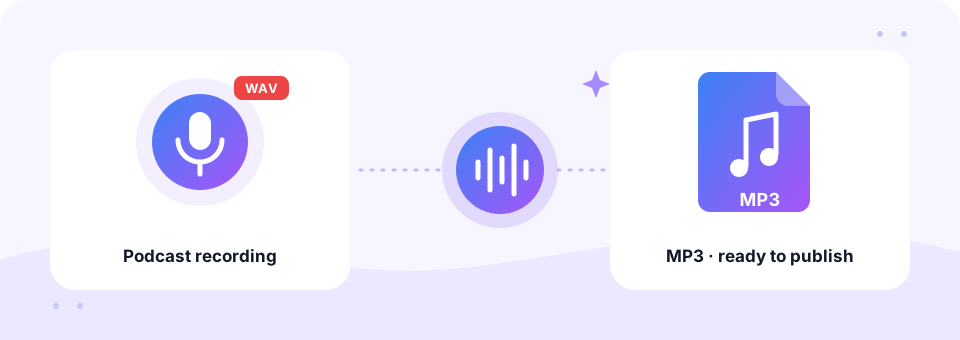
Our free podcast to MP3 converter turns raw episode recordings, WAV exports and video calls into a small, publish-ready MP3 in your browser. It starts at 128 kbps mono, a common setting for talk shows, and you can switch to stereo or a higher bitrate in one tap. Your episodes never leave your device.
- 100% Private
- No Limits
- Free
- Any Device
Upload your podcast recording to convert to MP3.
Supported formats: WAV, M4A, FLAC, MP4, MOV, WEBM and more, up to 500 MB per file
or drag and drop files here
Files are processed inside your browser and are never uploaded to a server.
Why podcasts are still published as MP3
MP3 is the format every podcast app understands, from Apple Podcasts and Spotify to the oldest MP3 player. Most hosting platforms accept it, and many recommend it for uploads. Meanwhile, the files that come out of a recording session are huge. An hour of WAV from Audacity, GarageBand or a field recorder takes about 600 MB, which is slow to upload and wastes your hosting space.
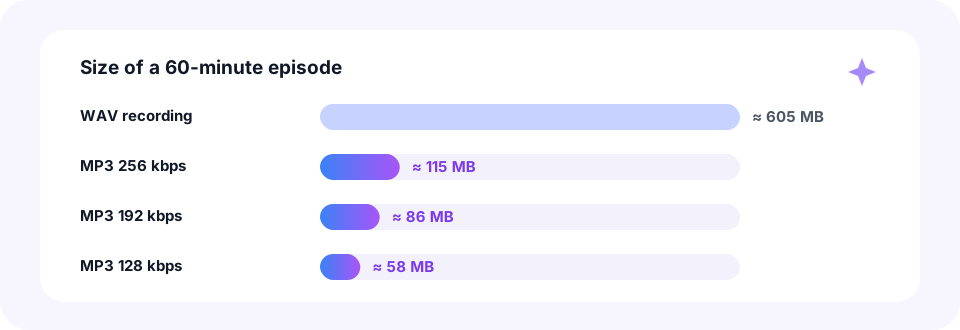
A podcast to MP3 conversion shrinks that hour to roughly 58 MB at 128 kbps stereo, or about 29 MB at 64 kbps mono, while the voices stay clear. This page reads WAV, M4A, FLAC and AIFF files, and it also pulls the sound from MP4, MOV and WEBM video recordings of Zoom calls or remote interviews. You can drop in several episodes at once, and each one becomes its own MP3.
How to use the Podcast to MP3
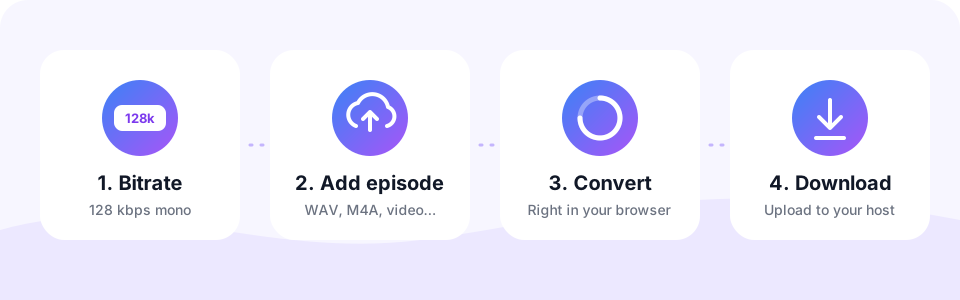
- Check the settings firstThe page starts with 128 kbps and Mono on, which suits most talk shows. For a music-heavy show, turn Mono off and choose 192 kbps. Settings apply to files you add next.
- Add your episode filesTap Choose Episode Files or drag your final mix onto the box. WAV, M4A, FLAC, MP4, MOV, WEBM and more work, up to 500 MB per file.
- Let it convert in your browserEach episode is converted one after another. A progress bar shows the encoding, and the new size appears next to the file when it is done.
- Listen, download and publishPlay the MP3 on the page to check it, then tap Download, or Download all for several episodes. Upload the files to your podcast host.
Best MP3 settings for a podcast
There is no single “correct” bitrate for a podcast to MP3 export. Still, a few settings cover almost every show. Pick the one that matches your content, and keep it the same across episodes so your feed sounds consistent.
- Talk shows and interviews. 128 kbps mono, the default on this page. Voices sound full and an hour takes about 58 MB.
- Shows with music or sound design. 128 to 192 kbps stereo. Turn Mono off so music beds and stereo effects keep their width.
- Narrative and audio drama. 192 kbps stereo or higher, especially if you mix ambience and score under the voices.
- Very long episodes. If listeners stream on mobile data, 64 or 96 kbps mono keeps downloads light. Create it with our MP3 Compressor, which offers those lower bitrates.
Podcast file size by bitrate
A 60-minute WAV recording takes roughly 605 MB before you convert the podcast to MP3. Converted to MP3 at 128 kbps it drops to about 58 MB, and at 64 kbps mono to around 29 MB. That means faster uploads for you and quicker downloads for your listeners.
Keep in mind that podcast to MP3 conversion is lossy, so always keep your WAV master. If you need to re-export later, for example at a different bitrate, start again from that master rather than from the MP3.
Turn Zoom calls and video interviews into podcast MP3s
Plenty of shows are recorded over video calls. Zoom, for instance, saves a local recording as an MP4 video plus an M4A audio file, usually in a Zoom folder inside Documents. Either one converts here, but the M4A is smaller and loads faster. Similarly, MOV files from a camera and WEBM files from browser-based recorders work too.
The podcast to MP3 converter takes only the sound track, so the picture is dropped and the MP3 stays small. Then, if you want to share a short clip on social media, cut the best minute with our MP3 Cutter.
Polish your episode before you publish
A podcast to MP3 conversion is usually the last step. Before that, a little tidying makes an episode feel professional, and you can do it all on this site without an audio editor.
- Trim the edges. Remove the silence and small talk before the intro and after the goodbye with the MP3 Cutter.
- Attach your intro and outro. Merge your theme music with the main recording in the Audio Joiner, so every episode starts the same way.
- Record a quick insert. Need a sponsor read or a correction? Record it with the online voice recorder and join it in.
- Name files clearly. Rename the download to something like episode-12.mp3 before uploading, so your archive stays easy to search.
Convert podcast episodes on iPhone, Android, Mac and Windows
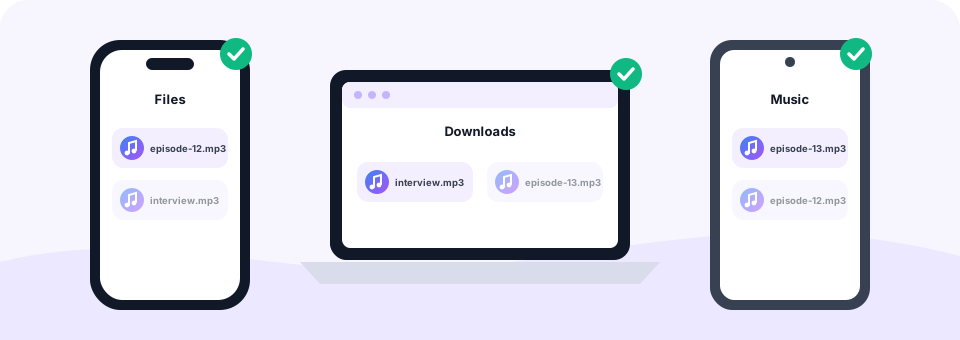
Since the podcast to MP3 converter runs in your browser, it works on any device without an app. On a Mac or Windows PC, drag the exported WAV from GarageBand, Audacity, Adobe Audition or Reaper onto the box, and the MP3 lands in Downloads. That is the most comfortable way to handle long episodes.
On an iPhone or iPad, open the page in Safari and choose a recording from the Files app, such as an export from the Voice Memos app. The MP3 is saved to Files, in Downloads. On Android, pick your file in Chrome and find the MP3 in the Downloads folder. From there, you can upload it to your podcast host straight from the phone.
Private conversion for unreleased episodes
An unreleased episode is not something you want sitting on a stranger’s server. So this podcast to MP3 tool never uploads it. The audio is decoded and encoded inside your own browser with the Web Audio API, FFmpeg compiled to WebAssembly and the LAME MP3 encoder. As a result, guest interviews and embargoed news stay on your device until you publish them.
Like every tool on MP3 Converter, it is free, with no sign-up, no watermark and no limit on episodes. The only rule is 500 MB per file, which covers several hours of WAV audio.
Frequently asked questions
Is this podcast to MP3 converter free?
Yes. You can convert as many podcast recordings to MP3 as you like for free, with no account and no watermark.
What bitrate should a podcast MP3 use?
Many spoken-word podcasts use 96 to 128 kbps mono. Shows with a lot of music often use 128 to 192 kbps stereo.
Should a podcast be mono or stereo?
Mono is fine for most talk shows, because the whole bitrate goes to one channel and voices stay clear. Choose stereo if your show relies on music or stereo sound design.
Can I convert a Zoom recording to a podcast MP3?
Yes. Zoom saves an MP4 video and an M4A audio file. Either one works in the podcast to MP3 converter, and only the sound is kept.
Which podcast platforms accept MP3?
MP3 is accepted by practically every podcast host and plays in Apple Podcasts, Spotify and all other podcast apps.
Can I convert several episodes at once?
Yes. Select or drop several episodes into the podcast to MP3 converter. They convert one after another, and Download all saves every finished MP3.
Do I need to add ID3 tags to my podcast MP3?
Usually not. Most podcast hosts add the episode title, description and artwork to the feed for you.
Are my podcast recordings uploaded anywhere?
No. The conversion happens inside your browser, so your episodes stay on your device until you upload them to your host.
Related tools
We build free, privacy-first audio tools that run in your browser. This guide is checked against how the tool actually works. About us
Last updated: October 2026