 MP3 Converter
WMA to MP3 & MP3 to WMA Converter
Our free WMA to MP3 converter turns old Windows Media Audio files into MP3s that play on iPhone, Mac, Android and almost any speaker. Convert a whole album at once, right in your browser, or switch to MP3 to WMA when an older Windows program asks for it.
- 100% Private
- No Limits
- Free
- Any Device
Upload WMA files to convert to MP3.
Supported formats: WMA, WMA Pro, WMA Lossless, ASF and more, up to 500 MB per file
or drag and drop files here
Files are processed inside your browser and are never uploaded to a server.
Rescue your Windows Media Audio collection
Microsoft launched Windows Media Audio in 1999 as its rival to MP3. For years, Windows Media Player saved every ripped CD as WMA by default. So if you copied your CDs on a Windows PC in the 2000s, there is a good chance your Music folder is still full of .wma files with names like “01 Track Title.wma”.
The trouble starts when you leave Windows. iPhones, iPads and Macs cannot play WMA without extra apps, Apple Music and iTunes on a Mac will not import it, and many Android music players skip it too. A WMA to MP3 conversion fixes all of that at once. MP3 plays everywhere, from phones and smart TVs to old MP3 players, so your music stays usable for years to come.
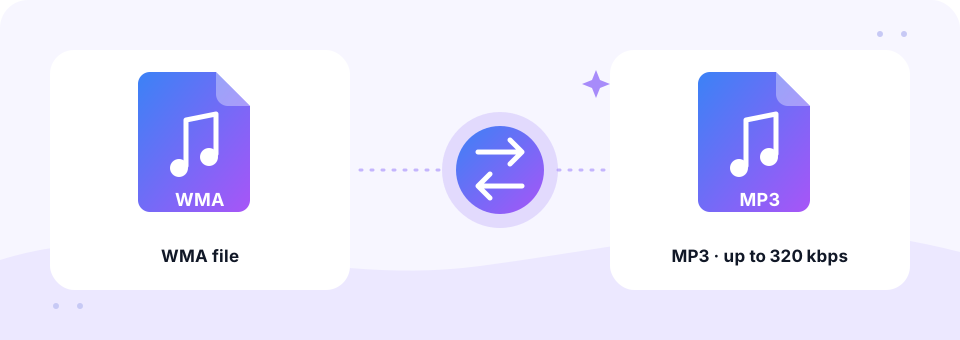
How to use the WMA to MP3
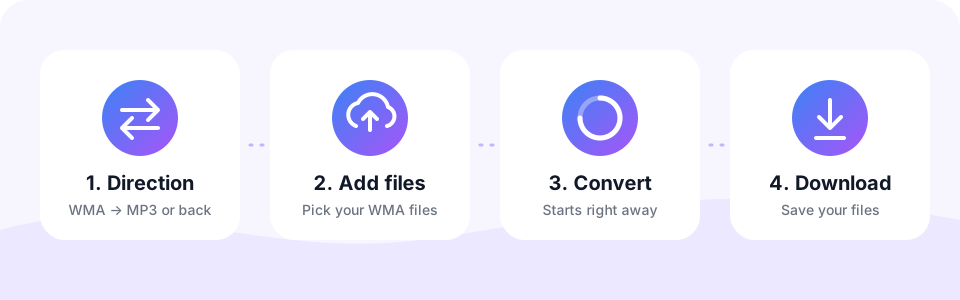
- Stay on WMA → MP3This direction is selected when the page opens. The MP3 → WMA tab is only for going the other way.
- Set the MP3 qualityChoose 128, 192, 256 or 320 kbps. 192 kbps suits most old CD rips. Pick the setting before adding files, since each file keeps the quality chosen when it was added.
- Add the WMA filesTap Choose WMA Files and select a whole album, or drag a batch of files onto the box. They convert automatically, one after another.
- Save your MP3sListen to a track in the built-in player, then tap Download, or use Download all to save every finished file with its original name.
Converting MP3 to WMA
Some older Windows software, in-car systems and portable players were built around Windows Media Audio and handle WMA better than MP3. Corporate systems and legacy presentation workflows sometimes expect WMA too.
Switch to MP3 → WMA, choose a bitrate (128 kbps is a good balance) and convert your files in one go. The result is a standard WMA file that opens in Windows Media Player and other Windows apps.
Which WMA versions can you convert?
Windows Media Audio is not one single codec. Over the years Microsoft released four main types, and this WMA to MP3 tool reads all of them.
- WMA Standard. The everyday type used for CD rips and old music downloads. Usually 128 to 192 kbps.
- WMA Pro. A higher-quality version that can hold 5.1 surround. Surround files are mixed down to stereo.
- WMA Lossless. A perfect copy of the CD. Convert it at 320 kbps to keep as much detail as possible.
- WMA Voice. A speech codec from old dictation and voice recorder software. 128 kbps with Mono is more than enough.
WMA vs MP3 size and the right bitrate
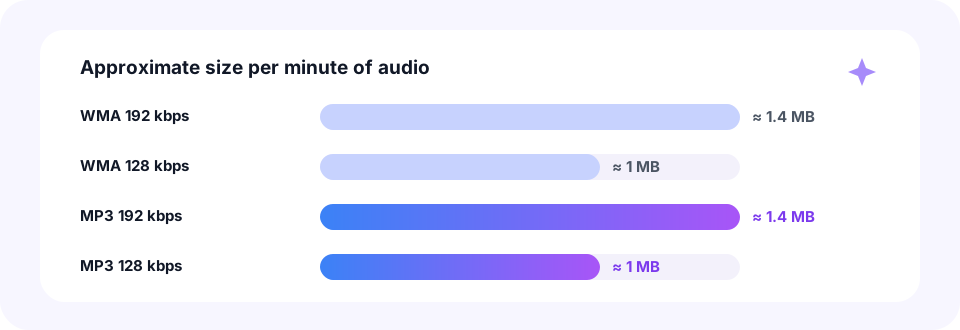
At the same bitrate, WMA and MP3 files are the same size, so a WMA to MP3 switch costs no extra space. A 192 kbps file of either type uses about 1.4 MB per minute, and 128 kbps uses roughly 1 MB. In other words, converting does not make your library bigger as long as you match the bitrate.
To find the original bitrate on Windows, right-click a WMA file, choose Properties and open the Details tab. Then pick the same MP3 bitrate or the next step up. For example, a 128 kbps WMA converts well at 192 kbps, which avoids adding audible loss. However, going higher than that cannot add detail the WMA never had.
Play converted WMA files on iPhone, Android, Mac and Windows
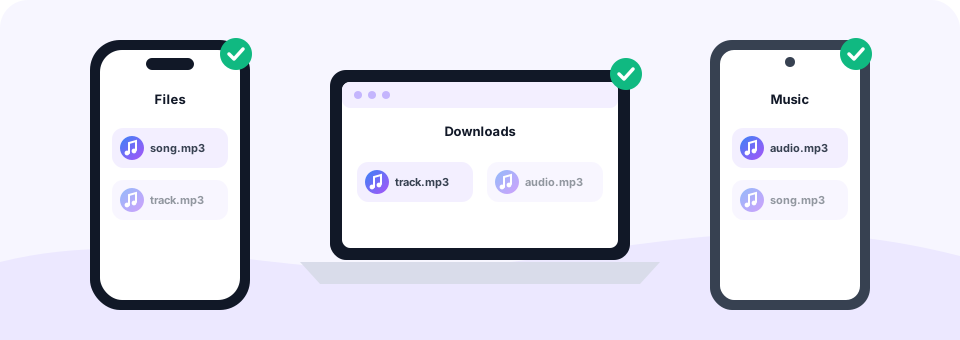
Because this WMA to MP3 converter works in the browser, the same page runs on every system. On Windows or Mac, the MP3s go to your Downloads folder. On a Mac you can then drag them into the Music app, which never accepted WMA in the first place. On Android, Chrome saves them to Downloads, where apps such as VLC or your phone’s music player pick them up.
On an iPhone or iPad, open this page in Safari and select the WMA files from the Files app, for example from iCloud Drive or a USB stick. After you tap Download, the MP3s appear in Files › Downloads. From there you can play them or share them with other apps.
Protected WMA files that cannot be converted
Some songs sold by online music stores in the 2000s came as WMA with copy protection, also called DRM. Those files only play on players that were authorised at the time, and no honest converter can open them. If a file shows an error saying it may be protected, that is usually the reason.
Happily, CDs you ripped yourself with Windows Media Player are not protected, unless the old “Copy protect music” option was switched on. Those WMA files convert to MP3 without any problem.
Tips for converting a whole WMA music library
- Work album by album. Select one album folder at a time for each WMA to MP3 batch. Files keep their names, so track numbers like “01” stay in order.
- Keep the WMA originals. Hold on to them until you have checked the new MP3s play correctly.
- Re-add song details. Artist, album and cover art are not copied into the MP3, so a free tag editor can fill them in again.
- Join short tracks. Turn a set of short recordings into one file with our Audio Joiner.
Does WMA to MP3 lose quality? Common questions
Both formats are lossy, so a WMA to MP3 conversion can change a tiny amount of detail. In practice, matching or slightly raising the bitrate makes the difference impossible to hear for nearly everyone. WMA Lossless is the exception: it starts as a perfect copy, so 320 kbps is the best match.
Can you convert WMA to MP3 without Windows Media Player or iTunes? Yes. This page needs no software at all, and it works on a Mac or Chromebook just as well as on a PC. Have other formats in the same library? The M4A to MP3 and FLAC to MP3 converters work the same way.
Is it safe to convert WMA files here?
Yes. MP3 Converter handles every WMA to MP3 job inside your browser, so your music is never uploaded to a server. There is no account to create, no email to share and no software that might bundle adware. In addition, the MP3 files contain only your audio, with no watermark or added sound.
Frequently asked questions
Is this WMA to MP3 converter free?
Yes. It is free to use, with no sign-up, no watermark and no daily limit.
Can I batch convert WMA to MP3?
Yes. Select or drop many WMA files at once. They are converted one after another, and Download all saves the finished MP3s.
What bitrate should I choose for WMA to MP3?
Match the original or go one step higher. 192 kbps suits most WMA CD rips, and 320 kbps suits WMA Lossless files.
Can I play WMA files on an iPhone or Mac?
Not natively. Convert them to MP3 here, then play them in the Files app, the Music app or any other player.
Why does my WMA file fail to convert?
The most common reason is copy protection (DRM) on songs bought from old online stores. Damaged files can also fail. Unprotected CD rips convert normally.
Does it convert WMA Lossless and WMA Pro?
Yes. Standard, Pro, Lossless and Voice files are supported. Surround WMA Pro files are mixed down to stereo.
Will song titles and album art be copied?
The file name is kept, but tags such as artist, album and cover art are not copied. A free tag editor can add them back.
Is there a file size limit?
Each file can be up to 500 MB, which covers even long WMA Lossless recordings.
Are my WMA files uploaded?
No. The whole conversion runs in your browser, so your music stays on your device.
When should I convert MP3 to WMA?
Only when a device or program specifically needs WMA. For everything else, MP3 is more widely supported.
Which bitrate is best for MP3 to WMA?
128 kbps works well for most music; use 160 to 192 kbps for higher quality.
Related tools
We build free, privacy-first audio tools that run in your browser. This guide is checked against how the tool actually works. About us
Last updated: October 2026