 MP3 Converter
MOV to MP3 & MP3 to MOV Converter
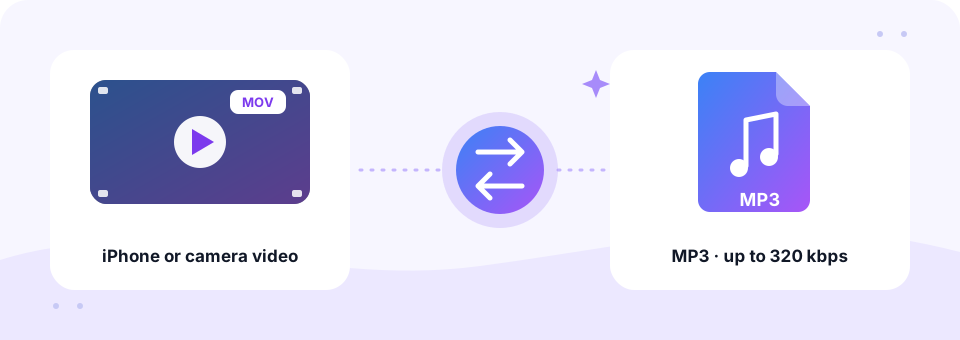
Our free MOV to MP3 converter pulls the sound out of iPhone, Mac and QuickTime videos and saves it as an MP3 you can play anywhere. Pick a quality up to 320 kbps, add one clip or several, and the work happens privately in your browser. It also turns MP3 into a MOV video when an app needs one.
- 100% Private
- No Limits
- Free
- Any Device
Upload MOV videos to convert to MP3.
Supported formats: MOV, QT, MP4 and more, up to 500 MB per file
or drag and drop files here
Files are processed inside your browser and are never uploaded to a server.
Why turn a MOV video into MP3?
MOV is Apple’s QuickTime video format. iPhones and iPads save camera videos as .mov files, and Mac screen recordings made with Shift-Command-5 or QuickTime Player are MOV too. Many cameras and editing apps also export to it. These files are big: a single minute of 1080p iPhone video takes about 60 MB, and 4K takes far more.
Very often, though, you only care about what you can hear: a speech at a wedding, a song from a concert, a lecture or an interview. Converting MOV to MP3 keeps that sound and drops the heavy picture, so a 60 MB minute becomes about 1.5 MB. Meanwhile, if you need to upload audio somewhere that only accepts video, the MP3 to MOV tab does the opposite.
How to use the MOV to MP3
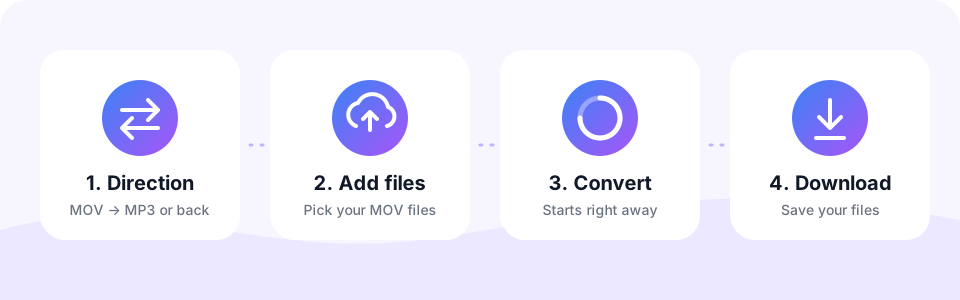
- Stay on MOV → MP3This direction is selected when the page opens. Tap MP3 → MOV only to make a video from an MP3.
- Pick the MP3 quality192 kbps is the default and suits most videos. Use 256 or 320 kbps for concerts and music, or 128 kbps with Mono for speeches. Choose before adding files.
- Choose your MOV videosTap Choose MOV Files. On iPhone, pick the clip from Photo Library or Files; on a computer, select or drag in one or more files.
- Download the MP3Check the sound in the small player, then tap Download. When several clips are done, Download all saves every MP3.
Converting MP3 to MOV
Many places accept only video files: YouTube, social networks, presentation tools and video editors such as iMovie and Final Cut. Switch to MP3 → MOV and the converter places your audio on a simple dark background, creating a standard QuickTime video you can upload or edit.
The picture is a single still frame, so the file stays small and converts quickly. Choose 192 kbps for most audio, or 256 kbps for music you want to keep crisp.
MOV vs MP3: how much smaller is the audio?
Almost all of a MOV file’s size is video. The audio track inside an iPhone video is usually AAC, which takes up only a small slice of the file. So once you keep just the sound, the savings are dramatic.
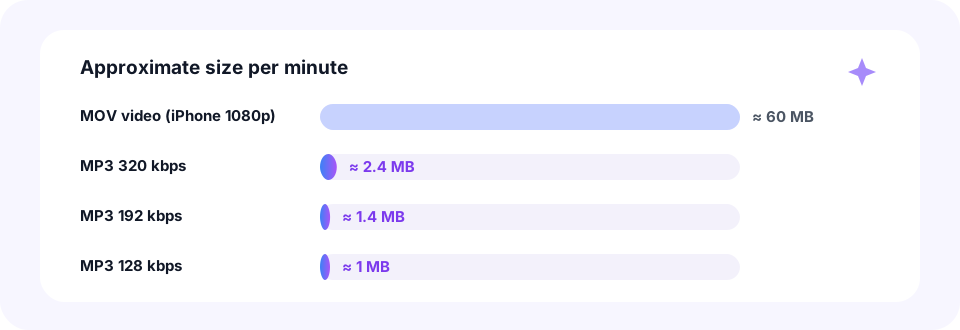
- MOV video, iPhone 1080p. About 60 MB per minute, and roughly three times that in 4K.
- MP3 320 kbps. About 2.4 MB per minute. The best choice for live music.
- MP3 192 kbps. About 1.4 MB per minute. Clear and compact for everyday clips.
- MP3 128 kbps. About 1 MB per minute. Plenty for talks and interviews.
Convert iPhone videos to MP3 right on your phone
You do not need a computer or an app from the App Store. Open this page in Safari on your iPhone or iPad and tap Choose MOV Files. iOS then offers Photo Library, Take Photo or Video, or Choose File, so you can grab a video from Photos or from the Files app.
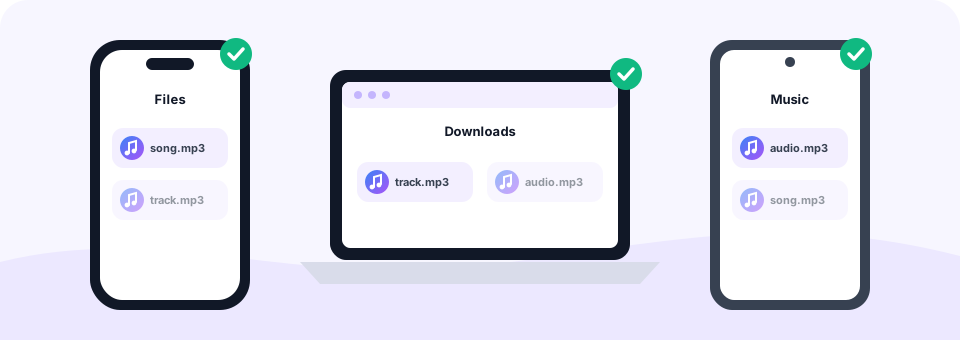
When the MP3 is ready, tap Download. Safari saves it in the Files app, inside the Downloads folder, where you can play it, rename it or share it by AirDrop, Messages or email. To keep only a short part, for example the toast at a wedding, trim the finished file with our MP3 Cutter.
MOV to MP3 on Android, Mac and Windows
Received an iPhone video on another device? No problem. On Android, open this page in Chrome, tap Choose MOV Files and pick the clip from Downloads or your gallery; the MP3 goes to Downloads. On a Mac, you can convert MOV to MP3 in Safari, Chrome or Firefox without opening iMovie or QuickTime.
On Windows, the converter works in Edge, Chrome and Firefox, even if Windows itself struggles with some Apple video codecs. That is because only the audio track is read, and when the browser cannot decode it, the built-in FFmpeg decoder takes over automatically.
Large 4K clips and the 500 MB limit
Each file can be up to 500 MB. With iPhone videos, that is about eight minutes of 1080p footage, or roughly three minutes of 4K. For longer recordings, shorten the video in the Photos app first, or record at 1080p when you know you only need the sound.
Because the video is processed on your own device, a newer phone or a computer converts big clips faster. If a large file seems slow, keep the tab open and let it finish; the progress bar shows how far it has got.
Popular reasons to convert MOV files
- Speeches and toasts. Keep a wedding speech or a graduation address as audio for relatives who just want to listen.
- Concerts and rehearsals. Save a live song from your phone video and play it in any music app.
- Lectures and interviews. Make a small audio file for transcription, note-taking or a podcast edit.
- Mac screen recordings. Turn a recorded call or tutorial into audio you can listen to on the go.
Does MOV to MP3 conversion reduce quality?
The sound inside a MOV is already compressed, usually as AAC, and MP3 is lossy too. So converting adds a small amount of loss. In practice, 192 kbps keeps everyday clips sounding just like the original, and 256 or 320 kbps is a safe choice for music.
Also note that every MP3 is saved at 44.1 kHz in stereo or mono. If a video has surround sound, it is mixed down to stereo so no voices are lost. For MP4 files with the same content, our MP4 to MP3 page works the same way.
Private and safe: your videos stay on your device
Family videos are personal. This MOV to MP3 converter therefore works entirely inside your browser, using the Web Audio API, FFmpeg compiled to WebAssembly and the LAME MP3 encoder. Your videos are never uploaded, so nobody else can see them.
In addition, MP3 Converter is free, needs no account and adds no watermark. There is nothing to install and no limit on how many clips you convert.
Frequently asked questions
Is this MOV to MP3 converter free?
Yes. Convert as many MOV videos to MP3 as you like for free, with no sign-up, no watermark and no app.
How do I convert an iPhone video to MP3?
Open this page in Safari, tap Choose MOV Files, pick the video from Photo Library or Files and tap Download when the MP3 is ready. It is saved in Files under Downloads.
Can I convert MOV to MP3 on Windows?
Yes. The converter works in Edge, Chrome and Firefox on Windows, as well as on Mac, Linux, Android and iOS.
What if my MOV uses an Apple codec my browser cannot read?
The tool automatically switches to its built-in FFmpeg decoder, so the audio can still be extracted.
Is there a size limit for MOV files?
Yes, 500 MB per file. That is roughly eight minutes of 1080p iPhone video. Trim longer videos in the Photos app first.
Are my videos uploaded to a server?
No. Everything happens inside your browser, so your videos never leave your phone or computer.
Can I batch convert MOV to MP3?
Yes. Select several videos at once. They convert one after another, and Download all saves the finished MP3s together.
Can I keep only part of the video’s audio?
Convert the whole video first, then open the MP3 in our MP3 Cutter and keep just the section you want.
Why would I convert MP3 to MOV?
To upload audio to sites that only accept video, such as YouTube, or to bring it into video editors like iMovie and Final Cut.
What will the MOV video show?
A plain dark background for the full length of your audio. You can replace or add images later in any video editor.
Related tools
We build free, privacy-first audio tools that run in your browser. This guide is checked against how the tool actually works. About us
Last updated: October 2026