 MP3 Converter
Online Video Downloader
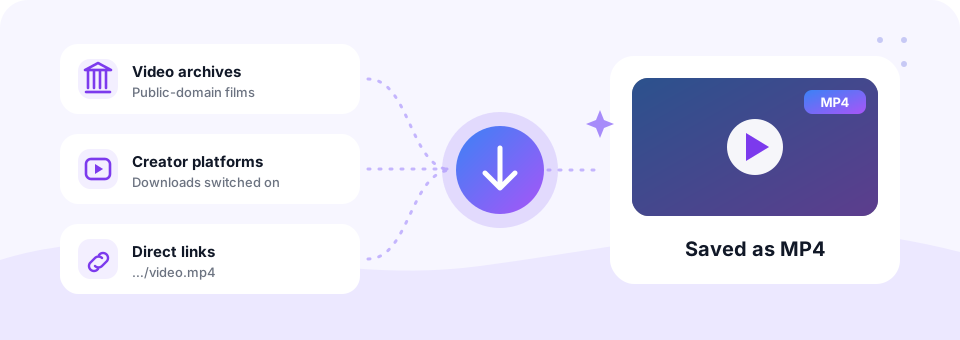
Our free Online Video Downloader saves videos from around the web as MP4 files. Paste a link from a site that allows downloads, choose a quality up to 1080p, and get a file that plays on any phone, tablet or computer.
- Free
- No Sign-up
- MP3 up to 320 kbps
- MP4 up to 1080p
Paste a link from a website that offers free downloads.
Direct MP4/WEBM/MOV links, Internet Archive, Vimeo videos with downloads enabled and many more
Only download videos you own or have permission to use. Files are deleted from our server after 30 minutes. Copyright policy
One free video downloader for the open web
Plenty of video online is meant to be shared and saved: public-domain films on Internet Archive, Creative Commons clips, NASA footage, open courses, and creators on Vimeo who switch on the download option. However, each site has its own player and its own menus, which makes saving a copy harder than it should be.
This online video downloader removes that hassle. Paste the page link or a direct file URL, and the tool finds the video, picks the best matching quality and hands you a clean MP4 with sound. There is no software to install, no account and no watermark. It is built for sites that welcome downloads, while YouTube and TikTok have their own dedicated pages.
How to use the Online Video Downloader
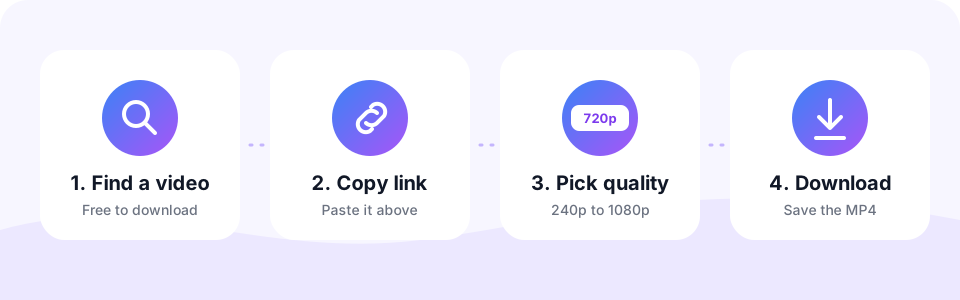
- Find a downloadable videoLook for a public-domain, Creative Commons or “download allowed” label, or a direct link ending in .mp4, .webm or .mov.
- Copy and paste the linkCopy the page address or the direct file URL and paste it into the box at the top of this page.
- Choose a resolution720p is a sensible default. Smaller sizes save data, while 1080p suits large screens.
- Convert and downloadTap Convert to MP4 and watch the circle fill up. When it reaches 100%, tap the round Download button.
Where to find free videos to download
The web is full of video you are allowed to keep. These sources work well with the downloader, and most of them let you reuse what you save.
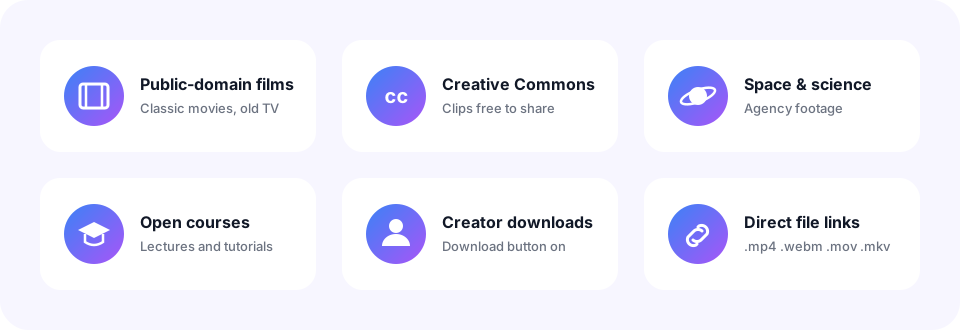
- Internet Archive. Classic films, old TV shows, lectures and news footage in the public domain.
- Wikimedia Commons. Freely licensed clips that are used across Wikipedia.
- NASA and public agencies. Space footage and government video that is usually free to reuse.
- Vimeo. Videos whose creators have enabled the download button.
- Open courses. University lectures and tutorials published under open licences.
- Direct file links. Any public link that ends in .mp4, .webm, .mov or .mkv.
Download video from a URL in the quality you need
You choose the resolution before you download, so the file fits your screen and your storage. As a rule of thumb, 360p suits slow connections, 480p looks clear on a phone, 720p HD is sharp on laptops, and 1080p Full HD is best for TVs and editing. Keep in mind that a download can never be sharper than the original, so if a site only offers 480p, that is the best version available.
Save videos on iPhone, Android, Mac and Windows
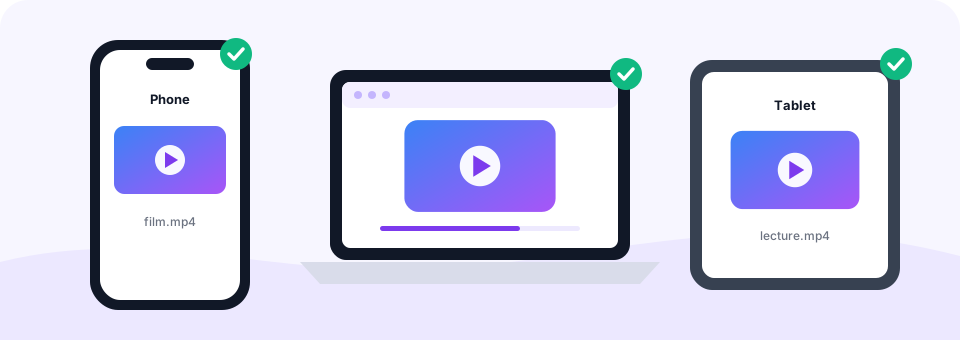
Because this video downloader works online, it runs in any modern browser. On Windows or a Mac, the MP4 lands in your Downloads folder and plays in VLC, QuickTime or the Windows Media Player. On Android, Chrome saves it to Downloads, and it then shows up in your Gallery.
On an iPhone or iPad, open this page in Safari. The video is saved to the Files app, and from there you can tap Share, then Save Video, to move it into Photos.
Links this tool does not handle
To keep each tool simple and reliable, some links go to a dedicated page instead.
- YouTube. Use our YouTube to MP4 downloader for video, or YouTube to MP3 for audio.
- TikTok. A dedicated TikTok to MP3 tool is coming soon.
- Paid or private content. Videos behind a login, paywall or copy protection (such as Netflix or Disney+) cannot be downloaded.
Is this online video downloader safe?
Yes. Many free video downloaders hide the real button between pop-up ads or ask you to install an extension. This one keeps it simple: one Convert button, one Download button, no sign-up and nothing to install. Your MP4 is prepared on our server and deleted automatically within 30 minutes.
Check the licence before you reuse
“Free to watch” does not always mean “free to reuse”. Before you publish a downloaded video elsewhere, check its licence. Public-domain works can be reused freely, while Creative Commons licences may ask you to credit the creator or avoid commercial use. MP3 Converter is an independent tool, so please download only videos you have the right to save.
Frequently asked questions
Is this online video downloader free?
Yes. You can download videos as MP4 for free, with no sign-up, no software and no watermark.
Which websites can I download videos from?
Sites that offer videos for free download, such as Internet Archive, Wikimedia Commons, NASA, Vimeo videos with downloads enabled, and any direct link to a video file.
Can I download a video from a direct URL?
Yes. Paste any public link that ends in .mp4, .webm, .mov or .mkv, and the tool saves it as an MP4.
What quality can I download?
From 240p up to 1080p Full HD, depending on the quality the website offers.
Does it work on iPhone?
Yes. Open this page in Safari, paste the link and download. The MP4 is saved to the Files app, and you can move it to Photos with Share, then Save Video.
Why does it not accept YouTube links?
YouTube has its own dedicated tools on this site: YouTube to MP4 for video and YouTube to MP3 for audio.
Can I get just the audio from a video link?
Yes. Use MP4 to MP3, which accepts both uploaded files and video links.
How long are files kept?
Finished files are stored only so you can download them, and they are deleted automatically within 30 minutes.
Related tools
We build free, privacy-first audio tools that run in your browser. This guide is checked against how the tool actually works. About us
Last updated: October 2026