 MP3 Converter
AMR to MP3 & MP3 to AMR Converter
Our free AMR to MP3 converter opens voice memos and call recordings from older phones and saves them as MP3 files that play on any computer, phone or messaging app. It runs in your browser, and you can also switch to MP3 to AMR for tiny voice files.
- 100% Private
- No Limits
- Free
- Any Device
Upload AMR recordings to convert to MP3.
Supported formats: AMR, AMR-WB (.awb), 3GA, 3GP and more, up to 500 MB per file
or drag and drop files here
Files are processed inside your browser and are never uploaded to a server.
Turn hard-to-open voice recordings into MP3
AMR, short for Adaptive Multi-Rate, is a speech codec built for mobile phone calls. It squeezes a voice into very few bits, so a minute of speech can take less than 100 KB. That is why feature phones, older Android voice recorders and many call recorder apps saved their recordings as .amr, .awb or .3ga files.
Small files are great, but compatibility is poor. Windows Media Player, the Mac Music app and most email previews refuse to play AMR, and many modern apps no longer support it. As a result, interviews, lectures and family voice notes end up locked away. An AMR to MP3 conversion solves that, because MP3 opens on practically every device made in the last twenty years.
How to use the AMR to MP3
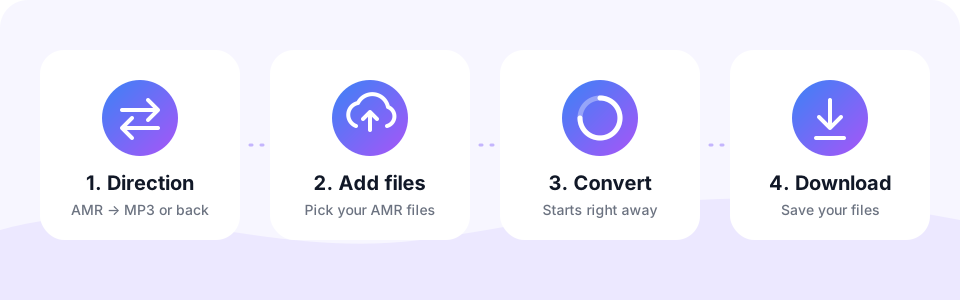
- Leave AMR → MP3 selectedThe page opens in this direction. Choose MP3 → AMR only when you want to create AMR files.
- Keep the voice settingsThe converter starts at 128 kbps with Mono switched on, which already suits phone-quality speech. Change them before adding files if you prefer.
- Add your recordingsTap Choose AMR Files or drag .amr, .awb, .3ga or .3gp files onto the box. Each one converts automatically, one after another.
- Download the MP3sPlay a file in the preview to check it, then tap Download. With several files ready, Download all saves them in one go.
Converting MP3 to AMR
AMR creates incredibly small speech files, which is why phone networks, voicemail and IVR systems, MMS messages and older mobile phones use it. A minute of AMR at 12.2 kbps is only about 90 KB.
Switch to MP3 → AMR and choose a bitrate from 4.75 to 12.2 kbps. The converter mixes your audio to mono and resamples it to 8 kHz, the standard for AMR-NB, so the result sounds like a clear phone call. That is perfect for voice prompts and announcements, but not suitable for music.
Where AMR recordings usually come from
- Older Android voice recorders. Many built-in recorder apps saved .amr or .3ga files, especially on Samsung phones.
- Call recorder apps. AMR was a popular choice for call recordings because a long call stays very small.
- Feature phones. Classic Nokia, Sony Ericsson and similar phones recorded voice memos in AMR.
- Voicemail and MMS exports. Voice messages saved from carrier systems or old MMS backups are often AMR.
AMR-NB and AMR-WB: what is the difference?
There are two main flavours of AMR, and this AMR to MP3 converter reads both. The difference is how much of the voice they capture.
- AMR-NB (.amr). Narrowband at 8 kHz, with 4.75 to 12.2 kbps. It sounds like a classic phone call.
- AMR-WB (.awb). Wideband at 16 kHz, with 6.6 to 23.85 kbps. Also known as HD Voice, it sounds clearer and more natural.
AMR vs MP3 file size explained
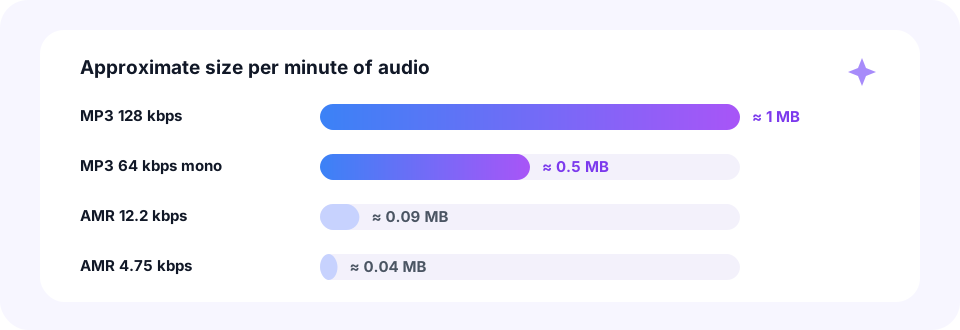
AMR is extremely compact. At 12.2 kbps a minute of speech takes about 0.09 MB, and at 4.75 kbps only about 0.04 MB. An MP3 at 128 kbps, by contrast, uses roughly 1 MB per minute. So after an AMR to MP3 conversion, expect the new file to be around ten times larger than the original.
That growth is the price of compatibility, not a sign of better sound. Still, if size matters, for example for email attachments, run the finished file through our MP3 Compressor. At 64 kbps mono a voice recording stays clear and takes about 0.5 MB per minute.
Convert AMR to MP3 on iPhone, Android, Mac and Windows
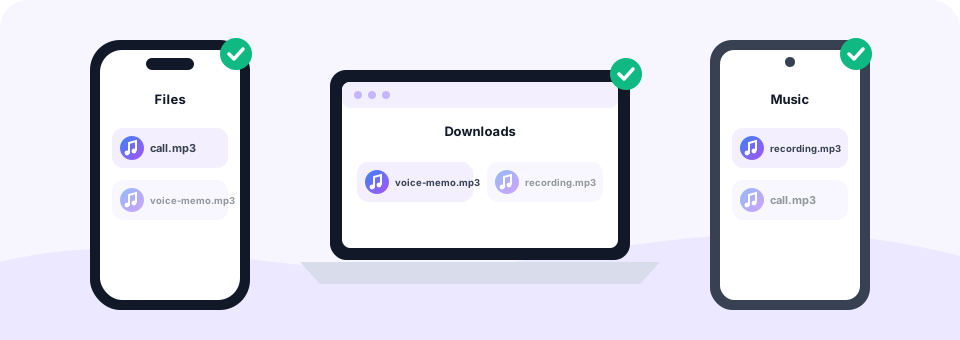
First, get the recordings off your phone. On Android, connect the phone to a computer with a USB cable and look in folders such as Recordings, Sounds or Voice Recorder, or open the files straight from the Files app. On a computer, the converted MP3s then land in your Downloads folder on Windows and Mac alike.
You can also convert directly on a phone. On Android, Chrome saves the MP3 to Downloads. On an iPhone, open this page in Safari, pick the AMR file from the Files app or iCloud Drive, and the MP3 appears in Files › Downloads after you tap Download. From there you can share it in WhatsApp, Mail or any other app.
Best MP3 settings for voice recordings
AMR stores speech at 4.75 to 23.85 kbps, so for AMR to MP3 a high MP3 bitrate cannot add clarity that was never recorded. The default of 128 kbps with Mono on already keeps every detail of the original. Choosing 256 or 320 kbps only makes the file bigger, so there is no reason to raise it.
Once your AMR to MP3 files are ready, a little tidying helps. For instance, cut long silences or the start of a call with our MP3 Cutter. And if you want to record a fresh voice memo straight to MP3, the Voice to MP3 recorder does that in your browser.
Why does the MP3 still sound like a phone call?
An AMR to MP3 file keeps the original character. Narrowband AMR records only the frequencies a phone line needs, roughly the range of a voice on a call. The MP3 keeps that sound exactly as it is. However, no converter can recreate high frequencies that were thrown away when the recording was made, so the result will not sound like a studio microphone.
Is AMR to MP3 lossless, then? Not strictly, since both formats are lossy. In practice, though, 128 kbps MP3 is far more detailed than any AMR mode, so you will not hear any extra loss.
Private conversion for personal recordings
Voice memos and calls are often very personal. With MP3 Converter, the AMR to MP3 conversion happens entirely inside your browser, so your recordings are never uploaded to a server. There is no account, no email and nothing to install.
Please note that recording laws differ between countries. If you convert calls you recorded, make sure you had the consent your local law requires before you share them.
Frequently asked questions
Is this AMR to MP3 converter free?
Yes. You can convert as many AMR files as you like for free, with no sign-up and no watermark.
How do I open an AMR file on Windows or Mac?
Convert it to MP3 on this page. The MP3 then opens in Windows Media Player, the Music app, VLC or any web browser.
What MP3 bitrate is best for AMR recordings?
Keep the default 128 kbps with Mono on. AMR is speech-only, so higher bitrates only make the file bigger.
Why is the MP3 larger than the AMR file?
AMR is a very compact speech codec, while 128 kbps MP3 uses about 1 MB per minute. The MP3 is roughly ten times larger but plays everywhere.
Can I convert AWB, 3GA and 3GP files?
Yes. Wideband .awb files, Samsung .3ga voice recordings and .3gp files with AMR audio all convert the same way.
Can I convert AMR to MP3 on an iPhone?
Yes. Open this page in Safari, choose the AMR file from the Files app and tap Download when it is ready. The MP3 is saved in Files under Downloads.
Can I convert several voice recordings at once?
Yes. Select or drop many files together. They convert one by one, and Download all saves the finished MP3s.
Is it legal to convert call recordings?
Converting the file is fine, but recording and sharing calls is regulated in many countries. Make sure you have the consent your local law requires.
Are my AMR recordings uploaded?
No. Everything runs in your browser, so your recordings never leave your device.
Can I convert music from MP3 to AMR?
You can, but AMR is designed for speech at phone quality (8 kHz mono), so music will sound thin. It works best for voice prompts, announcements and recordings.
Which AMR bitrate should I choose?
12.2 kbps gives the clearest voice. Lower settings make smaller files when storage or bandwidth is very limited.
Related tools
We build free, privacy-first audio tools that run in your browser. This guide is checked against how the tool actually works. About us
Last updated: October 2026