 MP3 Converter
YouTube to WAV Converter
Our free YouTube to WAV converter saves the sound of any YouTube video as an uncompressed .wav file. Paste a link, choose 44.1 or 48 kHz, and drop the audio straight into your editor, DAW or video timeline.
- Free
- No Sign-up
- MP3 up to 320 kbps
- MP4 up to 1080p
Paste a YouTube link to convert it to WAV.
Videos, Shorts and YouTube Music links · 44.1 or 48 kHz · mono or stereo · cut any part · up to 1 hour
Only download videos you own or have permission to use. Files are deleted from our server after 30 minutes. Copyright policy
A free YouTube WAV converter built for editing
Most people convert YouTube videos to MP3 for listening. However, if you plan to edit, mix or sample the sound, WAV is the better choice. MP3 is a compressed format, so every time you edit and save it again, it loses a little more quality. WAV stores audio without compression, so you can cut, mix, add effects and export as often as you like without new losses.
That is why editors, producers and DJs work with WAV. This YouTube to WAV downloader fetches the best audio track the video offers and saves it as a standard 16-bit PCM WAV file at the sample rate your project needs. In addition, you can switch to mono for voice work or cut out just the section you want, which keeps the file smaller.
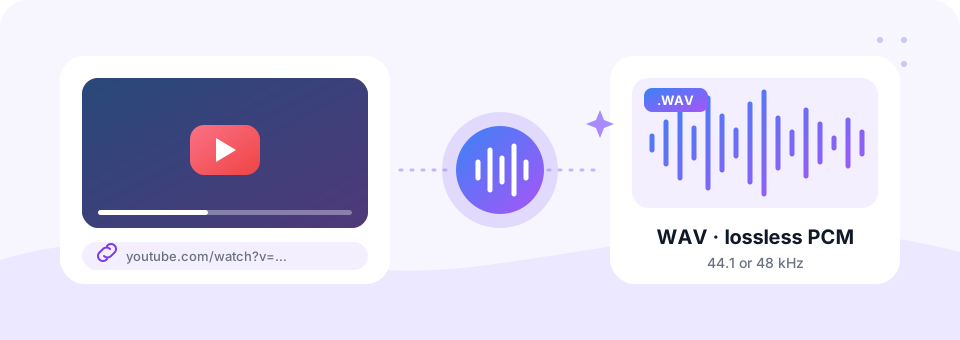
How to use the YouTube to WAV Converter
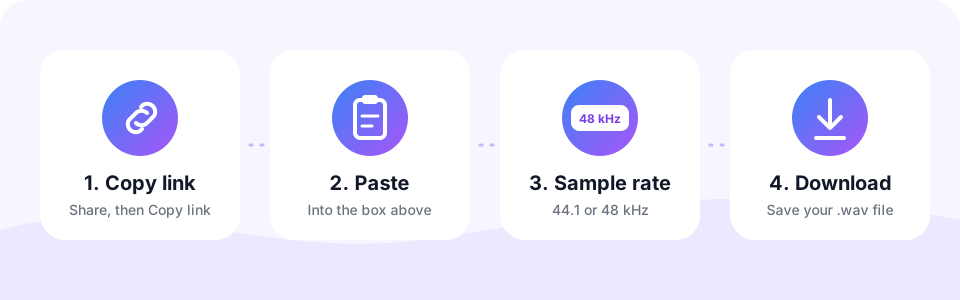
- Copy the YouTube linkTap Share under the video and choose Copy link, or copy the address from your browser bar. Shorts and YouTube Music links work too.
- Paste it and pick a sample rate44.1 kHz matches music and CDs; 48 kHz matches video projects in Premiere Pro, Final Cut, DaVinci Resolve and CapCut.
- Add extras if neededTurn on Mono for voice-overs, or Cut a part to keep only the section you need.
- Convert and downloadTap Convert to WAV and watch the circle fill up. When it reaches 100%, tap the round Download button to save the .wav file.
WAV or MP3: which should you download?
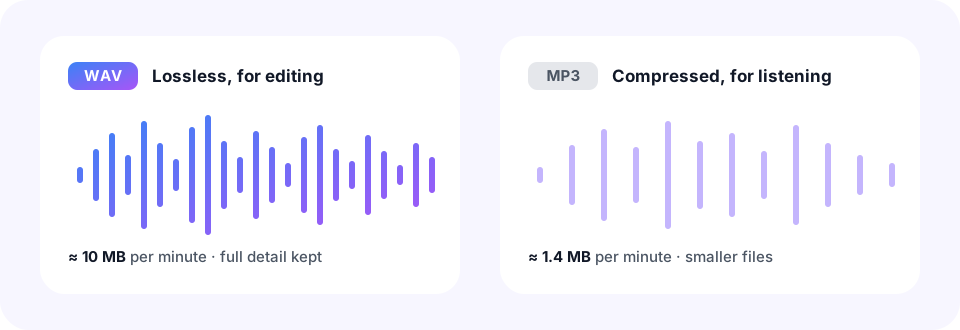
Both formats have a clear job. WAV is a working format: it keeps every sample exactly as received, so it suits editing, mixing and mastering. MP3 is a listening format: it removes sound you are unlikely to hear and shrinks the file by around 85%. So, if you only want to enjoy a track on your phone, our YouTube to MP3 converter is the faster choice.
One honest note: converting to WAV cannot add detail that the YouTube stream never had. Instead, it makes sure nothing more is lost from this point on, which is exactly what you need before editing.
44.1 kHz or 48 kHz?
The sample rate should match the project you are working on. Choosing the right one up front means your editor will not need to resample the audio later.
- 44.1 kHz. The standard for music, CDs and most audio editors such as Audacity, GarageBand and FL Studio.
- 48 kHz. The standard for video. Use it when the WAV goes into Premiere Pro, Final Cut, DaVinci Resolve or CapCut.
- Mono. Ideal for speech, voice-overs and interviews. It halves the file size.
YT to WAV for creators, DJs and producers
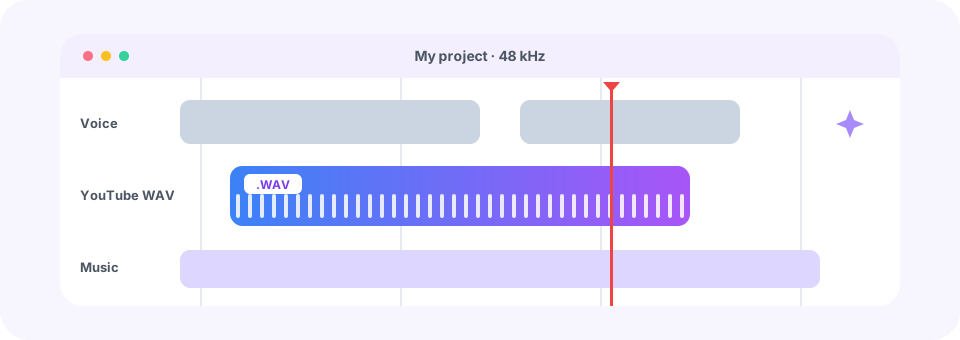
A YT to WAV conversion is handy whenever audio needs more work. For example, you might clean up the voice track of your own upload, pull a royalty-free backing track into a mix, sample a Creative Commons recording, or prepare narration for subtitles and transcription. Because WAV is uncompressed, the file you import behaves just like a recording made on your own computer.
DJs also like WAV, since programs such as rekordbox, Serato and Traktor load it instantly and without decoding. Meanwhile, video editors can line it up frame by frame against picture without any timing drift.
Use it on any device
This YouTube converter to WAV runs online in your browser, so there is nothing to install on Windows, Mac, Android or iPhone. On a computer, the .wav file lands in your Downloads folder. On an iPhone or iPad, Safari saves it to the Files app, where apps such as GarageBand can open it. On Android, Chrome saves it to Downloads.
How big will the WAV file be?
Uncompressed audio is large. Stereo WAV at 44.1 kHz uses about 10 MB per minute, so a 5-minute song is roughly 50 MB, and mono halves that. For this reason, the tool converts videos of up to one hour. To keep files small, use Cut a part to save only the section you need. Later, you can trim the WAV further, or turn it into a smaller file with our WAV to MP3 converter.
Is this YouTube to WAV downloader free and safe?
Yes, on both counts. There is no sign-up, no software to install, no pop-up ads and no watermark or audio tag added to your file. The WAV is prepared on our server and deleted automatically within 30 minutes.
Use it responsibly
Only convert videos you own, Creative Commons or public-domain content, or audio you have permission to use. YouTube’s terms do not allow other downloads, and copyright law may apply where you live. MP3 Converter is an independent tool and is not affiliated with, endorsed by or sponsored by YouTube or Google.
Frequently asked questions
Is this YouTube to WAV converter free?
Yes. You can convert and download YouTube audio as WAV for free, with no sign-up, no software and no watermark.
What is YT to WAV?
“YT” is short for YouTube. YT to WAV, YT WAV converter and YouTube to WAV all mean saving the audio of a YouTube video as an uncompressed WAV file, which is what this tool does.
Is WAV better quality than MP3?
WAV is lossless, so it keeps the audio exactly as it was received without adding compression. It cannot add detail beyond what YouTube streamed, but it is the best format for editing because it never loses more quality.
What kind of WAV file do I get?
A standard 16-bit PCM .wav file at 44.1 or 48 kHz, in stereo or mono. It opens in every audio editor, DAW, DJ app and video editor.
Which sample rate should I choose?
Choose 44.1 kHz for music and audio projects, and 48 kHz if you will use the WAV in a video editor.
Can I convert only part of a YouTube video to WAV?
Yes. Turn on Cut a part and enter a start and end time, such as 0:45 to 2:10. Only that section is saved as WAV.
Does it work with YouTube Shorts and YouTube Music?
Yes. Paste a Shorts link, a youtu.be link or a music.youtube.com link exactly as you copied it.
Is there a length limit?
Yes, up to one hour per video, because WAV files are about 10 MB per minute.
Related tools
We build free, privacy-first audio tools that run in your browser. This guide is checked against how the tool actually works. About us
Last updated: October 2026