 MP3 Converter
OPUS to MP3 & MP3 to OPUS Converter
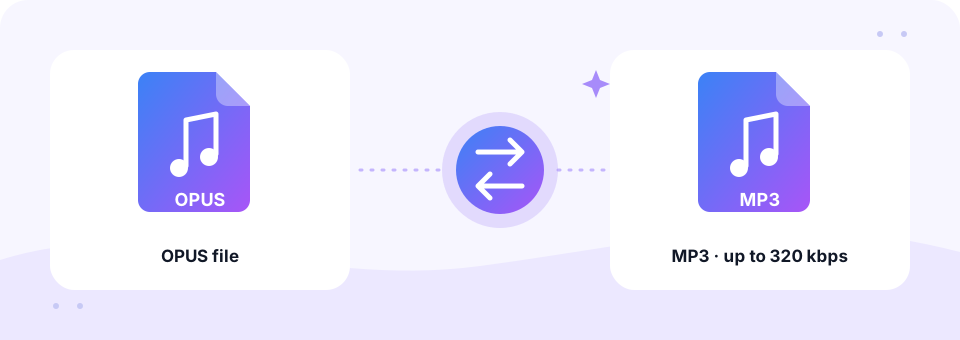
Our free OPUS to MP3 converter turns WhatsApp, Telegram and Discord voice notes into MP3 files that open on any computer, phone or email app. Add one message or dozens, and they convert privately in your browser, which matters for personal conversations. Need tiny files instead? Switch to MP3 to OPUS.
- 100% Private
- No Limits
- Free
- Any Device
Upload OPUS voice notes to convert to MP3.
Supported formats: OPUS, OGG, WEBM and more, up to 500 MB per file
or drag and drop files here
Files are processed inside your browser and are never uploaded to a server.
Why voice notes arrive as .opus files
Opus is a modern, open audio codec built for voice calls and live streaming. It keeps speech clear at very low bitrates, so messaging apps love it: WhatsApp voice notes are .opus files, while Telegram and Discord voice messages are Opus audio saved as .ogg. Browsers also use Opus for calls and recordings.
The problem starts when you take a voice note out of the app. Many computers, media players, email apps and office tools will not open an .opus file. Converting OPUS to MP3 fixes that, because MP3 plays nearly everywhere. Since voice notes are speech, this page starts at 128 kbps with Mono switched on, which keeps one voice clear and the file small.
How to use the OPUS to MP3
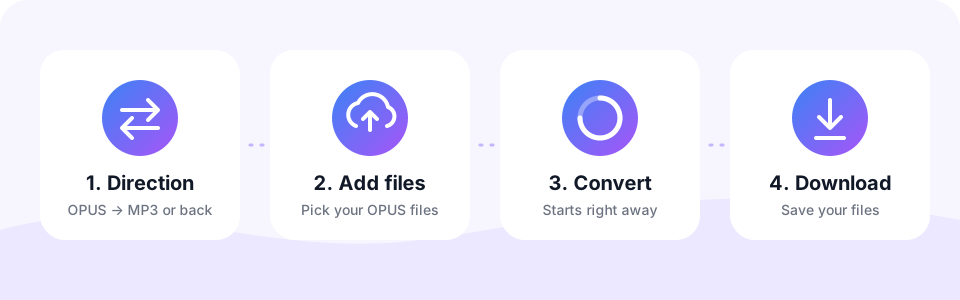
- Keep OPUS → MP3 selectedThe page opens in this direction. Tap MP3 → OPUS only when you want to make Opus files from MP3.
- Check quality and Mono128 kbps with Mono on is ideal for voice notes. For music or stereo recordings, turn Mono off and choose 192 kbps or more before adding files.
- Add your voice notesTap Choose OPUS Files and select one or many .opus, .ogg or .webm files. They convert one after another.
- Download the MP3sPlay each MP3 in the small player to check it, then tap Download. Use Download all when several notes are finished.
Converting MP3 to OPUS
Opus is one of the most efficient audio formats available. Speech still sounds clear at 32 to 48 kbps and music sounds good at 96 to 128 kbps, so an MP3 can often shrink to a third of its size. Messaging apps such as Telegram and WhatsApp use Opus for voice messages, and some bots and voice tools expect it.
Switch to MP3 → OPUS, pick a bitrate, and turn on Mono for voice recordings. The tool creates a standard .opus file (Opus audio in an Ogg container) at 48 kHz.
How to get the OPUS file out of WhatsApp and Telegram
Before you can convert OPUS to MP3, you need the voice note as a file on your device. Here is where to find it in the most common apps:
- WhatsApp on Android. Open the Files app and go to Android › media › com.whatsapp › WhatsApp › Media › WhatsApp Voice Notes. Notes sit in dated subfolders.
- WhatsApp on iPhone. Long-press the voice note, tap Forward, then tap the Share icon and choose Save to Files.
- Telegram on a computer. Right-click the voice message in Telegram Desktop and choose Save As. You get an .ogg file with Opus audio.
- Discord. Voice messages are .ogg files with Opus audio, so once you have saved one to your device it converts the same way.
OPUS vs MP3: why the MP3 is bigger
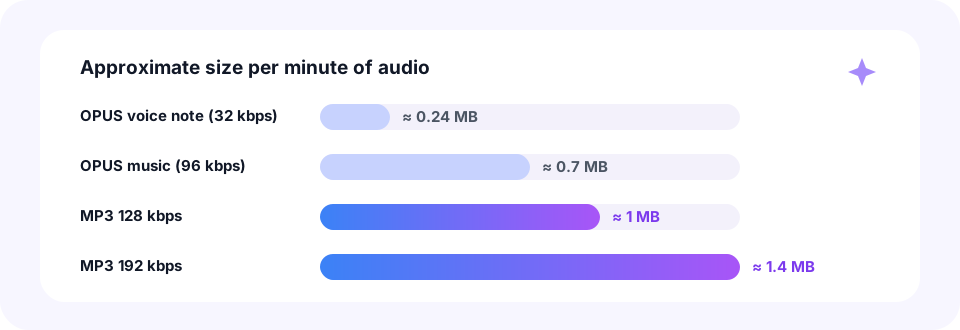
Opus is one of the most efficient audio codecs ever made. Voice notes are usually encoded at very low bitrates, often 32 kbps or less, so a one-minute message is typically a few hundred kilobytes. MP3 needs more bits for the same clarity. As a result, the converted MP3 is usually larger than the original note.
Still, the numbers stay small. A 128 kbps mono MP3 takes about 1 MB per minute, so even a ten-minute voice note is only around 10 MB. And if you need it smaller for an email limit, our MP3 Compressor can bring speech down to 64 or even 32 kbps.
Reasons to save voice notes as MP3
- Keep precious messages. Save a message from a parent, partner or friend in a format that will still open years from now.
- Share outside the app. Send the MP3 by email or upload it to a work tool or form that rejects .opus files.
- Transcribe or edit. Most transcription services and audio editors import MP3 without extra plugins.
- Combine several notes. Turn a long chat of voice messages into one file with our Audio Joiner.
OPUS to MP3 on iPhone, Android, Mac and Windows
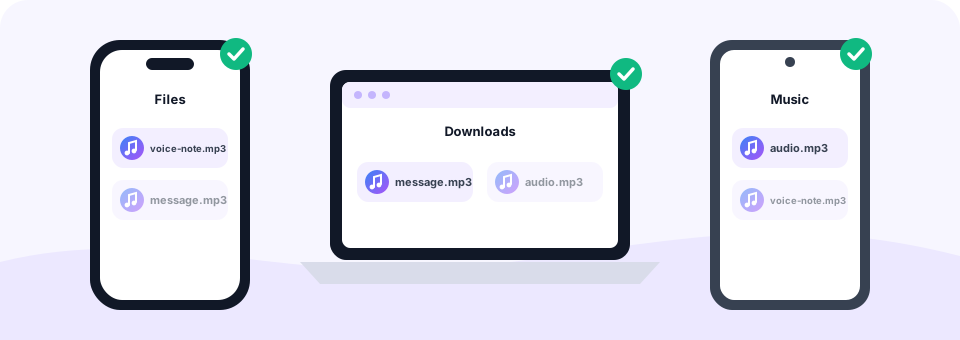
You can convert OPUS to MP3 without installing an app. On a Windows PC or Mac, open this page in Chrome, Edge, Firefox or Safari, add the .opus files and collect the MP3s from your Downloads folder.
On an Android phone, use Chrome and pick the voice note straight from the WhatsApp Voice Notes folder described above. On an iPhone or iPad, first save the note to Files, then open this page in Safari and choose it from there. When you tap Download, the MP3 is saved to Files in the Downloads folder, ready to share. If the browser cannot read the format by itself, the built-in FFmpeg decoder loads once and takes over.
Questions people ask about OPUS files
What opens an .opus file? VLC, Chrome and Firefox can play it, but many default players, email previews and office apps cannot. That is the main reason people convert OPUS to MP3.
Is Opus the same as OGG? Not exactly. Opus is the codec, while OGG is a container that can hold Opus or Vorbis. A .opus file is simply Opus audio inside an OGG container, which is why both convert here.
Does converting improve a bad recording? No. The MP3 sounds like the original note. Background noise or a quiet voice stays the same, although the file becomes much easier to use.
Your voice notes stay private
Voice messages are personal, so privacy matters here more than anywhere. This OPUS to MP3 converter works entirely in your browser, using the Web Audio API, FFmpeg compiled to WebAssembly and the LAME MP3 encoder. Your notes are never uploaded, stored or listened to by anyone.
What is more, MP3 Converter is free, asks for no account or email and adds no watermark. There is nothing to install, and the converted files vanish from the page as soon as you close the tab.
Frequently asked questions
Is this OPUS to MP3 converter free?
Yes. You can convert as many OPUS files as you like for free, with no sign-up, no watermark and no app.
How do I convert a WhatsApp voice note to MP3?
Save the voice note to your device first, then tap Choose OPUS Files on this page, select it and tap Download when the MP3 is ready.
Where are WhatsApp voice notes stored on Android?
On recent Android versions, look in Android, media, com.whatsapp, WhatsApp, Media, WhatsApp Voice Notes. The notes are sorted into dated subfolders.
How do I save a WhatsApp voice note on iPhone?
Long-press the voice note, tap Forward, then tap the Share icon and choose Save to Files. After that, pick it from Files on this page in Safari.
Will the MP3 be larger than the OPUS file?
Usually yes, because Opus is extremely efficient. A 128 kbps mono MP3 is still small, at about 1 MB per minute.
Are my voice notes uploaded anywhere?
No. Everything happens in your browser on your own device, which keeps private conversations private.
Can I batch convert OPUS to MP3?
Yes. Select several files together. They convert one after another, and Download all saves every MP3 when they are done.
Should I turn Mono off?
Only for music or stereo recordings. Voice notes are almost always a single voice, so keeping Mono on gives a clean result.
What bitrate should I use for MP3 to OPUS?
32 to 48 kbps mono for speech, 96 kbps for most music and 128 to 160 kbps if you want the highest quality.
Can I send the OPUS file as a voice message?
Many apps and bots accept Opus voice files, but each app has its own rules for what appears as a voice note. Check the app’s requirements if it does not show up as expected.
Related tools
We build free, privacy-first audio tools that run in your browser. This guide is checked against how the tool actually works. About us
Last updated: October 2026